
 Need help?
Do you have a question about the Galaxy 8 and is the answer not in the manual?
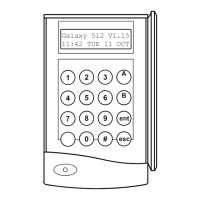
Overview of Galaxy Mk3 LCD keypads and system capacity.
Functionality of number keys (0-9) and view keys (A, B).
Details on Enter, Escape, Hash, Star keys and their operations.
Power LED status, Banner display, and User Code definition.
Ensure zones are secure and enter PIN for user levels 1-6.
Select groups to set and understand exit time parameters.
Understand sounder signals, zone status, and setting confirmation.
Details on part setting, cancelling, and group name display.
Normal, slow entry, and how to cancel alarms.
Manager and Engineer reset requirements after alarms.
Overview of Full Menu and Quick Menu structures and how to access them.
Note that "OMIT ZONES" is the first menu option displayed.
How to select, view, omit zones, and effect of omission.
Specific behaviour for omitting zones on the Galaxy 512 model.
Details on omitting vibration and ATM zones.
How to use Forced Set and handle non-omittable zones.
Control and operation of the chime mode.
How to check zone descriptions and current status.
View zone status, descriptions, and select specific zones.
Purpose of log, how to select it, and view events by date.
View individual events and access additional information.
Select and print codes, zones, log, or all system data.
How to select and perform tests on all or selected zones.
Procedures for ending or aborting the walk test.
Modify system time, date, and adjust clock speed.
Overview of codes management and detailed user code assignment.
Configuration for PIN warnings, MAX users, and manager capabilities.
How to select the codes option and manage user codes.
Procedures for modifying or deleting user PINs.
Assigning and operating dual codes, including model-specific notes.
Assigning user levels and understanding access availability.
How to implement and use duress codes for security.
Accessing Quick Menu and assigning user names.
Allocating time zones to user PINs for timed access control.
Setting up temporary codes with specified expiry days.
Managing PIN changes and enforcement after a period.
Assigning group access to MAX users for module operation.
Adjusting system clock for British Summer Time (BST) dates.
Assigning MAX numbers and configuring single/multiple group access.
Enabling group choice feature for users and manager notes.
Assigning a menu option and specifying a keypad for MAX function.
Procedure for activating MAX function by holding card to reader.
Setting notification days for PIN Change and expiry.
Assigning MAX users and their unique card numbers.
Assigning group access to MAX users for module operation.
Summer time settings can only be modified by the engineer on Galaxy 512.
Messages related to system status, alarms, and keypad usage.
Messages indicating required resets and invalid operations.
Tamper alarms, no entries, invalid options, and technistore reset.
 General
| Brand | Galaxy |
|---|---|
| Model | 8 |
| Category | Security System |
| Language | English |

 To Next Page