45
Installing the Front Facing Camera
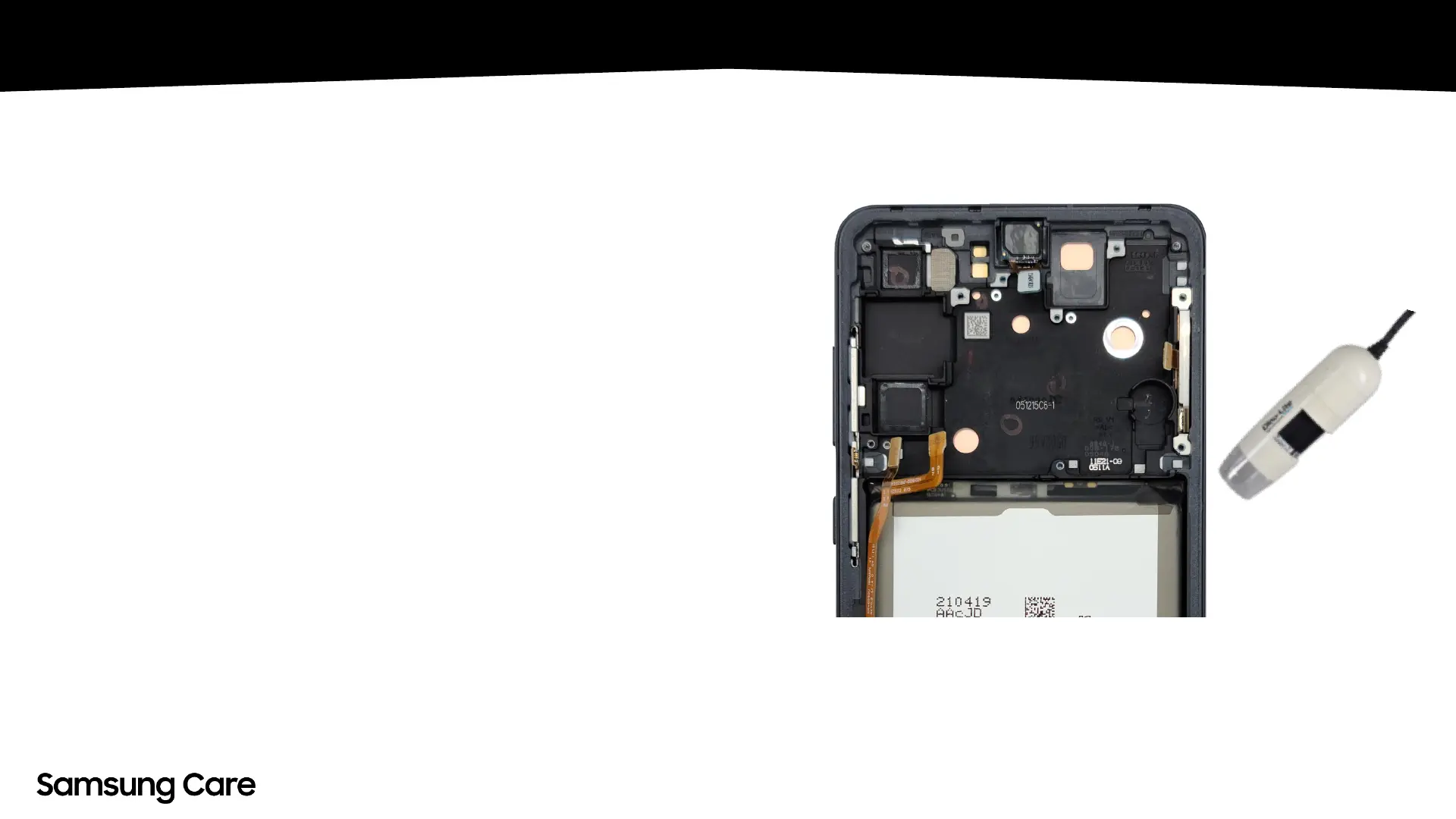
• To install the FFC, attach the rework tape to the
bracket then gently place the FFC on the bracket.
• The FFC lens must be aligned directly at the center
of the LCD FFC area. Using the Dino-lite and/or
otoscope will ensure accuracy by magnifying the
area that the FFC needs to align with.
• Use the magnifying source with one hand as you’re
aligning the FFC with the other. Check the Camera
position to ensure the barrel area of the lens (blue
area) is centered. If the barrel is covered, it will
require reassembling.
• Once installed, alignment workmanship will be
tested via the Camera Vignetting Test in Galaxy
Diagnostics.


 To Next Page