Page
. Create a new session in the eShepherd Mobile App
a. Navigate to the Sessions and start a new session by pressing the ‘+’ button.
b. Accept the default settings and press ‘Create’.
. Scan the neckband to create the association
a. Once all Neckbands have been assigned, save the Session and upload to the eShepherd Web App.
. Upload the session to the eShepherd Web App
a. Use the HHR to scan a neckband EID.
b. Scan the animals EID tag or manually enter a VID.
c. The ‘association’ will then be automatically added to the session list.
d. Repeat with the next neckband and animal.
. Pair the Gallagher Hand Held Reader (HHR) to the eShepherd Mobile App
Follow the steps in the exact order:
Use your mobile device:
a. Open the eShepherd App and login to the app
Your phone needs to be connected to the internet to login to the mobile app.
b. Only once logged in, go to Settings -> WiFi. Leave this view open.
Use the Hand Held Reader:
c. From the ‘Main Menu’ page, go to the ‘Wireless’ menu.
d. Choose Wi-Fi (not Bluetooth). The HHR will now be ‘Discoverable’.
Use your mobile device:
e. Android Device: The HR5-xxxxxxxxxx device will now appear in device list. Select this.
Apple iOS: The HR5-xxxxxxxxxx device will now appear under MY NETWORKS. Select this.
The phone will now connect to the HHR reader.
f. Close the Settings App, and go back to the eShepherd App.
g. Navigate to the Devices menu. The HHR should be listed there.
h. Tap on the listed HHR device to connect it to the mobile app.
Once connected the device will be highlighted green.
Compatible with Gallagher Hand Held Readers 4 and above as WiFi capability is required.
Note: When using a combination of a panel reader and weigh scale to collect animal performance data, there’s a possibility
of the neckband’s EID tag interfering with the animal’s EID tag read. To prevent this, the neckband’s EID tag has been
‘shielded’ to reduce the chance of simultaneous readings. This way, the panel reader only reads the animal’s EID tag.
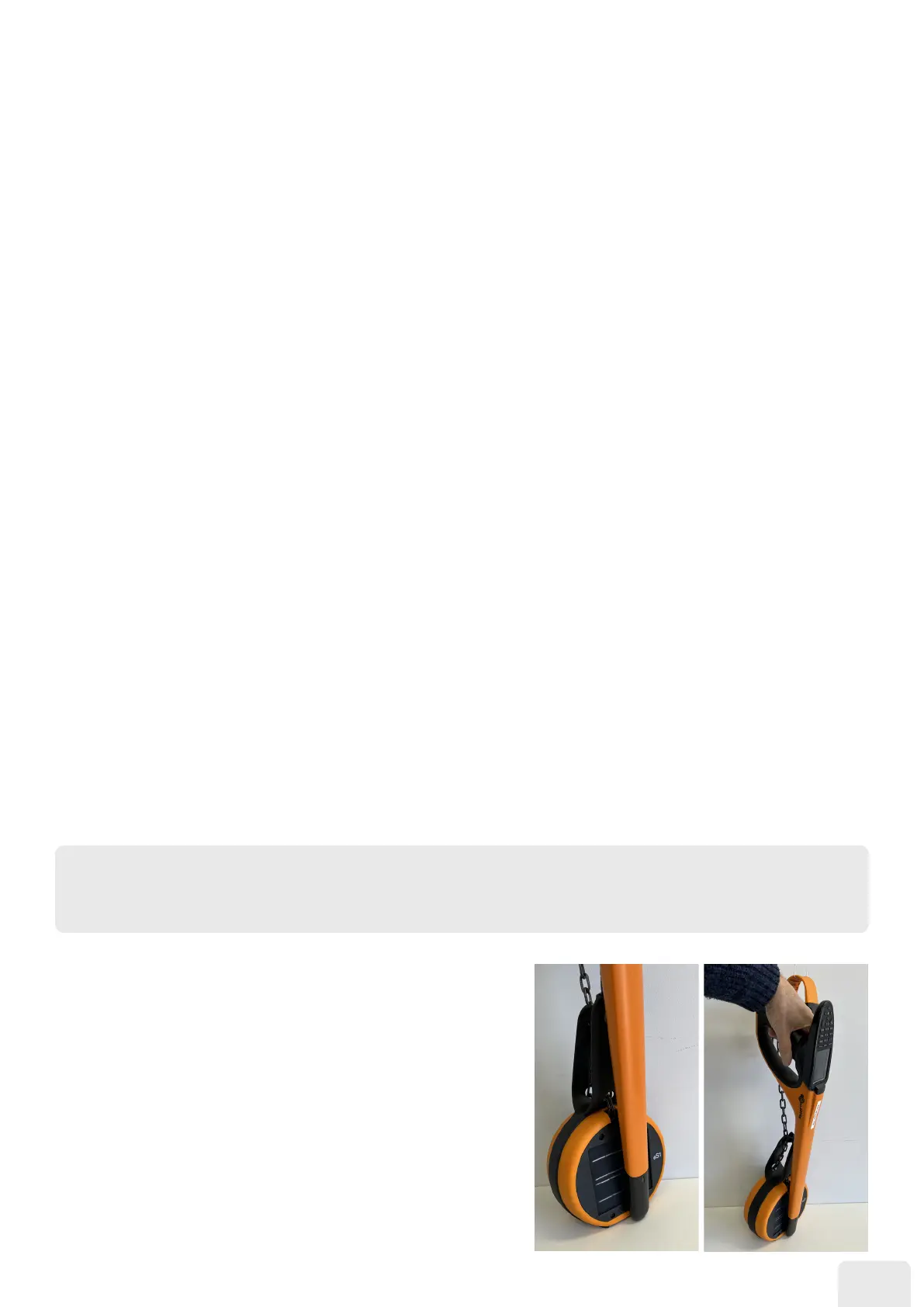
Using the HHR to scan a neckband EID
Reading the neckband’s EID with an HHR is a one-time association
task. Shielding the EID tag within the neckband prevents panel
reader access, posing a challenge for HHR readings.
To successfully read the EID tag, the HHR needs to be positioned
very closely to the EID tag location shown.



 To Next Page