English
Gallagher 3E3084 M1800i M2800i 110v Energizer User Manual
12
Current Alarm
The factory default se ng is current alarm disabled (shown by --). To improve
your ability to fi nd faults before your fence becomes ineff ec ve (voltage too low),
Gallagher recommend se ng the current alarm 10A above normal opera on.
Many events can cause the current to increase, including rainfall, grass growth,
broken fences and failed insulators. If the current goes above the alarm level you
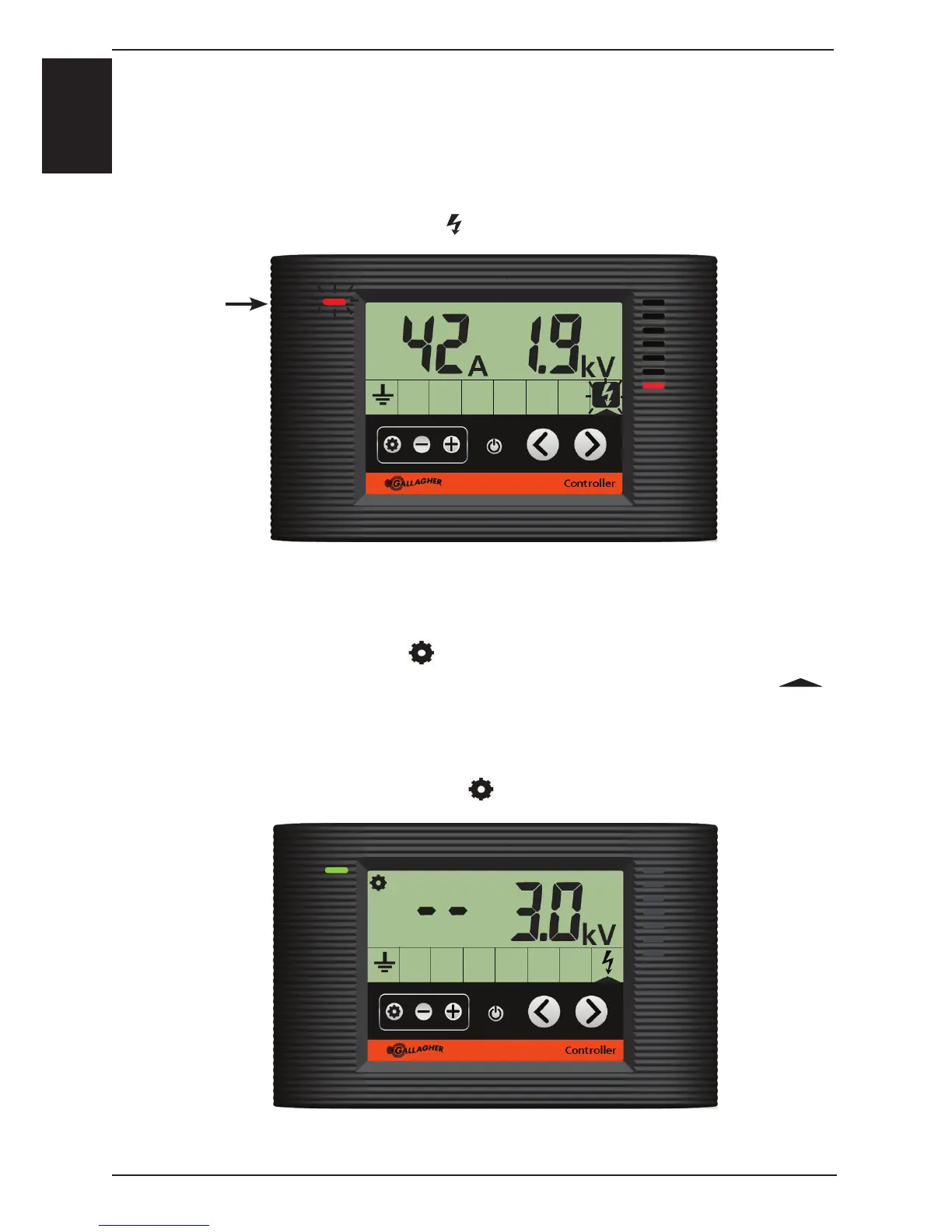
have set, then the Energizer icon (
) will fl ash and the status LED will fl ash red.
Controller showing the energizer in current alarm
Status LED
fl ashes red
Adjus ng / Turning Off Alarms
a) Press the setup bu on ( ).
b) Press the naviga on bu ons (< or >) to move the zone indica on arrow (
)
over the desired zone, which will fl ash when selected.
c) Press (- or +) to adjust the zone alarm level.
d) To disable an alarm press (-) un l the display shows (- -).
e) To exit, press the setup bu on (
) or wait 10 seconds.
Controller showing the default energizer alarm setup with
current disabled and voltage at 3.0KV



 To Next Page