© 2021 GAME GOLF by Game Your Game, Inc. All rights reserved.
ON-COURSE SETUP
GET STARTED SETUP TROUBLESHOOT UPDATE SMART CADDIE
11
STARTING A ROUND
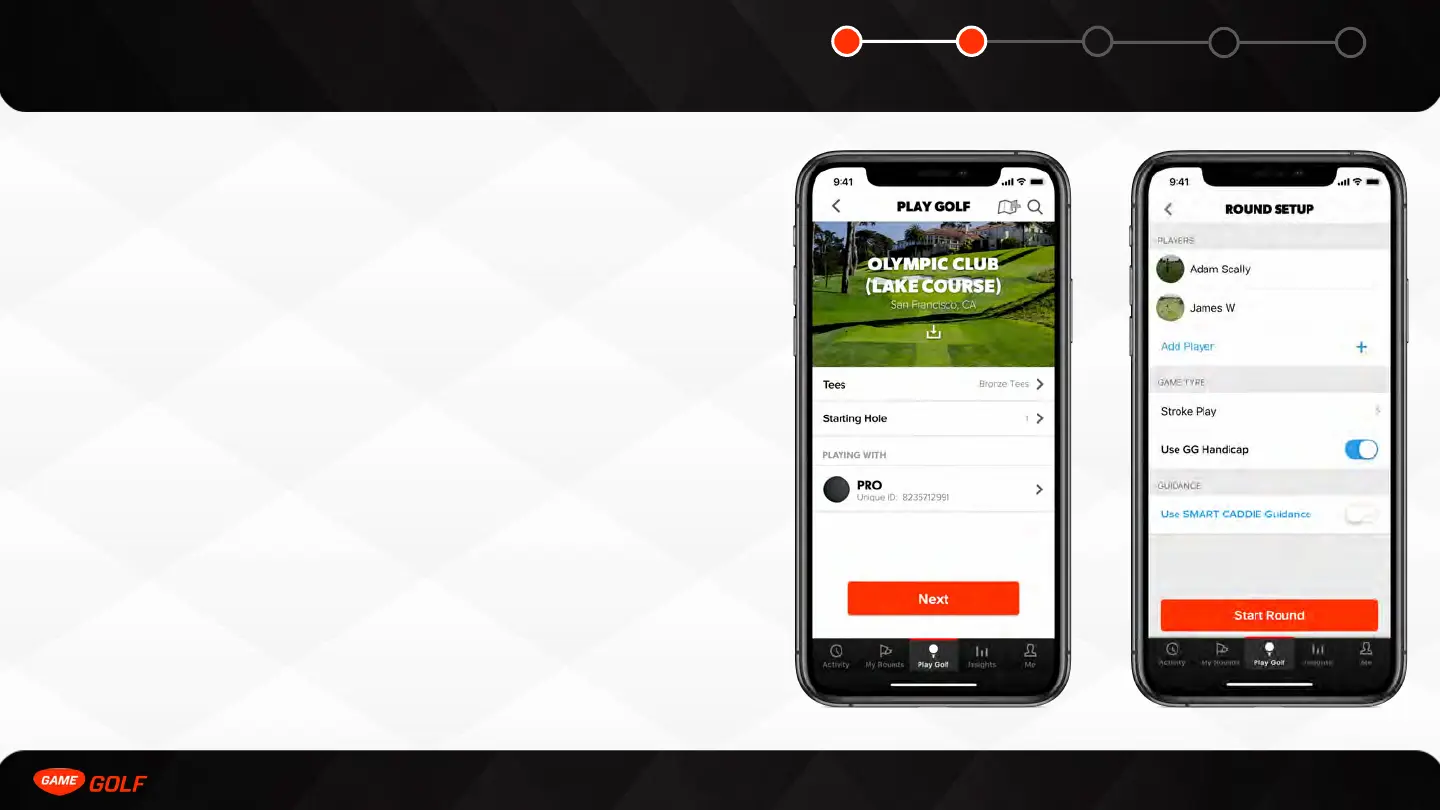
To start using your PRO device on the course, tap the “Play Golf” tab on the bottom
menu bar. The course closest to your location will be pre-selected, or use the search
bar to navigate to other courses. You can download the course before your round by
searching a course, selecting that course, and tapping the cloud icon to download that
course before playing.
If you have multiple GAME GOLF devices, you need to choose which device that you
intend to play with. Once you have selected your PRO device, select the Next button to
take you to the round settings screen.
In the round settings screen, you can invite friends to join your round, choose a game
type if you are playing a Live Leaderboard and whether you want to factor in your
GAME GOLF handicap for this Live Leaderboard. You can also enable or disable GAME
GOLF smart caddie.
Learn more about Live Leaderboards on page 18 and about smart caddie on Page 27.



 To Next Page