© 2021 GAME GOLF by Game Your Game, Inc. All rights reserved.
ON-COURSE SETUP
GET STARTED SETUP TROUBLESHOOT UPDATE SMART CADDIE
17
UPLOADING AN OFFLINE ROUND (NO PHONE)
An offline round is a round without your phone. Once you have setup your PRO device on
your phone, the use of the phone is completely optional with PRO.
If you want to play without your phone, simply turn on the medallion, wait for it to
connect to GPS (The red flashing light needs to turn off) and then you are ready to hit the
course!
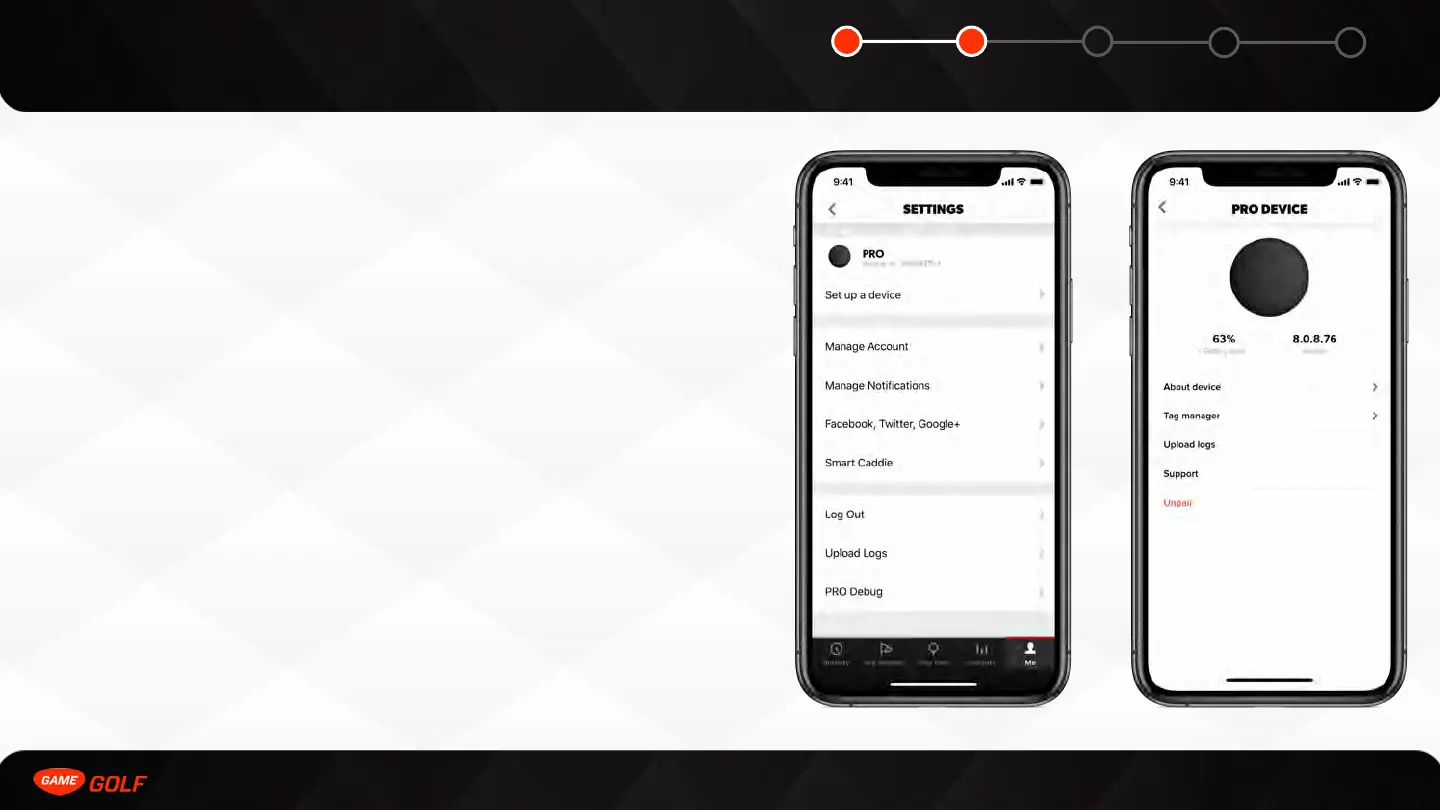
To upload the round after play, you need to connect to the medallion on your phone and
do the following:
1. Go to ”Me” tab
2. Go to "Settings"
3. Select your "PRO" device
4. Select “Upload Rounds” button



 To Next Page