EasyManua.ls Logo

Game ready GRPro 2.1 CONTROL UNIT - User Manual

Game ready GRPro 2.1 CONTROL UNIT
12 pages
Print Icon
To Next Page IconTo Next Page
Loading...
This User’s Manual is also available online in
English, French, German, Italian, Japanese, and Spanish
at www.gameready.com under Products.
MODEL NUMBERS
550550-03, 550550-03-RN, 550550-53
GRPro
2.1 CONTROL UNIT
User’s Manual
53
Game Ready Control Unit User’s Manual PN 703758 Rev D
©2011 CoolSystems, Inc. All rights reserved.
Brought to you by CoolSystems, Inc.
1800 Sutter Street, Suite 500
Concord, CA 94520
1.888.GameReady (1.888.426.3732)
+1.510.868.2100
www.gameready.com
SUPERSEDED

Questions and Answers

  • H
    haysjasonAug 18, 2025
    What to do if the Game Ready Medical Equipment shows a dry pump error?
    • K
      Kevin WangAug 18, 2025
      If the Game Ready Medical Equipment control unit detects a dry pump, it means the water in the reservoir may be depleted. To solve this: * Ensure you're using ATX Series Heat Exchangers. * Check that there's enough water in the reservoir, referring to the fill line indicator. * Make sure the reservoir filter isn't clogged. * Confirm there are no kinks in the Wrap or Connector Hose. * Try turning the Control Unit off and then on again. * Disconnect and reconnect the hose from both the Control Unit and the Wrap, listening for a click at each point. * Prime the Wrap: Select 'Off', attach the hose, lay the Wrap flat (lower than the Control Unit), and run the system for 2 minutes.
  • W
    wkellerAug 20, 2025
    How to fix Game ready GRPro 2.1 CONTROL UNIT Medical Equipment when the control unit will not turn on?
    • K
      Kenneth LyonsAug 20, 2025
      If your Game Ready Medical Equipment control unit won't turn on, press the power button. If no light appears, ensure the AC Adapter is correctly plugged into a working outlet and all connections are secure.
  • S
    Stephanie RobinsonAug 23, 2025
    What to do if Game Ready Medical Equipment indicates over pressure?
    • A
      Amanda WilliamsAug 23, 2025
      If the Game Ready Medical Equipment control unit shows an over pressure indication, turn the unit off and back on. Also, make sure the Wrap is applied securely and avoid sudden movements during treatments.
  • M
    Melissa GibsonAug 25, 2025
    What to do if Game ready GRPro 2.1 CONTROL UNIT shows low flow?
    • S
      Samantha WadeAug 26, 2025
      If the Game Ready Medical Equipment control unit detects a low flow, ensure you're using ATX Series Heat Exchangers. Check all hose connections, and disconnect then reconnect the Wrap from the Connector Hose.
  • J
    Jamie RamosAug 27, 2025
    What to do if Game Ready Medical Equipment shows a deflation error?
    • J
      Jack HortonAug 28, 2025
      If the Game Ready Medical Equipment control unit detects that the Wrap hasn't properly deflated, turn the unit off. If air remains in the Wrap, disconnect it from the Connector Hose and manually deflate it by applying pressure. Reconnect the Hose and reapply the Wrap.
  • B
    Brian MartinezAug 30, 2025
    What to do if Game ready GRPro 2.1 CONTROL UNIT shows a pump performance error?
    • E
      Eugene OrtegaAug 30, 2025
      If the Game Ready Medical Equipment control unit indicates the fluid pump may be working too hard, which could be due to ice or debris in the fluid circuit, turn the unit off and back on again. Reapply the Wrap, carefully following all application instructions.
  • C
    Cory Ortiz IIISep 1, 2025
    How to fix air pressure sensor error on Game ready GRPro 2.1 CONTROL UNIT?
    • E
      emilywilliamsSep 1, 2025
      If the Game Ready Medical Equipment control unit detects a problem calibrating the air pressure circuit during start-up, detach the Wrap, press it flat to expel any air inside, and try again.
  • S
    Samantha ThorntonSep 3, 2025
    Why does Game Ready Medical Equipment show a temperature calibration error?
    • A
      Amber BlakeSep 3, 2025
      If the Game Ready Medical Equipment control unit detects a failure in the Temperature Control circuit, be sure you are operating the system within 33.8-104 degrees Fahrenheit and storing it within 33-120 degrees Fahrenheit. Turn the Control Unit off.
  • H
    hunterjustinSep 5, 2025
    What to do if Game ready GRPro 2.1 CONTROL UNIT shows a self-test error with the air pump?
    • L
      Lisa YorkSep 5, 2025
      If the Game Ready Medical Equipment control unit detects an electronic problem in the air circuit on start-up: Disconnect the Wrap from the Control Unit, turn the Control Unit off and on again without the Wrap connected, reconnect the Wrap, and resume treatment. If the problem continues, contact Customer Service.
  • F
    Fred CampbellSep 8, 2025
    What to do if Game ready GRPro 2.1 CONTROL UNIT displays a self-test error in the fluid circuit?
    • N
      nicoleclarkSep 8, 2025
      If the Game Ready Medical Equipment control unit detects an electronic problem in the fluid circuit on start-up, turn the Control Unit off, then turn it back on and resume treatment.

Summary

GRPro 2.1 System Components

Included Components

Lists and illustrates the items included in the GRPro 2.1 System package.

Detailed Instructions for Use

Modes of Operation

Explains Manual Mode, Program Mode, and Drain Mode for operating the system.

Control Unit Buttons

Describes the function of each button on the GRPro 2.1 Control Unit.

Temperature Adjustment and Display

Details how to adjust temperature and interpret the system display indicators.

Operating the GRPro 2.1 System

System Setup and Operation

Provides step-by-step instructions for setting up and operating the GRPro 2.1 Control Unit.

Pressure Settings Overview

Illustrates the different pressure levels available for treatment.

STORAGE

Storage Guidelines

Provides instructions on how to properly store the GRPro 2.1 System.

CLEANING PROCEDURES

Cleaning Procedures for System Components

Details cleaning methods for the Control Unit, Connector Hose, and Wraps.

CARRY BAG CLEANING

Carry Bag Cleaning Procedure

Details cleaning methods for the Carry Bag.

SYSTEM MAINTENANCE

Reservoir Filter Maintenance

Explains how to inspect, clean, and replace the reservoir filter.

INDICATIONS FOR USE

Intended Use of GRPro System

Specifies the intended medical uses for the GRPro System.

CONTRAINDICATIONS

Therapy Contraindications

Lists conditions for avoiding compression therapy and cryotherapy.

GENERAL SAFETY ADVICE

Warnings and Cautions

Highlights critical warnings and cautions for device use.

UL CLASSIFICATION

Product Safety Classifications

Details the product's safety classifications and standards compliance.

ELECTROMAGNETIC COMPATIBILITY (EMC)

EMC Emissions Information

Information regarding the system's compliance with EMC emissions standards.

ELECTROMAGNETIC IMMUNITY GUIDELINES

Transient Immunity Standards

Details compliance levels for transient electromagnetic immunity.

RF Immunity Standards

Details compliance levels for RF electromagnetic immunity.

TROUBLESHOOTING

Common Error Codes and Solutions

Lists common error codes and provides steps to resolve them.

LIMITATIONS OF LIABILITY

Liability Limitations

Outlines the extent of CoolSystems' liability and warranty limitations.

WARRANTY INFORMATION

Registration and Extended Service

Details product registration and options for extended warranties.

Overview

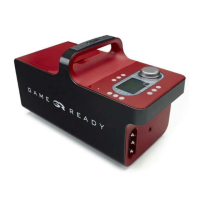
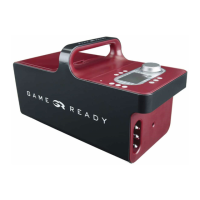
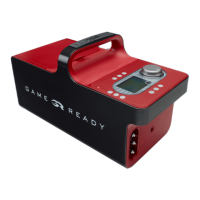
The GRPro™ 2.1 Control Unit is a medical device designed to provide combined cold and compression therapies for post-surgical and acute injuries, aiming to reduce edema, swelling, and pain. It is intended for use by or on the order of licensed healthcare professionals in hospitals, outpatient clinics, athletic training settings, or home settings.

Function Description:

The GRPro™ 2.1 System operates by circulating chilled water and applying pneumatic compression to a treatment site via specialized "Wraps." Each Wrap consists of an inner ATX™ Series Heat Exchanger and an outer Sleeve. The system requires the Control Unit to be filled with ice and water, a Game Ready supplied power supply, a Connector Hose, and a Wrap.

The device offers two primary modes of operation:

  • Manual Mode: Allows the user to manually adjust treatment time and pressure settings.
  • Program Mode: Provides six pre-set treatment programs with specific durations for therapy and sleep (no treatment), at a chosen pressure setting. A "Drain Mode" is also available for emptying water from the ice box through a special Hose Adapter.

The system's essential performance includes:

  • Compression Cycle: Offers four pressure settings: No Pressure (wrap vented to atmosphere), Low Pressure (5-15 mmHg), Medium Pressure (5-50 mmHg), and High Pressure (5-75 mmHg).
  • Cooling Temperature: The circulating ice water temperature is adjustable between 34°F (1°C) and 50°F (10°C), provided sufficient ice is in the ice box.

Important Technical Specifications:

  • Size: 16.25" length x 7.75" width x 9.25" height (413 x 197 x 235 mm), not including Carry Bag.
  • Weight: 7.3 lb. empty, approximately 18 lb. full of ice and water (when full).
  • Pressure Level: Cycles from 5mm Hg up to 75mm Hg.
  • AC Power: 100-240 V~, 50-60 Hz, 1.6A.
  • DC Input: 12V/2.5 A.
  • Protection against electric shock: Class I (protective earth) with GlobTek Model GTM-21097-5012 power supply, or Class II (double insulated) with FSP Group, Inc. model FSP 030-RCAM power supply.
  • Protection against harmful ingress of water: Provides ordinary protection against ingress of water.
  • Degree of safety in the presence of flammable anesthetics or oxygen: Not suitable for use in an oxygen enriched environment or in the presence of flammable anesthetics.
  • Storage Temperature Conditions: 33°F - 120°F (1°C - 50°C).
  • Relative Humidity (Storage): 10% - 95% non-condensing.

Usage Features:

  • Display: Features indicators for Volume, Pressure, Backlight, Power, Program, Play/Pause, Actual Temperature, Target Temperature, and status icons for Error, Sleep, and Battery.
  • Buttons:
    • Power: Turns the Control Unit on/off.
    • Program: Selects treatment programs or returns to Manual Mode.
    • Play/Pause: Starts or pauses a treatment.
    • Add/Subtract Time: Adjusts treatment time in Manual Mode (up to 90 minutes, requires pause).
    • Pressure Selection: Selects one of four pressure settings (requires pause, not available in Program Mode).
    • Volume: Toggles sound on/off (alarms still sound).
    • C/F Button: Selects Celsius or Fahrenheit for temperature display.
    • Backlight: Turns backlight on/off.
  • Temperature Adjustment Knob: Allows users to adjust the target temperature by turning the knob towards 3 snowflakes for maximum cold or 1 snowflake for less cold.
  • Wrap Application: Requires ATX™ Series Heat Exchangers for proper performance. Wraps are not sterile and should not be placed directly against open wounds; they can be applied over clothing or dressing. Wraps must be completely deflated prior to application.
  • Hose Connection: The Connector Hose has a red button end for the Control Unit and a blue or gray button end for the Wrap, ensuring a secure click when connected.
  • Placement: The Control Unit should be placed on a stable surface and used in an upright orientation to prevent leaks.
  • Battery Pack (Optional): An optional battery pack is available (sold separately) for portable use.

Maintenance Features:

  • Control Unit Cleaning: The exterior and visible interior surfaces of the reservoir can be cleaned with a soft cloth and mild detergent, 70% Isopropyl alcohol, 100% Simple Green®, or quaternary ammonium cleaners. Avoid phenolic-based disinfectants, solvent-based cleaners, abrasive materials, and direct liquid streams.
  • Connector Hose Cleaning: The surface can be cleaned with a soft cloth and mild detergent, Steri-Fab®, or 70% Isopropyl alcohol. Avoid phenolic-based disinfectants, solvent-based cleaners, abrasive materials, and petroleum-based lubricants.
  • Wrap Cleaning: The Heat Exchanger should be gently removed from the Sleeve. The Sleeve can be hand washed in cold water with mild detergent or antibacterial soap (no fabric softener, hang to dry). The external surface of the Heat Exchanger can be wiped with commercial non-bleach cleaning wipes or hand washed with a small amount of mild detergent or antibacterial soap (DO NOT MACHINE WASH).
  • Reservoir Filter Maintenance: The reservoir filter should be inspected, cleaned, and/or replaced as necessary. It can be removed by grasping and squeezing its protruding prongs, rinsed to remove debris, and reinserted with the plastic tab facing up.
  • Storage: After use, the AC Adapter and Connector Hose should be unplugged, the ice and water poured out, and excess water wiped off. The Control Unit should be stored with the lid fully open to allow the interior to dry and preserve the reservoir seal. It should be stored in the Carry Bag or another safe location, avoiding extreme cold/hot temperatures, direct sunlight, or hot/freezing cars.

Warnings and Cautions:

  • Do not use without physician's specific recommendations.
  • Monitor skin for adverse reactions during therapy.
  • Do not remove panels from the Control Unit to avoid electrical shock and void warranty.
  • Always turn off and disconnect power before adding/emptying ice and water.
  • Use only Game Ready supplied AC adapters.
  • Do not operate without water in the ice box or with damaged components.
  • Do not pour hot water into the ice box.
  • Carry the Control Unit by its handle, not the lid.
  • Use only Game Ready Wraps.
  • Do not operate without a Connector Hose attached.
  • Handle the Control Unit with care, similar to a laptop computer, to avoid damage.
  • Do not place the AC Adapter or battery pack inside the ice box for storage.
  • The device is restricted by United States Federal Law to sale by or on the order of a licensed health care practitioner.
  • Improper placement or prolonged use can result in tissue damage.
  • The GRPro™ 2.1 System requires special precautions regarding EMC and must be installed and put into service according to the EMC information provided in the User's Manual.
  • The use of non-specified accessories, transducers, and cables may result in increased emissions or decreased immunity.
  • Do not use adjacent to or stacked with other equipment unless normal operation is verified in that configuration.

Contraindications:

  • Compression Therapy: Not for patients with inflammatory phlebitis, history/risk of deep vein thrombosis or pulmonary embolus, significant arteriosclerosis/vascular ischemic disease, conditions where increased venous/lymphatic return is not desired (e.g., carcinoma), or decompensated hypertonia in the affected region.
  • Cryotherapy: Not for patients with significant vascular impairment (e.g., from prior frostbite, diabetes, arteriosclerosis or ischemia), acute paroxysmal cold hemoglobinuria, or cryoglobulinemia.

Cautions (additional):

  • Compromised local circulation or neurologic impairment.
  • Rheumatoid arthritis in the affected region.
  • Known and uncontrolled peptic ulcer (if wraps confine/cool abdomen).
  • Children under 18 or patients with cognitive disabilities/communication barriers.
  • Cardiac insufficiency or congestive heart failure.
  • Localized skin conditions (e.g., dermatitis, vein ligation, gangrene, skin graft).
  • Erysipelas or other active infection.
  • Raynaud's disease or cold hypersensitivity (cold urticaria).
  • Hypertension or extreme low blood pressure.
  • Diabetes.

Game ready GRPro 2.1 CONTROL UNIT Specifications

General IconGeneral
BrandGame ready
ModelGRPro 2.1 CONTROL UNIT
CategoryMedical Equipment
LanguageEnglish

Related product manuals