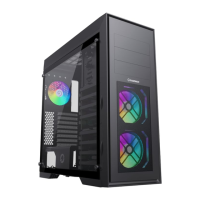
Need help?
Do you have a question about the GAMEMAX Abyss TR and is the answer not in the manual?
Details case dimensions, materials, drive bays, cooling support, and I/O panel features.
Labeled illustration showing all case parts for reference and assembly.
Explains the function and connection points of the front panel ports.
Guides for installing the Power Supply Unit (PSU), drives, and motherboard.
Detailed steps for installing 2.5-inch SSDs in designated locations.
Instructions for connecting front panel cables and fan controller power.
Steps for installing radiators in rear, front, and top panels, including size compatibility.
Instructions for optional parts like VGA card fix units and water tanks.
Details on ARGB controller features, operational modes, and interface definitions.
 General
| Material | Steel, Tempered Glass |
|---|---|
| Color | Black |
| Expansion Slots | 7 |
| Drive Bays | 2x 3.5", 2x 2.5" |
| Radiator Support (Front) | Up to 360mm |
| Power Supply Support | ATX |
| Side Panel | Tempered Glass |
| Motherboard Support | ATX, Micro-ATX, Mini-ITX |
| Cooling Support (Front) | 3x 120mm or 2x 140mm |
| Cooling Support (Top) | 2x 120mm |
| Cooling Support (Rear) | 1x 120mm |

 To Next Page