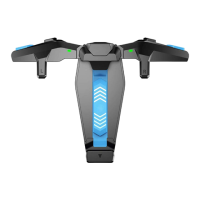
The power switch is controlled by a lever.
Power-on: pull the lever, the F4 controller is turned on, and its 2 indicator
lights will be on in green, then will be off after 5 seconds.
Power-off: when the lever is fully retracted, the F4 controller is turned off.
POWER ON/OFF
YOUR BENEFITS
* 12-month replacement of the same model from the date you
received it.
* Contact us for free online technical support
Website: https://gamesir.hk
E-mail: cs@gamesir.hk
Hotline: +1-888-937-1733 (USA & Canada)
Service Hours: Sat.-Sun. 9:00 AM-6:00 PM PST
Mon.-Wed. 6:00 AM-6:00 PM PST
Thur.-Fri. 6:00 AM-3:00 PM PST
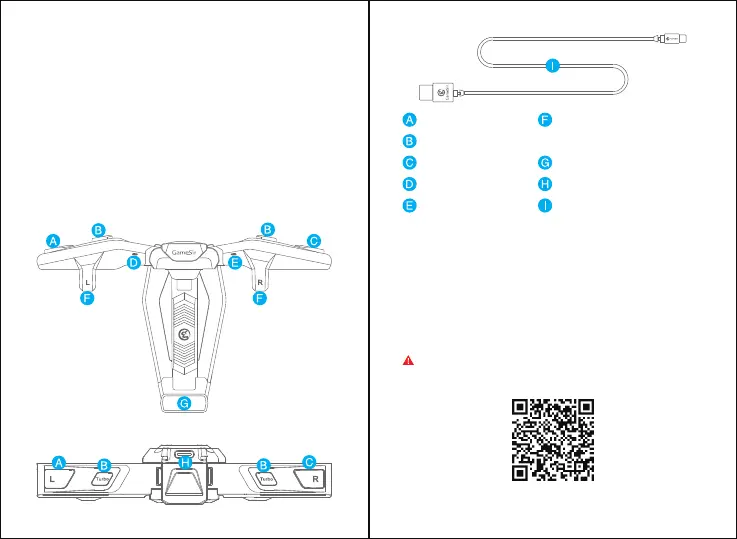
DEVICE LAYOUT
L Button
Turbo Button
R Button
Left Indicator Light
Right Indicator Light
Touchpoint
(Drag game's virtual button under
here)
Lever(Power Switch)
Type-C Port
Type-C Cable
NOTE: REMOVE THE CASE BEFORE USE.
CONNECTION
GameSir F4 Tutorial


 To Next Page