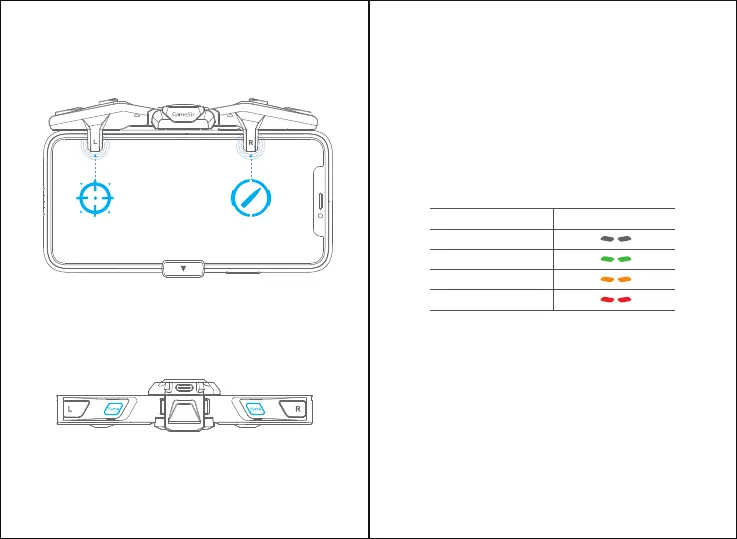
d. Open the game custom setting, drag the shooting, aiming or
jumping virtual button to the touch position, avoid overlapping the
virtual buttons, ensure that the touch position corresponds to the
only one virtual button, then save the setting.
e. Turn the mobile phone screen off and then on before you play.
The “Turbo” buttons on the left and right wings of the F4 controller
control the burst modes, which can be set separately.
By pressing the "Turbo" button, you can select 4 burst modes. When
the modes switched, the indicator light’ color will change accordingly,
showing the current burst mode.
TURBO MODE
TURBO-INDICATOR LIGHT STATUS/COLOR
During using, if the button or F4 controller does not work properly, try
to turn the mobile phone screen off and then on to fix the problem.
SCREEN-OFF CORRECTION
Low battery: When the F4 controller’s battery is lower than 10%, the
2 indicator lights will flash red quickly.
Charging: the 2 indicator lights will flash red slowly.
Full battery: the 2 indicator lights will stay on.
BATTERY INDICATOR
Burst Mode
Indicator Color
NoTurbo
3Bursts
6Bursts
9Bursts


 To Next Page