EasyManua.ls Logo

GameSir T4 pro - Back Button Functionality; Back Buttons Layout; Other Functions; Turbo Combo Function

GameSir T4 pro
16 pages
Print Icon
To Next Page IconTo Next Page
To Previous Page IconTo Previous Page
Loading...
12
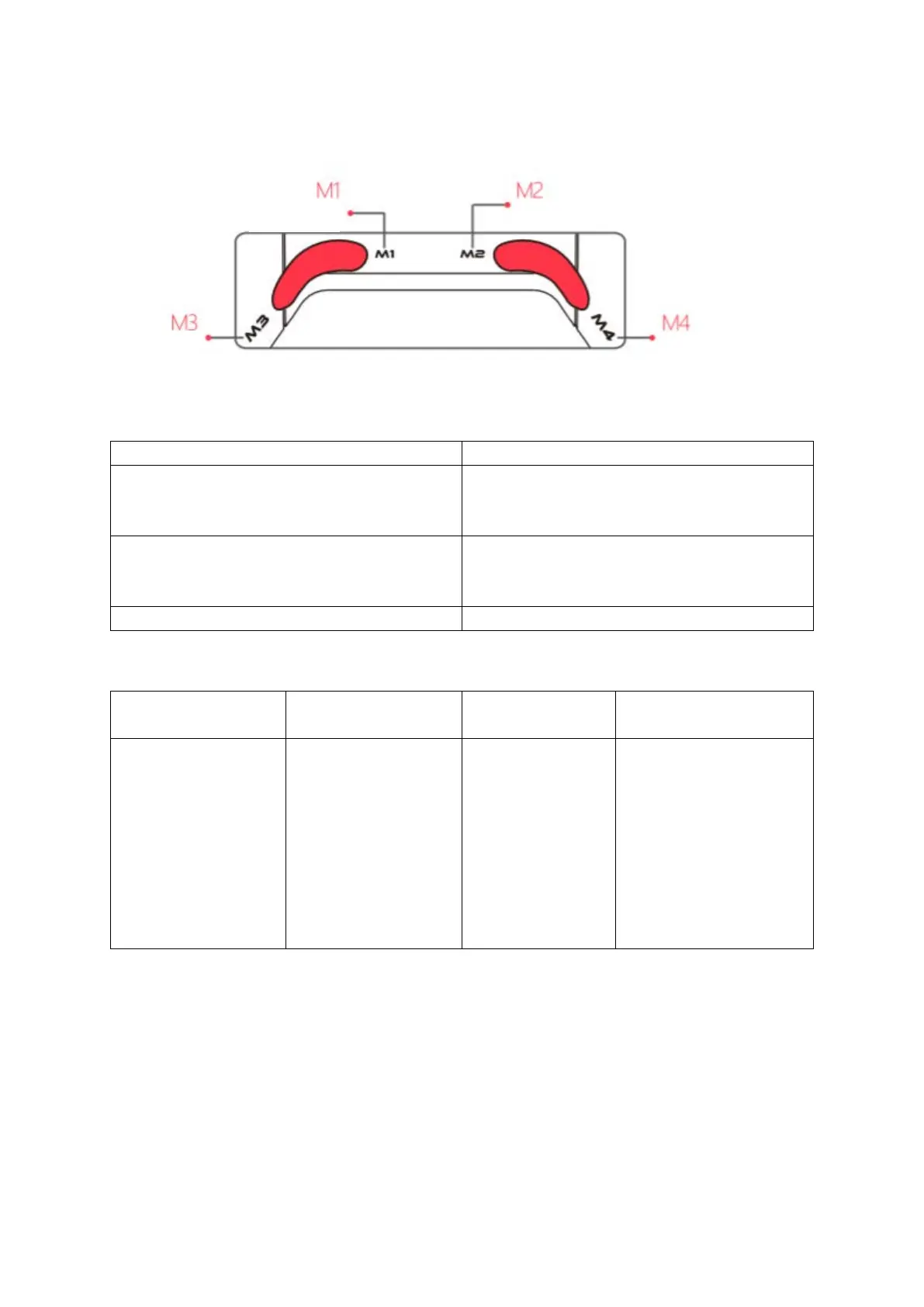
BACK BUTTON FUNCTION
BACK BUTTONS LAYOUT
OTHER FUNCTIONS
Key binds
Description
Turbo + D-Pad’s Up & Down
Adjust the intensity of 5 levels of motor
vibration, 1 level is the highest, the
default is 1 level.
Hold L2, R2, R3 + D-Pad’s Up & Down
Adjust 5 levels of brightness of the
backlight, 1 level is the highest, the
default is 1 level.
Hold LB + RB for 5 seconds
Open/ Close backlight
TURBO COMBO FUNCTION
Combo function
Set/ Delete combo
Programmable
Buttons
Achieve fast attacks
in the game
Press and hold the
button that needs
to do a combo, and
then press the
Turbo button
backlight flashes
red means set
was done.
After deleting
the combo, the
right joystick
backlight returns
A, B, X, Y, LB, RB, LT,
RT
A button
B
X
Y
Default button value

Other manuals for GameSir T4 pro

Related product manuals