10
Note: If you cannot play games, but can operate the main menu, you need to follow
these steps: System Setting> Controllers>Change Grip/Order, follow the on-
screen prompts, and restart games.
Joystick Mode
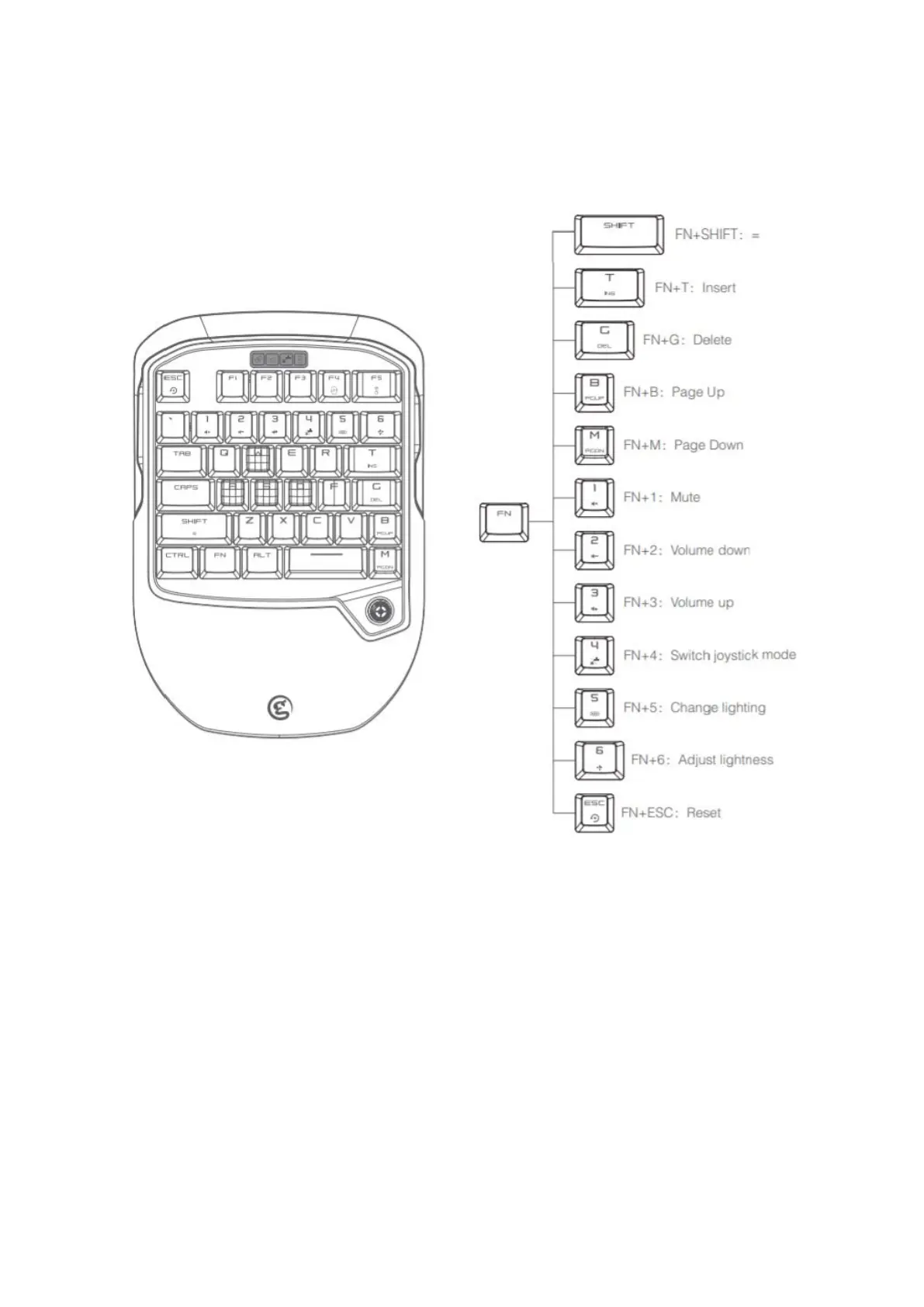
The joystick functions as D-pad in default. Press FN+4 keys, the joystick mode indicator
lights up ,so the joystick mode is switched to WASD function. Press FN+4 keys again,
the joystick mode indicator is off, and the joystick function and WASD function are back
to the default.


 To Next Page