12
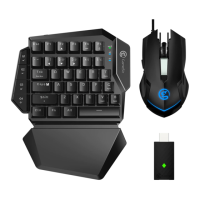
GameSir GM400 E-SPORTS GAMEING MOUSE POLLING RATE
ADJUSTMENT
The default polling rate of GameSir GM300 is 1000Hz. Press the back button + DPI
button to switch 4 levels of polling rate (125hz/250hz/500hz/1000hz). The backlight will
flash when polling rate is switched.
• Flash once: 125Hz
• Flash twice: 250Hz
• Flash three times: 500Hz
• Flash four times: 1000Hz
GameSir GM400 E-SPORTS GAMING MOUSE LIGHT EFFECT
ADJUSTMENT
Press the GM400 mouse Forward button + DPI button to change the lighting effect.
AUTOMATIC SLEEPING MODE
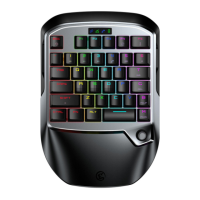
When the VX2 is connected, if there is no operation within 600 seconds, the device will
automatically sleep. When the VX2 is not connected, if there is no operation within 120
seconds, the device will automatically sleep. Press any key to wake up.
POWER INDICATOR INSTRUCTION
When the VX2 is connected, the power indicator stays in blue.
When the VX2 is charging, the power indicator flashes in green.
When the VX2 is in low power condition (15% and below), the power indicator stays in
red.
When the VX2 is in low power condition (5 % and below), it will automatically power off.
Charging time: 2~3 hours.
Recommended adapter: 5 V/1 A.


 To Next Page