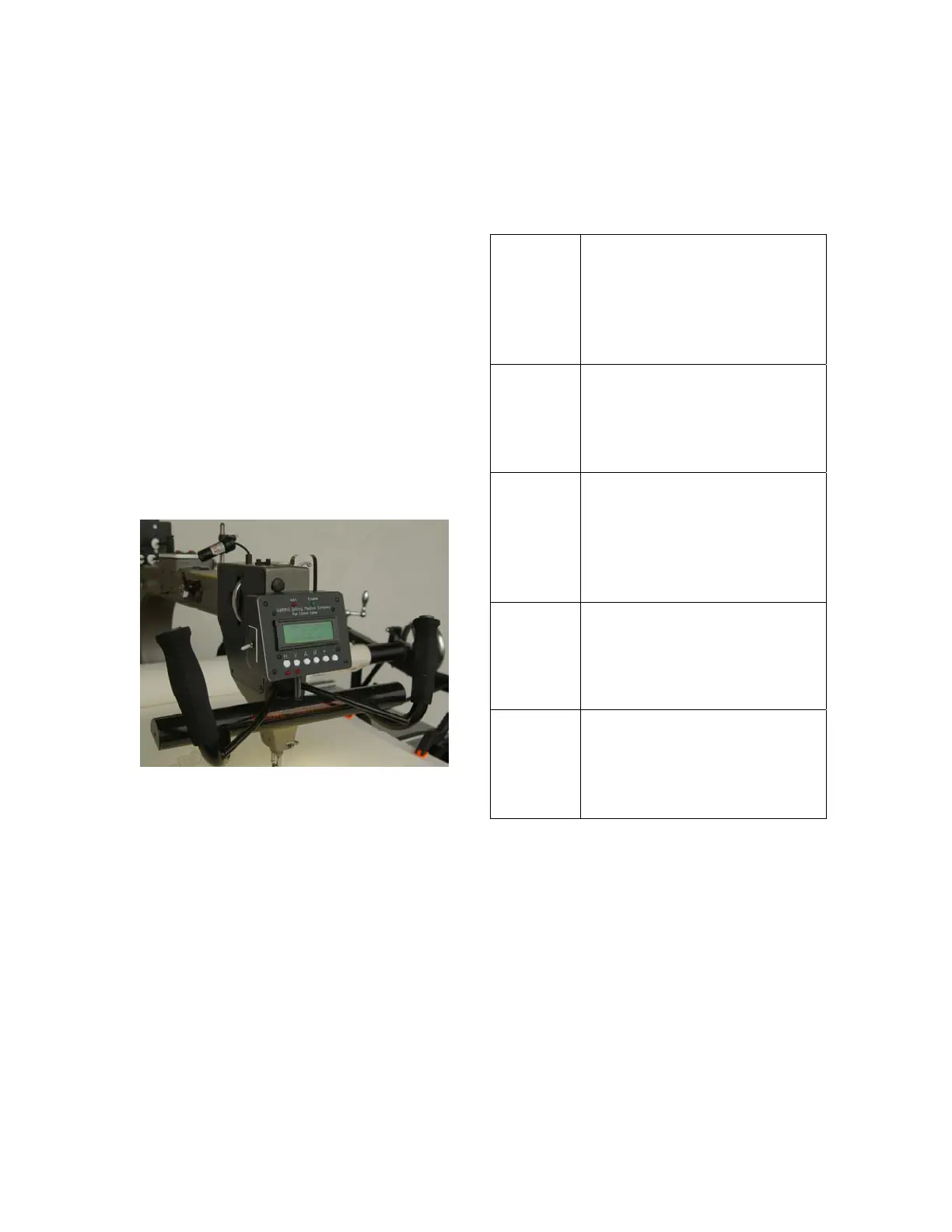
A toggle switch on the left side of the
display unit is for the needle
positioner. Use this switch to select
either the needle position (1/2 stitch)
function or the single stitch (full
stitch) function.
The right side handle switch is the
Run/Stop button. It enables or
disables automatic stitching mode or
turns the motor on or off in manual
mode.
The left side handle switch is the
Needle Position switch. The
function is determined by the setting
of the toggle switch on the side of
the display unit.
Indicators
Indicators are lights, sounds or
messages that indicate the system
status and include:
Alert
This is a red LED on the
upper middle portion of the
display unit. It is illuminated
when low bobbin or thread
breakage as been
detected.
Enabled
This is a green LED on the
middle upper portion of the
display unit. It is illuminated
when the stitch regulation
function is activated.
Beeper
An audible beeper is
sounded when first
entering stitch regulation
mode or when low bobbin
or thread breakage has
been detected.
Display
A four line, 20 character
LCD is provided to
communicate settings and
other information to the
operator.
Channel
Lock
LED
Below the (H) and (V)
buttons are red LED's
which are illuminated when
the channel lock magnets
are activated.
2



 To Next Page