Why do images jitter or ripple on my GAOMON Graphics Tablet?
- RRyan MurphySep 23, 2025
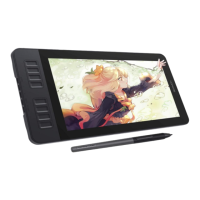
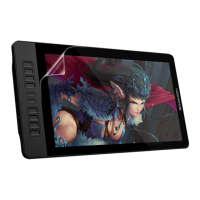
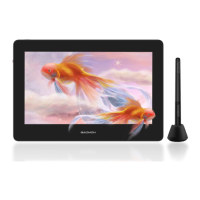
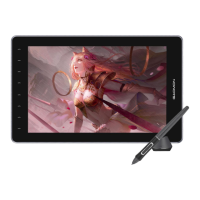
If images on your GAOMON Graphics Tablet jitter or ripple, it's likely due to nearby electric equipment causing electronic interference.
Why do images jitter or ripple on my GAOMON Graphics Tablet?
If images on your GAOMON Graphics Tablet jitter or ripple, it's likely due to nearby electric equipment causing electronic interference.
What to do if pen doesn’t work and there is no pressure in the graphics software on GAOMON PD2200?
If the pen isn't working in art programs only, try uninstalling and reinstalling the driver. On Windows, make sure to run the installation as administrator. If the pen isn't working at all, try re-inserting the USB cable, using different USB ports, or testing it on another computer.
What to do if nothing displays on my GAOMON PD2200 Monitor and there is no indicator light?
If your GAOMON Monitor displays nothing and the indicator light is off, ensure the power cord is properly connected and try a different power socket.
How to fix the deviation between the pen tip and the cursor on my GAOMON PD2200?
To correct the deviation between the pen tip and the cursor on your GAOMON Monitor, try calibration.
What to do if the side button of the pen doesn’t work on GAOMON PD2200?
If the side button of the pen isn't working on your GAOMON Monitor, make sure the nib isn't touching the glass surface and is within 10 mm of the surface when pressing the button.
Why doesn't the power indicator flash on my GAOMON Graphics Tablet?
If the power indicator on your GAOMON Graphics Tablet does not flash, ensure the power is on and check both the socket and power cable.
What to do if my GAOMON Graphics Tablet doesn't display anything with no indicator light?
If nothing displays on your GAOMON Graphics Tablet and there's no indicator light, make sure the power cord is well connected and try a different power socket.
How to fix blurred images on GAOMON Graphics Tablet?
If images appear blurred on your GAOMON Graphics Tablet, set the display resolution to 1920 x 1080.
How to fix blurred images on my GAOMON PD2200 Monitor?
To resolve blurred images on your GAOMON Monitor, set the display resolution to 1920 x 1080.
Why doesn’t the side button of my GAOMON Graphics Tablet pen work?
If the side button of the pen on your GAOMON Graphics Tablet isn't working, ensure the nib isn't touching the glass surface and is within 10 mm of the surface when pressing the button.
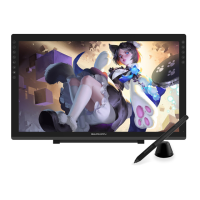
Overview of the GAOMON PD2200 pen display and its main features.
Details of the pen display, digital pen, adjustable stand, and included accessories.
Operating system compatibility for the GAOMON PD2200 driver.
Instructions and notes for downloading and installing the GAOMON driver.
Understanding the device connection status indicator in the driver.
Configuring the tablet's active area mapping to the display.
Customizing the functions assigned to the buttons on the digital pen.
Adjusting the pen's pressure sensitivity curve for preferred responsiveness.
How to test the pen's pressure sensitivity levels on the display.
Procedure for calibrating the pen display for accurate tracking.
Activating Windows Ink for enhanced compatibility with drawing applications.
Enabling mouse mode for cursor control using the pen.
Personalizing express key functions and pressure curves per application.
Saving and loading custom driver configuration settings.
Solutions for common issues related to the pen display's functionality.
Solutions for common issues related to the pen and driver functions.
| Display Size | 21.5 inches |
|---|---|
| Panel Type | IPS |
| Pen Pressure Sensitivity | 8192 levels |
| Response Time | 25 ms |
| Contrast Ratio | 1000:1 |
| Display Area | 476.64 x 268.11 mm |
| Pen Resolution | 5080 LPI |
| Report Rate | 266 PPS |
| Brightness | 250 cd/m² |
| Resolution | 1920 x 1080 |
| Viewing Angle | 178° (H) / 178° (V) |
| Connectivity | HDMI, USB |
| OS Support | Windows, macOS |
| Pen Technology | Battery-free |
| Stand Adjustability | Adjustable tilt |