12 13
IIDTool
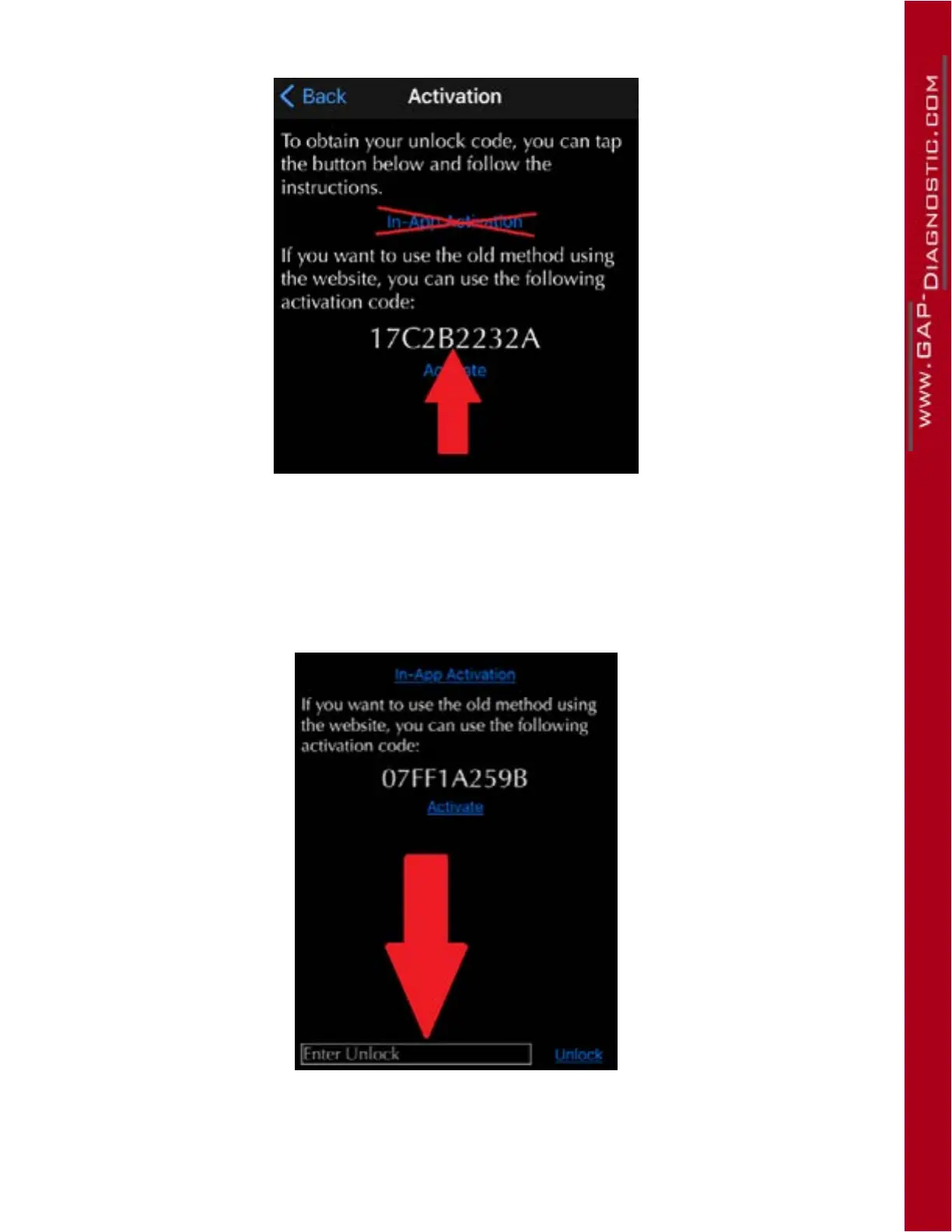
Once on the below page, DO NOT click on ‘‘In App Activation’’, go to step 8
Figure 9. App : Activation when connected to the internet
8- Note the 10 character activation code and send it to:
support@GAP-Diagnostic.com
9- Following receipt of the unlock code as a reply to your e-mail (during operating hours
only), repeat steps 1 to 7 and press the box “Enter Unlock” at the bottom of the page. Enter the
code. and ten press on “Unlock”.
Figure 10. App : Activation when connected to the internet, enter code
10- Once the unlock code is entered correctly, the IIDTool will backup the suspension calibration
andCarCongurationFile(CCF).Aconrmationoftheexecutionwillbedisplayed.
GAP Diagnostic 05/08/2021 All Rights Reserved
Transfer of ownership guide,



 To Next Page