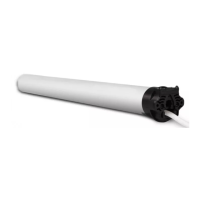
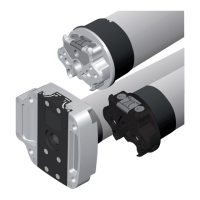
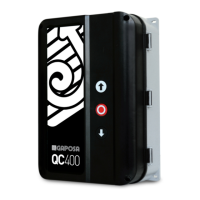
This document describes the GAPOSA XQ, Qleo, and XS series of tubular motors, designed for applications such as shutters and awnings. These motors feature obstacle detection and automatic limit setting, making them suitable for various installations.
Function Description
The GAPOSA tubular motors are designed to automate the movement of shutters and awnings. They incorporate advanced features like obstacle detection, which enhances safety by preventing damage to the motor or the driven object when an obstruction is encountered. The automatic limit setting simplifies installation and ensures precise stopping points for the shutter or awning. The motors can be programmed with transmitters for remote control, and their direction of rotation can be adjusted. They also support an intermediate position setting for added convenience.
Important Technical Specifications
The motors are available in different torque ratings, indicated by the series names (e.g., XQ50, XQ60).
- XQ50 (up to 15Nm torque): Requires a minimum tube diameter of 50x1.5mm. For motors with higher torques, the minimum tube diameter is 60x1.5mm.
- XQ60: Requires a minimum tube diameter of 63x1.5mm.
- Electrical Connection:
- Power supply: 230 V~ / 50 Hz.
- Cable type: 3x0.75 mm².
- Wiring: Neutral (Blue), Ground (Yellow/Green), Phase (Brown).
- A switching device with an opening distance between contacts of at least 3mm is required for power supply.
- Installation Height: The fixing bracket must be positioned so that the roller tube is at a height of not less than 1.8m. Motor moving parts installed under 2.5m from the ground must be protected.
Usage Features
- Programming Transmitter:
- Power up the motor.
- Press and hold the PROG-TX button until the motor starts moving.
- Check the motor's rotation, then release PROG-TX.
- Within 5 seconds, press the corresponding UP or DOWN button on the transmitter to synchronize it and confirm rotation direction.
- Adding Transmitter:
- Press and hold the PROG-TX button of an already paired transmitter until the motor starts moving.
- Check the motor's rotation, then release PROG-TX.
- Within 5 seconds, press the corresponding UP or DOWN button on the new transmitter to be added.
- Checking/Changing Direction:
- If the motor's direction is incorrect after programming, press and hold the PROG-TX button until the motor starts moving.
- Press the STOP button; the motor will make a brief jog, indicating the direction has been reversed.
- Erasing Transmitter:
- Simultaneously push the PROG-TX button and STOP button of the transmitter until the motor makes a brief movement in both directions. Only the specific transmitter used for this procedure will be deleted from the motor's memory.
- Reset Motor Memory:
- Option 1 (Using an already programmed transmitter): Press and hold both the PROG-TX and STOP buttons until the motor makes a brief jog, followed by a second, long jog. The memory is then empty.
- Option 2 (Without an already programmed transmitter):
- Switch the motor power supply OFF, then ON.
- Within 8 seconds, using any Gaposa transmitter, press and hold both the PROG-TX and STOP buttons until the motor makes a long jog. The memory is then empty.
- Automatic Limit Setting (for roller shutters with stops and automatic locks):
- Press and hold the UP button for more than 2 seconds. The motor will run upward to the TOP limit, stop itself (due to the bottom bar hitting the cassette), and set the TOP limit.
- After a few seconds, it will automatically run downwards to self-set the BOTTOM limit.
- When the roller shutter is completely closed, the motor stops, setting the BOTTOM limit.
- To double-check, perform a full TOP/BOTTOM cycle.
- Manual Limit Setting:
- Setting TOP Limit:
- Press and hold the PROG-FC button until a jog occurs, then release.
- Press and hold the UP button for more than 2 seconds. The motor runs to the TOP limit.
- When the desired TOP limit position is reached, press STOP. The motor stops.
- To set the TOP limit, press STOP again. The motor jogs, confirming the TOP limit is set.
- Setting BOTTOM Limit:
- Press and hold the DOWN button for more than 2 seconds. The motor runs to the BOTTOM limit.
- When the desired DOWN limit position is reached, press STOP. The motor stops.
- To set the DOWN limit, press STOP again. The motor jogs, confirming the DOWN limit is set.
- To double-check, perform a full TOP/BOTTOM cycle.
- Deactivating Obstacle Sensitivity:
- Press and release the PROG-FC button for 1 second.
- Press the UP button.
- As soon as the motor runs upward, press the DOWN button.
- As soon as the motor runs downward, press the UP button.
- As soon as the motor runs upward, press the DOWN button.
- As soon as the motor runs downward, press the UP button.
- When the motor runs upward, press and hold the DOWN button until a jog occurs, confirming deactivation.
- Activating Obstacle Sensitivity: Perform the same sequence as deactivation. At step 7, two jogs will confirm activation.
- Intermediate Position Setup (for motors with electronic limit switch):
- Stop the shutter/awning in the desired intermediate position.
- Press simultaneously the UP and DOWN buttons until the motor makes a brief movement in both directions. The intermediate position is then set.
- Recalling the Intermediate Position: Keep the STOP button pressed for at least 3 seconds.
- Erasing the Intermediate Position: Press simultaneously both the UP and DOWN buttons until the motor makes a brief movement in both directions.
Maintenance Features
- Safety Checks:
- Regularly check the shutter/awning in motion and keep persons away during operation.
- Frequently check for loss of balance, signs of wear, or damaged wires.
- Do not use if any repair or maintenance is needed.
- Installation Precautions:
- Ensure a distance of at least 0.4m from awnings (when completely open) and any nearby fixed items.
- The device is not intended for use by individuals with reduced physical, sensory, or mental capabilities, or lack of experience/knowledge, unless supervised or instructed by a responsible person.
- Children should be supervised to prevent them from playing with the device or fixed control devices.
- Control devices installed in a fixed manner must be positioned in view.
- Only qualified technicians should perform electrical connections, adhering to regulations.
- Do not connect more than one tubular motor to a single switch.
- Disconnect power supply when cleaning or servicing the device.
- The switch controlling the motor must be installed in full view, not higher than 1.5m, and kept away from moving parts.
- Use appropriate screws or fixing clips to avoid damaging the motor's tubular part when fixing slats.
- Incorrect installation can cause serious injuries or damage to persons or objects.

 Need help?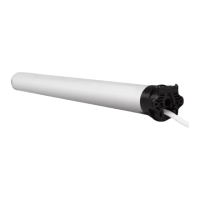

 To Next Page
 General