i.
ii.
iii.
iv.
v.
i.
ii.
iii.
iv.
Open the GloryFit app.
Go to "Device."
Then go to "Body temperature settings."
Select "Unit."
Here you can choose a unit you want to use.
Switch to the body temperature interface to automatically measure
body temperature. The measurement interval can be set in the app. The
default alarm threshold is 37.3°C, but you can also change this setting in
the app.
Open the GloryFit app.
Go to "Device."
Then go to "Body temperature settings" .
Enable "Automatic setting" - this feature sets your watch to detect
your temperature at set times.
Switch to the sleep interface to check the previous night's sleep quality.
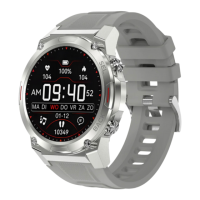
After successfully connecting the paired app - "GloryFit," the Gard Pro Ultra
can control music playback functions such as pause, previous song and next
song when the phone is playing music.
a. Sleep quality control:
a. Music playback controls:
a. Automatic measurement of body temperature:
c. Adjust temperature settings:
b. Change the unit of measurement:
ULTRA
PAGE 08
12. MUSIC CONTROL
13. SLEEP FOLLOWING
14. BODY TEMPERATURE
CAUTION: Put the GARD PRO on the sleep interface when you go to sleep.


 To Next Page