EasyManua.ls Logo

Garden Mate Easy Program - How to Install; Operating Instructions; Set Current Time and Day; Set Watering Program

Default Icon
5 pages
Print Icon
To Next Page IconTo Next Page
To Previous Page IconTo Previous Page
Loading...
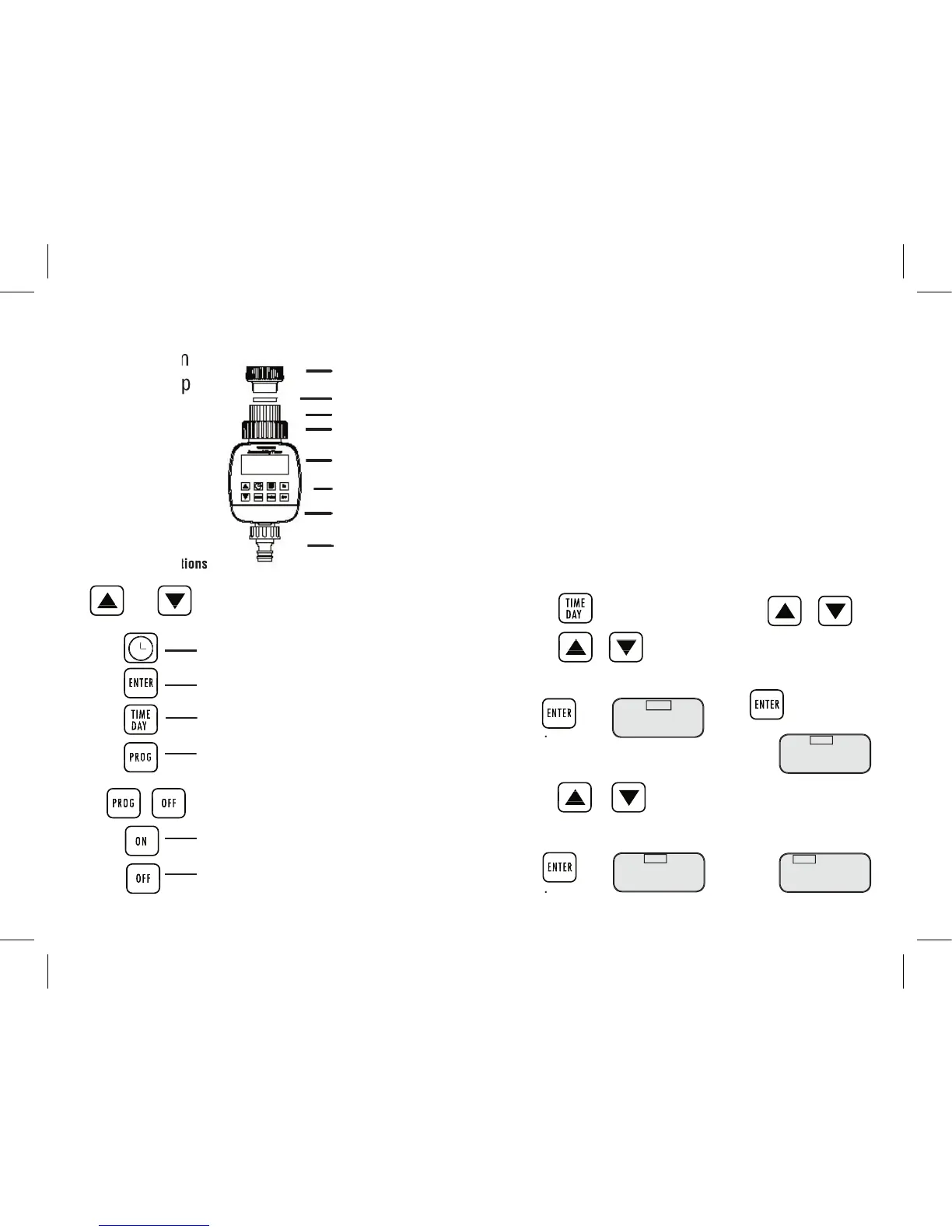
Collar
GardenMate
®
Easy Program
Easy Program
Automatic Tap
Automatic Tap
Timer
Liquid - Crystal
Display
Control Buttons
Battery Compartment
3/4” Hose Connector
3/4” Tap Connector
Set day
4. Press or
The weekday selection will ash
Sunday, (Su) Monday (Mo), etc
Press when correct.
5. The AUTO display comes on.
AUTO
8:3O
Mo
TIME
8:
3O
Mo
TIME
8:
3O
Su
TIME
8:
OO
Su
correct
.
correct
.
1” Tap Adaptor
Washer
HOW TO INSTALL
1. Install 2 new AA ALKALINE Batteries in the battery compartment
(Using old batteries will decrease the overall operational time of the timer).
2. Set the current time and day, and programs
before
installation (see
operating instructions)
3. Fit the 3/4” tap connector or the included 1” adaptor to your garden tap.
If using the 1” tap adaptor, attach directly to the tap.
4. Loosen the black collar until the tted 3/4tap connector is loose.
Then holding the timer steady with one hand, t to the tap
5. Hand tighten the black collar until secure.
Operating Instructions
SET CURRENT TIME AND DAY
(The GardenMate Easy Program Tap Timer uses a 24 hour clock)
Set hour:
1. Press
2. Press or to set hour.
The hour will fl ash
Adjustment range: 0 – 23
Press when
Press when
Press when
Press when
Press when
Press when
Press when
Press when
Set minutes
3. Press or
3. Press or
3. Press or
3. Press or
The minute range will fl ash
Adjustment range: 0 –59
Press when
Press when
Press when
Press when
Press when
Press when
Press when
Press when
Press when
Control Key Defi nitions
Or Advance or reverse key
(eg setting hours, minutes, programs etc)
Display current time.
Confi rm input data
Confi rm input data
Confi rm input data
Confi rm input data
Confi rm input data
Confi rm input data
Confi rm input data
Confi rm input data
Confi rm input data
Set current time and day
Set Watering Program (1 – 16)
Set Watering Program (1 16)
or review watering program data

(Together) Erase all
Manual open key
Manual open key
Manual open key
Manual open key
Manual open key
Manual open key
Manual close key
Manual close key
Manual close key
Manual close key
Manual close key
Manual close key
Manual close key