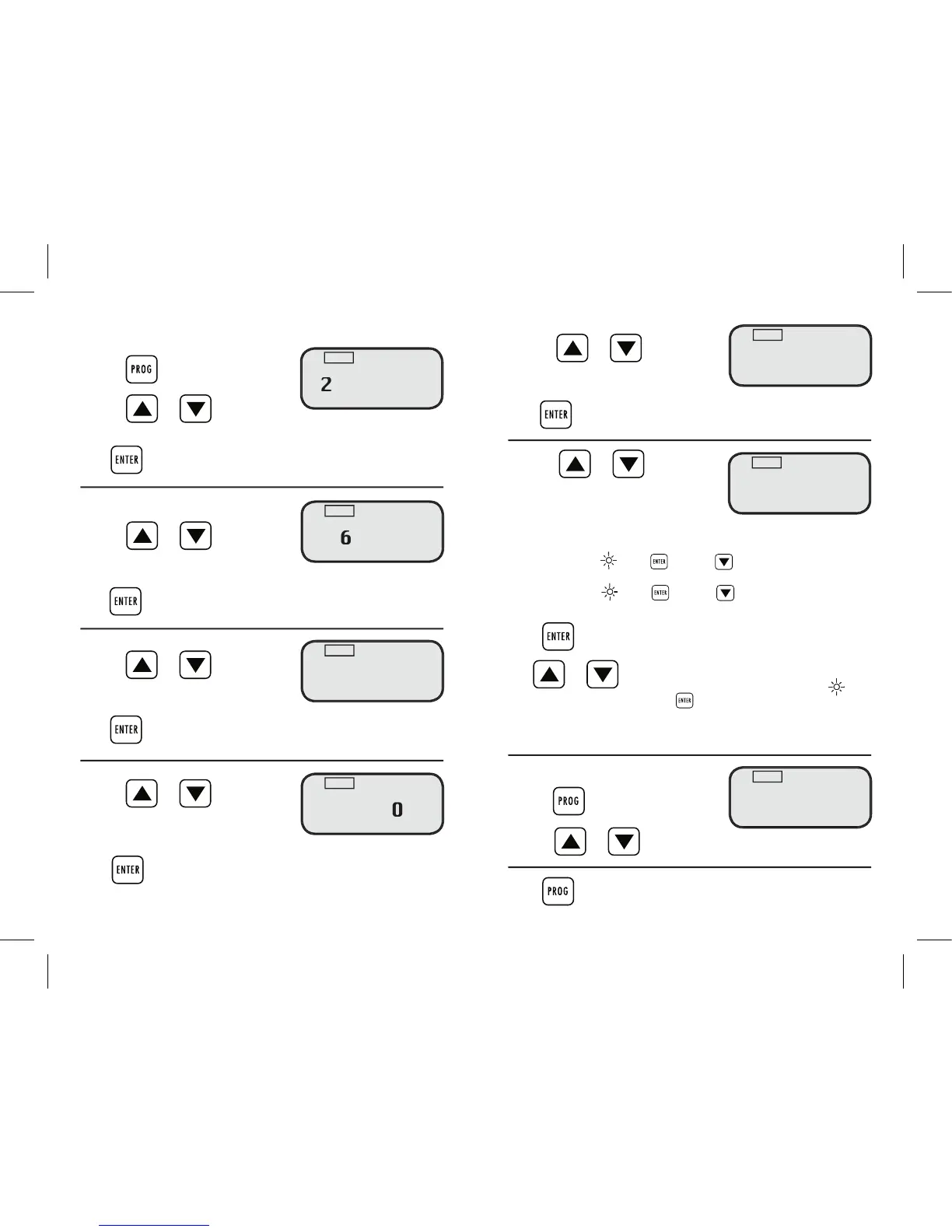
Choose how many minutes to run the
program. Adjustment Range 0 – 59 minutes
Press to confi rm the minutes set for the run time. The 2nd symbol
(for watering days/frequency) will fl ash
Choose between watering days or frequency.
Every 2nd day watering is automatically
2nd = waters every second day eg Sunday, Tuesday, Thursday and Saturday appears.
If correct move to press or press to change.
3rd = waters every third day eg Sunday, Wednesday, Saturday appears.
If correct move to press or press to change.
Press on fl ashing day to select day,
and or to move between days. More than one day
can be chosen. When complete move to
Repeat steps 2 through 7 for additional programs
2. Press or to review each program.
Press to return to the current time
Choose the desired program. Adjustment range: 1 – 16
Press to confi rm the selected program. START TIME hour will fl ash
Choose the hour to START watering
Adjustment range 0 – 23 hours
Press to confi rm the START TIME hour. The minute range will fl ash
Choose the minute to START watering
Adjustment range 0 –59 minutes
Press to confi rm the START TIME minutes. The run time range will fl ash
Choose how many hours run time for
the program. Adjustment range 0 – 9
Press to confi rm the hours set for the run time. The minutes will fl ash
If correct move to press or press to change.
If correct move to press or press to change.
If correct move to press or press to change.
If correct move to press or press to change.
If correct move to press or press to change.
If correct move to press or press to change.
If correct move to press or press to change.
If correct move to press or press to change.
If correct move to press or press to change.
If correct move to press or press to change.
3rd = waters every third day eg Sunday, Wednesday, Saturday appears.
If correct move to press or press to change.
If correct move to press or press to change.
If correct move to press or press to change.
If correct move to press or press to change.
If correct move to press or press to change.
If correct move to press or press to change.
If correct move to press or press to change.
If correct move to press or press to change.
can be chosen. When complete move to
and or to move between days. More than one day
can be chosen. When complete move to
can be chosen. When complete move to
can be chosen. When complete move to
can be chosen. When complete move to
can be chosen. When complete move to
can be chosen. When complete move to
can be chosen. When complete move to
can be chosen. When complete move to


 To Next Page
 Loading...