EasyManua.ls Logo

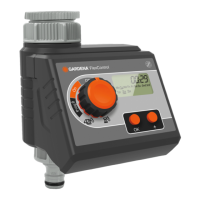
Gardena FlexControl 1883 - User Manual

Gardena FlexControl 1883
19 pages
Print Icon
To Next Page IconTo Next Page
Loading...
DE Betriebsanleitung
Bewässerungscomputer
EN Operation Instructions
Water Computer
FR Mode d’emploi
Programmateur d’arrosage
NL Gebruiksaanwijzing
Besproeiingscomputer
IT Istruzioni per l’uso
Computer per irrigazione
ES Instrucciones de empleo
Programador de riego
PT Manual de instruções
Computador de rega
SL Navodilo za uporabo
Namakalnega računalnika
FlexControl
Art. 1883
SL PT
ES
IT
NL FR
EN DE
Question and Answer IconNeed help?

Do you have a question about the Gardena FlexControl 1883 and is the answer not in the manual?

Summary

Product Overview and Components

Control Panel Layout

Diagram showing the control panel with numbered buttons and display elements.

Device Assembly Diagrams

Illustrations showing different stages of device assembly and part identification.

Display States and Operation Modes

Program Time Displays

Examples of time settings for watering start and duration.

Watering Cycle and Status Indicators

Visual representations of watering frequency and ON/OFF states.

1. SAFETY

Intended Use and Warnings

Defines product use and provides critical safety warnings.

Battery Requirements

Specifies the type of battery required for safe and proper operation.

2. FUNCTION

Setting Up the Water Computer

Instructions on how to position and install the device for optimal performance.

Controls and Display Information

Button Functions Overview

Details the purpose and operation of each button on the control panel.

Display Icon Meanings

Explains the various symbols and indicators shown on the device's LCD screen.

3. PUTTING YOUR WATER COMPUTER INTO OPERATION

Installing the Battery

Step-by-step guide for inserting the battery correctly into the device.

Connecting to Water Supply

Instructions for connecting the water computer to garden taps and hoses.

Connecting Optional Sensors

Guidance on connecting soil moisture or rain sensors for advanced control.

4. PROGRAMMING

Programming Tip and Program Entry

Advice for programming and how to start setting up a watering program.

Setting Time and Day

How to set the current time and day of the week on the device.

Setting Watering Start Time

Procedure for defining when the automatic watering cycles should begin.

Programming Watering Cycles

Setting Watering Duration

Instructions for specifying how long each watering cycle should last.

Setting Watering Frequency

Guide to selecting days and intervals for watering cycles.

Activating and Checking Program

How to finalize and view the next programmed watering event.

5. STORAGE

Preparing for Storage;Overwintering

Instructions for preserving the device during non-use periods like winter.

Product Disposal Guidelines

Information on environmentally responsible disposal of the product and batteries.

Manual Operation and Program Control

Manual Watering Operation

How to manually turn the water on or off, and adjust duration.

Deactivating Watering Program

Steps to temporarily stop the programmed watering cycles.

6. MAINTENANCE

Cleaning the Filter

Instructions for maintaining the water filter for optimal performance.

7. TROUBLESHOOTING

Troubleshooting Display and Manual Issues

Solutions for common problems like no display or inability to use manual watering.

8. ACCESSORIES

Troubleshooting Issues

Troubleshooting Watering and Closing Issues

Solutions for watering program failures and water computer not closing.

9. TECHNICAL DATA

Operating Specifications

Details on pressure, temperature, flow medium, and battery requirements.

Watering Program Parameters

Information on watering cycles per day/week, duration, and battery life.

10. SERVICE; WARRANTY

Service Contact and Warranty Claims

How to contact for service and details on warranty coverage and provisions.

Consumables and Damage Exclusions

Clarification on what is not covered by the warranty, such as batteries and frost damage.

Product Liability Disclaimer

Liability for Repairs and Parts

Legal statement regarding liability for damage caused by unauthorized repairs or parts.

EU Declaration of Conformity

Conformity Statements

Official declaration of compliance with EU directives and standards.

CE Marking and Product Identification

Product Designation and Type

Identifies the product name, type, and article number.

CE Marking Year and Documentation

Information on the year of CE marking and details of deposited technical documentation.
Summary

Product Overview and Components

Control Panel Layout

Diagram showing the control panel with numbered buttons and display elements.

Device Assembly Diagrams

Illustrations showing different stages of device assembly and part identification.

Display States and Operation Modes

Program Time Displays

Examples of time settings for watering start and duration.

Watering Cycle and Status Indicators

Visual representations of watering frequency and ON/OFF states.

1. SAFETY

Intended Use and Warnings

Defines product use and provides critical safety warnings.

Battery Requirements

Specifies the type of battery required for safe and proper operation.

2. FUNCTION

Setting Up the Water Computer

Instructions on how to position and install the device for optimal performance.

Controls and Display Information

Button Functions Overview

Details the purpose and operation of each button on the control panel.

Display Icon Meanings

Explains the various symbols and indicators shown on the device's LCD screen.

3. PUTTING YOUR WATER COMPUTER INTO OPERATION

Installing the Battery

Step-by-step guide for inserting the battery correctly into the device.

Connecting to Water Supply

Instructions for connecting the water computer to garden taps and hoses.

Connecting Optional Sensors

Guidance on connecting soil moisture or rain sensors for advanced control.

4. PROGRAMMING

Programming Tip and Program Entry

Advice for programming and how to start setting up a watering program.

Setting Time and Day

How to set the current time and day of the week on the device.

Setting Watering Start Time

Procedure for defining when the automatic watering cycles should begin.

Programming Watering Cycles

Setting Watering Duration

Instructions for specifying how long each watering cycle should last.

Setting Watering Frequency

Guide to selecting days and intervals for watering cycles.

Activating and Checking Program

How to finalize and view the next programmed watering event.

5. STORAGE

Preparing for Storage;Overwintering

Instructions for preserving the device during non-use periods like winter.

Product Disposal Guidelines

Information on environmentally responsible disposal of the product and batteries.

Manual Operation and Program Control

Manual Watering Operation

How to manually turn the water on or off, and adjust duration.

Deactivating Watering Program

Steps to temporarily stop the programmed watering cycles.

6. MAINTENANCE

Cleaning the Filter

Instructions for maintaining the water filter for optimal performance.

7. TROUBLESHOOTING

Troubleshooting Display and Manual Issues

Solutions for common problems like no display or inability to use manual watering.

8. ACCESSORIES

Troubleshooting Issues

Troubleshooting Watering and Closing Issues

Solutions for watering program failures and water computer not closing.

9. TECHNICAL DATA

Operating Specifications

Details on pressure, temperature, flow medium, and battery requirements.

Watering Program Parameters

Information on watering cycles per day/week, duration, and battery life.

10. SERVICE; WARRANTY

Service Contact and Warranty Claims

How to contact for service and details on warranty coverage and provisions.

Consumables and Damage Exclusions

Clarification on what is not covered by the warranty, such as batteries and frost damage.

Product Liability Disclaimer

Liability for Repairs and Parts

Legal statement regarding liability for damage caused by unauthorized repairs or parts.

EU Declaration of Conformity

Conformity Statements

Official declaration of compliance with EU directives and standards.

CE Marking and Product Identification

Product Designation and Type

Identifies the product name, type, and article number.

CE Marking Year and Documentation

Information on the year of CE marking and details of deposited technical documentation.

Gardena FlexControl 1883 Specifications

General IconGeneral
BrandGardena
ModelFlexControl 1883
CategoryDesktop
LanguageEnglish

Related product manuals