9
GB
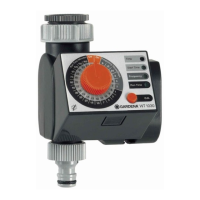
Setting the time of day:
2. Set the time on the inner light-grey scale by turning the con-
trol knob and confirm the time you have selected by pressing
the OK button (e.g.: 10:00 am).
The Start Time LED flashes.
Setting the watering starting time :
3. Set the watering starting time on the inner light-grey scale by
turning the control knob and confirm the time you have selected
by pressing the OK button (e.g.: 20:00).
The Frequency LED flashes.
Setting the Watering Cycle :
4. Set the watering cycle on the outer grey scale (Frequency
Hours / Days) using the control knob and confirm your selection
by pressing the OK button (e.g.: 12 hour cycle).
The Run Time LED flashes.
2.
3.
4.



 To Next Page
 Loading...