6 7
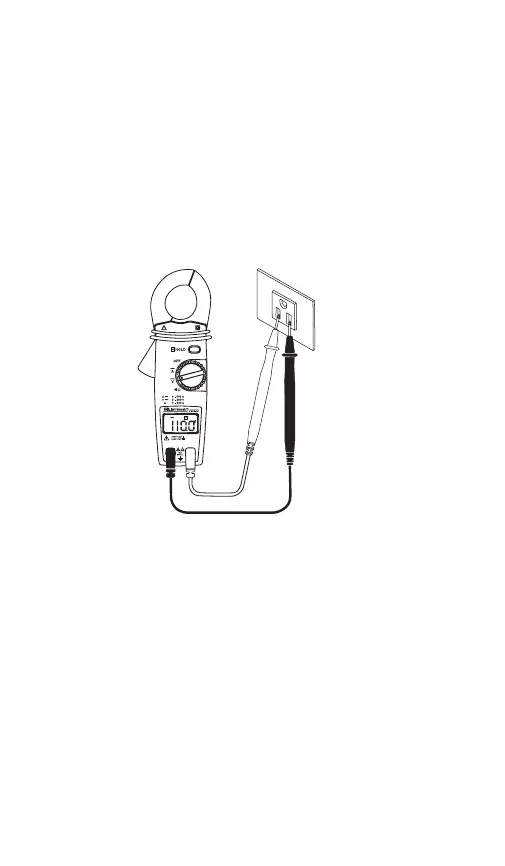
3.4 Measuring AC Volts
Note: Voltage measurements can only be made using
the test leads and not the clamp-around jaws.
Switch the function selector to range.
Connect the red test lead to the red input jack and the
black lead to the black input jack.
Measure the voltage by touching the test lead tips to
the circuit where the value of voltage is needed.
Read the result from the LCD panel.
3.5 Measuring AC AMPS
Switch the function selector to range.
Open the jaws by pressing the handle and insert the
cable to be measured into the jaw. Close the clamp
and note the reading on the LCD.
Note: Never clamp the Jaws around two wires as this
will cause inaccurate readings. Only clamp Jaws around
a single wire — either the HOT or NEUTRAL WIRE.
Note: When the display is hard to read, push the hold
button to freeze the reading.
V
~
A
~
GAR_TL_023_0912_GCM-221_Manual.indd 7 9/12/12 4:13 PM



 To Next Page