10
Garrett Metal Detectors
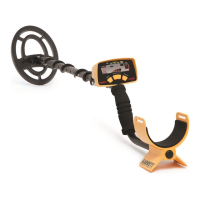
SUPER SCANNER
®
V
11
SERVICE INFORMATION
Battery Replacement
Slide back the battery cover (do not attempt to
remove it), tilt the detector and battery will slip out.
Replace with fresh battery. Because the battery
cover will not slide back if the battery is inserted
improperly, never force the cover. When the Super
Scanner is to be stored more than 30 days, remove
the battery.
Internal Sensitivity Adjustment
Some applications may require a sensitivity
setting other than the nominal factory setting.
This may be achieved by choosing an appropriate
test target and utilizing the Internal Sensitivity
Adjustment as follows:
Turn on the Super Scanner. Roll back the grip
cover just below the nameplate. Insert a small flat or
Phillips screwdriver into the potentiometer located
within the exposed hole. Rotate the potentiometer
counterclockwise to decrease sensitivity, or rotate
the potentiometer clockwise to increase sensitivity,
until the desired detection of the test target is
achieved.
An excessive sensitivity setting may result
in unstable operation (chatter) and excessive
detection of surrounding metal. Note: this sensitivity
adjustment pot is set to the nominal center (12:00
o'clock) position at the Garrett factory.
CAUTION:
Always verify that the Super Scanner is set to the
desired sensitivity level by testing with appropriate
targets anytime the sensitivity adjustment is
changed.



 To Next Page