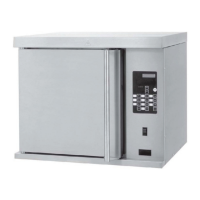
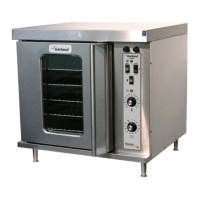
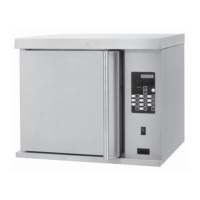
GARLAND HALF SIZE ELECTRIC CONVECTION OVEN MODEL:MCOE5L
INSTALLATION/OPERATION MANUAL
Page 10
Part Number: 4516833 rev E 5/16
CONTROL PROGRAMMING
To change the Cancel Alarm
1. PRESS the button for approximately 3 seconds. The
control will display “MAIN MENU | EDIT MENU ITEM”.
2. PRESS the button 1x. The control will display
“SELECT PRODUCT->”.
3. Using buttons through , select the product that
requires a programming change. The control will
display that menu item.
4. PRESS the button 1x. The control will display
“CANCEL”.
5. PRESS the or button to change the current
setting.
6. PRESS the button to save the new setting.
7. PRESS the button 2x to exit the programming
mode.
To change the Cook Temperature
1. PRESS the button for approximately 3 seconds. The
control will display “MAIN MENU | EDIT MENU ITEM”.
2. PRESS the button 1x. The control will display
“SELECT PRODUCT->”.
3. Using buttons through , select the product that
requires a programming change. The control will
display that menu item.
4. PRESS the
button until the control displays “COOK
TEMPERATURE (T1, T2, T3, T4)”.
5. Using buttons
through , enter the new setting to
change the current setting.
6. PRESS the button to save the new setting.
7. PRESS the
button 2x to exit the programming
mode..
To change the Cook Time
1. PRESS the button for approximately 3 seconds. The
control will display “MAIN MENU | EDIT MENU ITEM”.
2. PRESS the button 1x. The control will display
“SELECT PRODUCT->”.
3. Using buttons through , select the product that
requires a programming change. The control will
display that menu item.
4. PRESS the button until the control displays “COOK
TIME (T1, T2, T3, T4)” .
5. Using buttons through , enter the new setting to
change the current setting.
6. PRESS the button to save the new setting.
7. PRESS the button 2x to exit the programming
mode..
To Change the Fan Speed
1. PRESS the button for approximately 3 seconds. The
control will display “MAIN MENU | EDIT MENU ITEM”.
2. PRESS the button 1x. The control will display
“SELECT PRODUCT->”.
3. Using buttons through , select the product that
requires a programming change. The control will
display that menu item.
4. PRESS the button until the control displays “FAN
SPEED (T1, T2, T3, T4)”.
5. PRESS the or button to change the current
setting (HIGH OR LOW).
6. PRESS the button to save the new setting.
7. PRESS the button 2x to exit the programming
mode..
To Change the Flex Time
1. PRESS the button for approximately 3 seconds. The
control will display “MAIN MENU | EDIT MENU ITEM”.
2. PRESS the button 1x. The control will display
“SELECT PRODUCT->”.
3. PRESS the or button to change the current
setting.
4. PRESS the button until the control displays “FLEX
TIME (T1, T2, T3, T4)”.


 To Next Page
 Loading...