Table of Contents
Getting Started............................................................... 1
Installing a Memory Card............................................................ 1
Device Overview......................................................................... 1
Installing the Mount onto Your Windshield................................. 1
Installing and Setting Up the Garmin Dash Cam........................ 1
Setting the Camera Placement................................................... 2
Turning On the Device Manually................................................ 2
Turning Off the Device Manually................................................ 2
Dash Cam Recording..................................................... 2
Saving a Video Recording.......................................................... 2
Taking a Picture.......................................................................... 2
Event Detection.......................................................................... 2
Viewing Videos and Pictures...................................................... 2
Connecting the Device to Garmin® VIRB® App......................... 3
Deleting a Video or Photo........................................................... 3
Videos and Photos on Your Computer....................................... 3
Video Resolution Settings.......................................................... 3
Travelapse....................................................................... 3
Voice Control.................................................................. 3
Controlling the Camera Using Voice Commands....................... 3
Turning Voice Control On or Off................................................. 3
Voice Control Tips...................................................................... 3
Red Light and Speed Cameras..................................... 4
Forward Collision Warning System.............................. 4
Forward Collision Warning System Performance Tips............... 4
Lane Departure Warning System.................................. 4
Lane Departure Warning Performance Tips............................... 4
Go Alert........................................................................... 5
Garmin Dash Cam Settings........................................... 5
Camera Settings......................................................................... 5
Driver Assistance Settings.......................................................... 5
System Settings.......................................................................... 5
Device Information......................................................... 5
Support and Updates.................................................................. 5
Viewing Regulatory and Compliance Information....................... 6
Resetting the Device...................................................................6
Specifications..............................................................................6
Appendix......................................................................... 6
Changing the Fuse in the Vehicle Power Cable......................... 6
Recording Videos While Parked................................................. 6
Troubleshooting............................................................. 6
My camera feels warm while it is operating................................ 6
Index................................................................................ 7
Table of Contents i




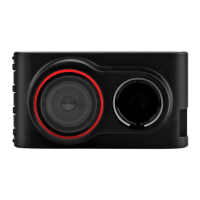
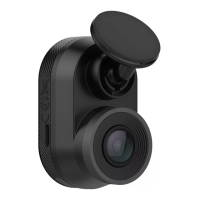
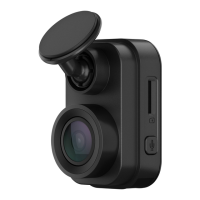
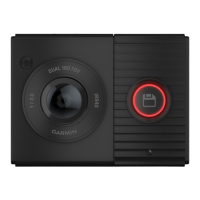

 To Next Page