AIS 300 Installation Instructions 3
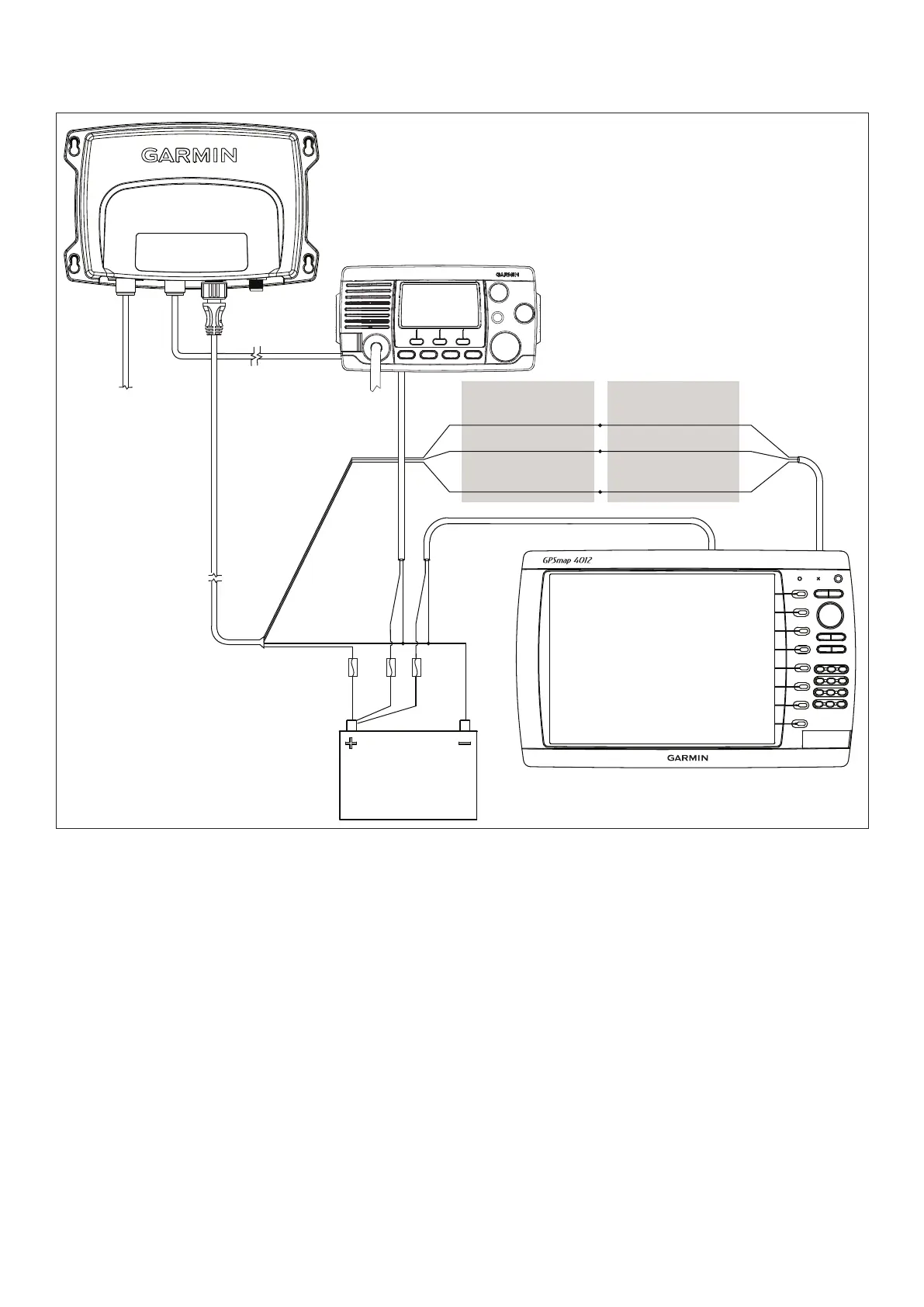
AIS 300 power/data cable
>
>
>
>
12 or 24 Vdc
Chartplotter power
VHF radio power
VHF radio*
(optional - not
included)
Garmin NMEA 0183-
compatible chartplotter
(optional - not included)
RF interconnect
cable (included)
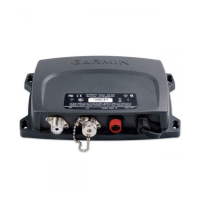
AIS 300 receiver box
RF cable to VHF antenna
(not included)
Gray [Tx A (+)]
Pink [Tx B (-)]
Yellow
[power toggle]
Wire color [function]
White [Rx A (+)]
Orange/White [Rx B (-)]
Orange
[Accessory On]
Wire color [function]**
AIS 300 Wiring Layout: AIS 300 Connected to a Garmin Chartplotter
Through NMEA 0183
* The AIS 300 does not need to be installed alongside a VHF radio, but they can share the same VHF antenna if they are both installed
on your boat.
** The listed wire colors are for the NMEA 0183 Port 1 input on a Garmin GPSMAP 4000/5000 or GPSMAP 6000/7000 series chartplotter.
Refer to the installation instructions provided with your Garmin chartplotter if you want to connect the AIS 300 to a different model of
Garmin chartplotter or to a different NMEA 0183 port on a GPSMAP 4000/5000 or GPSMAP 6000/7000 series chartplotter.
If you are connecting the AIS 300 to a non-garmin chartplotter, see page 5 for detailed wiring assignments.







 To Next Page