EasyManua.ls Logo

Garmin Apollo CNX80 - User Manual

Garmin Apollo CNX80
168 pages
Print Icon
To Next Page IconTo Next Page
Loading...
Apollo
CNX80
Installation Manual
September 2003
560-0982-00 Rev D

Table of Contents

Questions and Answers

  • M
    Mark GarciaSep 23, 2025
    Why OBS indication on Garmin Apollo CNX80 GPS does not agree with OBS setting?
    • S
      Shane WestSep 23, 2025
      If the OBS indication on the Garmin GPS (CNX80) does not agree with the OBS setting, it could be that the CNX80 resolver input is not configured correctly or the resolver has not been calibrated. Check the resolver configuration in Ground Maintenance Mode and calibrate the resolver.
  • D
    Denise SmithAug 23, 2025
    How to fix Garmin Apollo CNX80 when it does not compute a position?
    • N
      Nancy SnyderAug 23, 2025
      If your Garmin GPS (CNX80) is not computing a position, it could be due to not receiving signals or having an incorrect seed position, time, and date. To resolve this, ensure that a correct position and time/date have been entered. Also, check the GPS antenna connections and make sure the aircraft is clear of obstructions such as hangers, buildings, and trees.
  • J
    Jennifer WatsonAug 25, 2025
    How to troubleshoot a Garmin Apollo CNX80 (CNX80) that does not power on?
    • A
      andrewandersonAug 26, 2025
      If your Garmin GPS CNX80 unit isn't powering on, it might not be getting power to the main connector P1. To fix this, ensure power is connected to the main 37-pin connector at P1-1 and 16, and ground to P1-2 and 20. Also, check the circuit breakers and the main avionics switch.
  • J
    joshua68Aug 26, 2025
    How to fix Garmin GPS message audio or tone when not heard?
    • J
      Julian BartlettAug 27, 2025
      If you cannot hear the message audio or tone on your Garmin GPS (CNX80), it could be due to several reasons: the message audio volume level might be set too low, the message tone might be turned off, or the audio inhibit line could be grounded. To resolve this: * Increase the AMA volume level, which can be adjusted under the AUDIO menu in the COM function. * Turn the message tone ON via the system configuration page. * Verify that the inhibit input (P5-77) is not grounded using Ground Maintenance Mode.
  • H
    Henry SchultzAug 27, 2025
    What to do if Garmin GPS is not receiving baro correction data from MX20?
    • C
      Cameron PatelAug 27, 2025
      If your Garmin GPS (CNX80) is not receiving baro correction data from the MX20, it may be due to an incorrect configuration for the serial port to MX20, using MX20 software prior to v5.x, or incorrect wiring connections. To solve this, go to the serial port setup page and verify that RS232 port 1 has MAPMX set for both CH 1 RX and CH 1 TX (only MX20 version 5.x or later supports the MAPMX protocol). Update the MX20 software if necessary and check the wiring.
  • F
    fhaneySep 18, 2025
    Why OBS Resolver won’t calibrate on Garmin Apollo CNX80?
    • C
      Cassandra GreenSep 18, 2025
      If the OBS Resolver won’t calibrate on your Garmin GPS, it could be due to an incompatible resolver or an improper connection. Check the resolver specifications and wiring.
  • A
    Angela TorresSep 15, 2025
    Why RMI pointer does not indicate correctly on Garmin Apollo CNX80?
    • A
      andrewcannonSep 15, 2025
      If the RMI pointer on your Garmin GPS does not indicate correctly, it could be because the desired RMI source has not been selected or the wiring connections are incorrect. Select the desired RMI source from Nav or GPS and check the wiring.
  • M
    Maria MorenoSep 16, 2025
    Why tuning data is not updating DME on Garmin GPS?
    • S
      Sierra RomeroSep 17, 2025
      If the tuning data is not updating the DME on your Garmin GPS, it could be because the DME Select is not low or the wiring connections are incorrect. Verify that the DME Select is pulled low and check the wiring.
  • C
    christopher99Sep 6, 2025
    Why Garmin Apollo CNX80 GPS heading differs greatly from compass system (synchro hdg only)?
    • L
      Laura PenaSep 6, 2025
      If the Garmin GPS (CNX80) heading differs greatly from the compass system (synchro hdg only), it could be because the Synchro X,Y,Z legs are crossed, the 26VAC reference Hi and Lo are swapped, or the 26VAC reference supplied to the CNX80 is different from the 26VAC reference used by the compass system. Check the wiring, and verify that the CNX80 and compass system are using the same 26VAC reference.
  • S
    Stanley RomeroSep 4, 2025
    Why does my Garmin Apollo CNX80 GPS (CNX80) not transmit?
    • C
      Christine MezaSep 4, 2025
      If your Garmin GPS CNX80 does not transmit, it could be due to the PTT input not being pulled low, no power to the com, or low input voltage. Check that the PTT (mic key) input is pulled low for transmit. Also, make sure power input is connected to the com 15-pin connector P4-1 and ground to P4-9. Finally, increase the input supply voltage to above 10 volts DC.

Summary

General Information

About This Manual

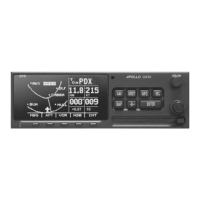
Describes the installation and checkout procedures for the Apollo CNX80 Color GPS/Nav/Com.

Equipment Description

Details the Apollo CNX80 Color GPS/Nav/Com unit, its features, and system interfaces.

Specifications

Provides detailed electrical, physical, environmental, and performance specifications for the Apollo CNX80.

Regulatory Compliance

Outlines TSO, advisory circular references, FCC grant, and STC authorization.

Database Updates

Explains how to update the CNX80 database using a Compact Flash Memory datacard.

Installation

Pre-Installation Information

Provides essential information and practices to follow before starting the installation process.

Installation Overview

Outlines the general steps and considerations for a successful installation.

Materials Not Supplied

Lists materials and supplies required for installation that are not included with the CNX80.

Special Tools Required

Details specific tools necessary for making reliable crimp contact connections for D-sub connectors.

Installation Considerations

Covers important factors affecting installation, including system configuration and mounting.

Equipment Mounting

Describes the process of mounting the CNX80 unit in the avionics stack, including tube installation.

Electrical Connections

Details the electrical connections and interface connector definitions for the CNX80 unit.

Functional Descriptions

Explains the functionality of various outputs, inputs, and interfaces of the CNX80 unit.

Antenna Installation and Connections

Provides instructions for installing the Comm, GPS, and Nav antennas for optimal performance.

Electrical Load Analysis

Details the procedure for completing an electrical load analysis prior to aircraft installation.

Post Installation Configuration & Checkout Procedures

Mounting and Wiring Check

Verifies that all cables are securely connected and shields are properly installed.

Equipment Setup and Configuration

Guides the installer through configuring the CNX80 for the specific installation.

CNX80 Checkout Utilities

Provides utilities for checking the display, controls, and I/O of the CNX80 unit.

System Checkout - Ground Checks

Details the procedures for verifying CNX80 operation and GPS navigation on the ground.

VHF Nav Checkout

Describes how to check the functionality of the VHF Navigation receiver.

VHF Com Checkout

Provides steps to verify the performance of the VHF Communication transceiver.

Interface Checkout

Verifies proper communication between the CNX80 and interfaced systems.

System Checkout - Flight Checks

Outlines flight tests to verify system functions not adequately testable on the ground.

Database Check

Ensures the installed database is current and verifies its expiration status.

Troubleshooting

Troubleshooting Procedure

Provides a guide to identify and resolve common problems encountered with the CNX80.

Contacting the Factory for Assistance

Provides contact information for Garmin AT Technical Support for assistance.

Limitations

Operation

Details operational limitations, TSO authorizations, and system safety assessment guidance.

Installation

Covers installation requirements, compatibility, and limitations for aircraft integration.

Equipment Interfaced to the CNX80

States that interfaces beyond those shown are outside the manual's scope and may require further approval.

Periodic Maintenance

Equipment Calibration

States that no scheduled servicing tasks or internal manual adjustments are required.

VOR Checks

Requires VOR accuracy checks for IFR flight every 30 days per CFR 14 paragraph 91.171.

Battery Replacement

Details the internal battery lifespan and replacement procedure for the CNX80.

Appendix A - Certification Data

Environmental Qualification

Presents the environmental test conditions and results for the Apollo CNX80 per RTCA/DO-160D.

Appendix B - Serial Interface Specifications

Serial Input Specifications

Details the available RS-232 serial input configurations supported by the CNX80.

Fuel;Air Data Computer Input

Describes input formats for fuel/air data computers, including Shadin 'S' and 'Z' formats.

Serial Output Specifications

Lists available RS-232 serial output configurations supported by the CNX80.

Appendix C - Equipment Compatibility

Altitude Sources

Lists compatible altitude sources that meet serial or ARINC 429 specifications.

Autopilots

Lists compatible autopilots that meet Nav mode and analog deviation data specifications.

Appendix D - Interconnect Diagrams

Appendix E - Acceptable Aircraft by Evaluation

Appendix F - Optional Accessories Not Supplied

CDI;HSI Source Selection Annunciators

Lists suitable indicators and switches for CDI/HSI source selection annunciation.

Garmin Apollo CNX80 Specifications

General IconGeneral
BrandGarmin
ModelApollo CNX80
CategoryGPS
LanguageEnglish

Related product manuals