Need help?
Do you have a question about the Garmin BC 50 NIGHT VISION and is the answer not in the manual?
How to view the backup camera feed, including automatic night vision activation, display controls, and switching between cameras.
Steps to pair the BC 50 Night Vision camera with a compatible Garmin navigation device, including necessary software updates.
Detailed steps to align guidance lines accurately for optimal visual reference when reversing the vehicle.
Guidance on how to switch between video feeds when multiple backup cameras are connected to the navigation device.
Instructions for rotating or flipping the camera video feed to ensure correct display orientation.
Procedure to assign descriptive names to paired cameras for easier identification on the device.
Steps to unpair or forget a camera from the device when it is no longer needed or to free up space.
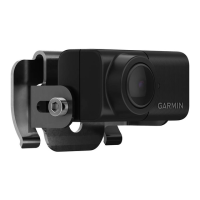
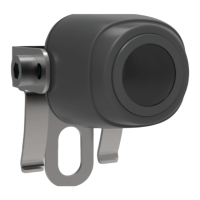
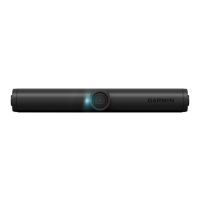
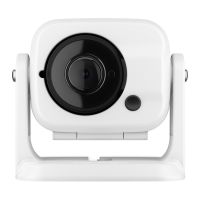
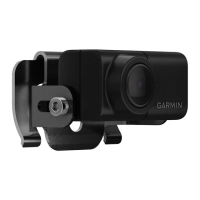
The Garmin BC 50 Night Vision camera is a wireless backup camera designed to enhance situational awareness while reversing a vehicle, particularly in low-light conditions. It pairs with compatible Garmin navigation devices, displaying a live video feed of the area behind the vehicle on the navigation screen.
The primary function of the BC 50 Night Vision camera is to provide a clear view of obstacles and surroundings when backing up, thereby reducing the risk of accidents. Its night vision capability automatically activates in dark conditions, ensuring visibility even when ambient light is minimal. This makes it a valuable tool for parking, maneuvering in tight spaces, or reversing in poorly lit environments.
The camera offers several features to optimize its use and integration with a Garmin navigation device.
To view the camera feed, the device can be connected to a reverse lamp, which automatically activates the camera when the vehicle is put into reverse. Alternatively, if connected to constant power, users can manually activate the camera view by selecting the appropriate icon on the navigation device. For hands-free operation, some Garmin navigation devices support voice commands. Users can say "OK Garmin, Show Video" to display the camera feed or "Hide Video" to close it. It's important to note that voice commands may vary by device model and may not be available in all languages or require specific setup.
The BC 50 Night Vision system supports multiple cameras, allowing users to pair up to four compatible Garmin wireless cameras with their navigation device. When multiple cameras are transmitting, users can easily switch between their views. This is done by selecting an icon on the camera view or by tapping the screen and choosing a specific camera from the options displayed at the bottom of the screen. This feature is particularly useful for larger vehicles or trailers that might benefit from multiple vantage points.
Before using the camera, it must be paired with a compatible Garmin navigation device. The pairing process involves updating the navigation device to the latest software, as the BC 50 Night Vision camera may not be supported by older software versions. Once updated, users can initiate the pairing process through the navigation device's settings, typically under "Wireless Camera" or "Tools > Wireless Camera." The on-screen instructions guide the user through the setup. After the initial pairing, the camera automatically connects to the navigation device whenever power is applied to the camera.
The camera system includes a guidance lines feature, which provides an approximate visual representation of the vehicle's path when in reverse. These lines are intended for informational and reference purposes and require proper alignment for accuracy.
For the guidance lines to be effective, they must be aligned to reflect the outside edges of the vehicle. This alignment process should be performed separately for each backup camera. To align the lines, the vehicle should be positioned closely aligned to a curb, driveway, or parking stall lines, ensuring these reference points are clearly visible on the device. Users can then drag circles on the corners of the guidance lines or tap arrows to adjust them until they match the angle and position of the reference points. The red or orange section of the guidance lines should align with the rear of the vehicle. It is crucial to ensure the guidance lines are properly aligned before use, as misalignment could lead to inaccurate spatial judgment and potential accidents. The system allows for symmetrical adjustment even if the vehicle is not perfectly aligned with the reference points.
Users can choose to show or hide the guidance lines from the camera view. This can be done by tapping the screen and selecting the appropriate icon or by navigating through the device's menu to "Adjust Video."
Depending on the camera's mounting position on the vehicle, the video feed might appear upside down or mirrored by default. The system allows users to correct this by rotating the video horizontally or flipping it vertically. This adjustment is accessible through the "Adjust Video" option in the camera view.
To help identify different cameras in a multi-camera setup, users can rename each camera. This descriptive name appears above the camera view on the navigation device, making it easy to distinguish between, for example, a rear camera and a trailer camera. Renaming is done through the camera screen's options, typically under "Rename."
If a user has already paired the maximum of four cameras and wishes to add a new one, an existing paired camera must first be removed. This can be done from the camera screen by selecting the "Unpair" option or "Forget this Camera."
While the manual does not detail extensive maintenance procedures, it emphasizes the importance of software updates for the navigation device to ensure compatibility and optimal performance with the BC 50 Night Vision camera. Regular checks for software updates are recommended to access the latest features and improvements. The device's robust design, with an IPX67 water rating for the camera and transmitter, indicates a degree of durability against dust and water ingress, suggesting minimal routine physical maintenance beyond ensuring connections are waterproofed and stay above the waterline. However, the camera itself is not designed to transmit underwater.
 General
| Category | Digital Camera |
|---|---|
| Brand | Garmin |
| Model | BC 50 NIGHT VISION |
| Connectivity | Wireless |
| Compatibility | Garmin GPS Devices |
| Field of View | 160 degrees |
| Mounting Type | License Plate Mount |
| Type | Backup Camera |

 To Next Page