Getting Started
WARNING
See the Important Safety and Product Information guide in the product box for product warnings and other
important information.
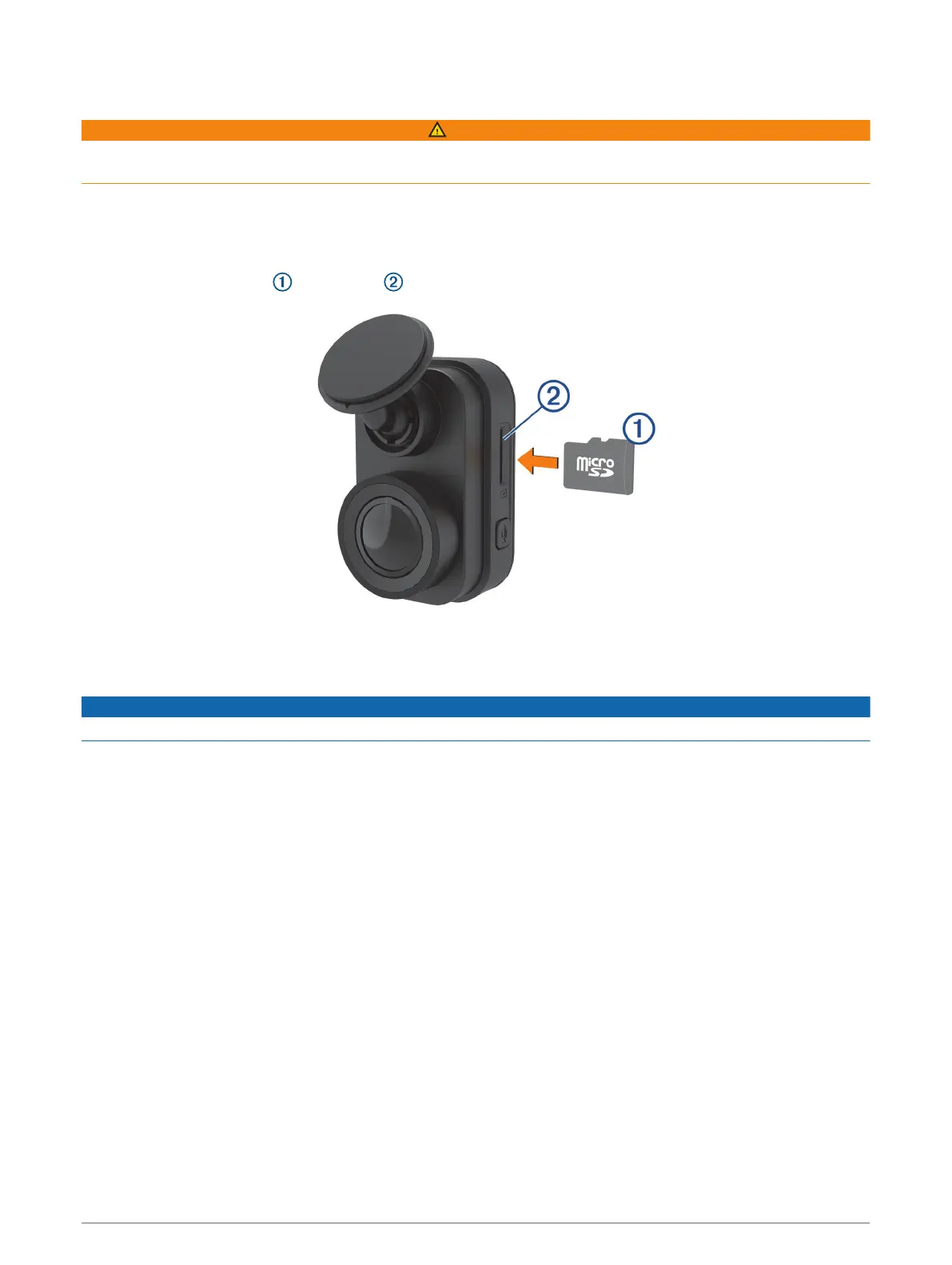
Installing a Memory Card
To record video, you must install a compatible memory card (Memory Card Specifications, page 13). A
memory card is included with some device models.
1 Insert the memory card into the slot .
2 Press it in until it clicks.
Removing the Memory Card
NOTICE
Removing the memory card while the camera is turned on can result in a loss of data or damage to the camera.
1 Disconnect the power cable from the camera.
2 Wait for both status LEDs to turn off.
3 Press the memory card in until it clicks.
4 Release the card.
The card ejects from the slot.
Getting Started 1


 To Next Page