EasyManua.ls Logo

Garmin Edge 305 - User Manual

Garmin Edge 305
80 pages
Print Icon
To Next Page IconTo Next Page
Loading...
Owner’s Manual
Forerunner
®
205/305
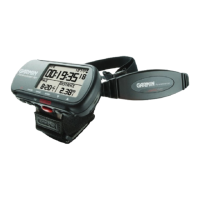
GPS-enabled trainer for runners
Question and Answer IconNeed help?

Do you have a question about the Garmin Edge 305 and is the answer not in the manual?

Summary

Getting Started with Your Forerunner

Charging the Forerunner

Instructions for charging the Forerunner device using the charging cradle or USB cable.

Acquiring GPS Satellite Signals

Steps to acquire GPS satellite signals for accurate tracking and positioning.

Using the Heart Rate Monitor

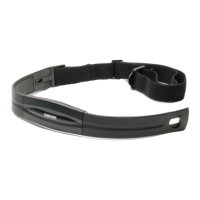
How to wear and position the heart rate monitor for accurate readings with the Forerunner 305.

Setting Up Your User Profile

Setting up personal details like gender, birth date, and weight for accurate calorie calculations.

Training Features and Workouts

Auto Pause Functionality

Automatically pausing the timer when pace drops below a set value or when stopped.

Using Virtual Partner

Using a virtual competitor to help meet training goals during workouts and courses.

Workout Types

Setting up quick, interval, and advanced workouts to customize training sessions.

Navigation and Mapping

Marking and Saving Locations

Saving specific points of interest or landmarks in memory for later retrieval.

Finding and Navigating to Locations

Locating saved points in memory and navigating towards them using map and compass.

Creating and Using Routes

Building and following a series of points on the map to create a custom route.

Device Settings and Customization

Updating Your User Profile

Updating personal information to ensure accurate calorie and performance calculations.

Appendix and Important Information

Important Product and Safety Information

Important safety information, warnings, and cautions for using the device.

Summary

Getting Started with Your Forerunner

Charging the Forerunner

Instructions for charging the Forerunner device using the charging cradle or USB cable.

Acquiring GPS Satellite Signals

Steps to acquire GPS satellite signals for accurate tracking and positioning.

Using the Heart Rate Monitor

How to wear and position the heart rate monitor for accurate readings with the Forerunner 305.

Setting Up Your User Profile

Setting up personal details like gender, birth date, and weight for accurate calorie calculations.

Training Features and Workouts

Auto Pause Functionality

Automatically pausing the timer when pace drops below a set value or when stopped.

Using Virtual Partner

Using a virtual competitor to help meet training goals during workouts and courses.

Workout Types

Setting up quick, interval, and advanced workouts to customize training sessions.

Navigation and Mapping

Marking and Saving Locations

Saving specific points of interest or landmarks in memory for later retrieval.

Finding and Navigating to Locations

Locating saved points in memory and navigating towards them using map and compass.

Creating and Using Routes

Building and following a series of points on the map to create a custom route.

Device Settings and Customization

Updating Your User Profile

Updating personal information to ensure accurate calorie and performance calculations.

Appendix and Important Information

Important Product and Safety Information

Important safety information, warnings, and cautions for using the device.

Garmin Edge 305 Specifications

General IconGeneral
Display resolution128 x 160 pixels
Battery life (max)12 h
Weight and Dimensions IconWeight and Dimensions
Depth23 mm
Width44 mm
Height94 mm
Weight88 g

Related product manuals