Forerunner
®
205/305 Owner’s Manual 3
GettInG Started
Using the Heart Rate Monitor
NOTE: The heart rate monitor works with the Forerunner 305 only.
Wear the heart rate monitor directly on your skin, just below your
breastplate. It should be snug enough to stay in place during your run.
To position the heart rate monitor:
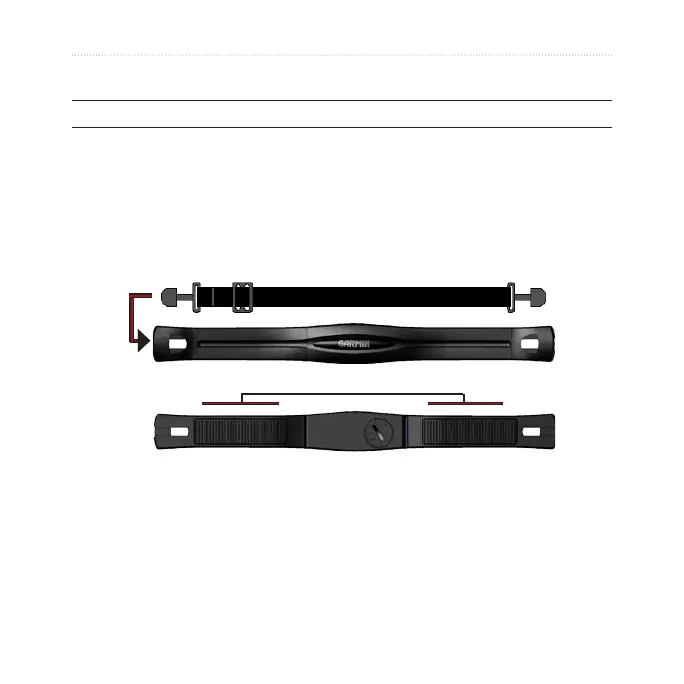
1. Push one tab on the strap through the slot in the heart rate monitor.
Press the tab down.
sensors
2. Wet both sensors on the back of the heart rate monitor to create a
strong connection between your pulse and the transmitter.













 To Next Page