EasyManua.ls Logo

Garmin EDGE 520 PLUS - Page 38

Garmin EDGE 520 PLUS
57 pages
Print Icon
To Next Page IconTo Next Page
To Previous Page IconTo Previous Page
Loading...
3
Rotate
the
wheel
to
check
for
clearance.
The
sensor
should
not
contact
other
parts
of
your
bike.
NOTE:
The
LED
flashes
green
for
five
seconds
to
indicate
activity
after
two
revolutions.
Device
Information
Charging
the
Device
,
NOTICE
To
prevent
corrosion,
thoroughly
dry
the
USB
port,
the
weather
cap,
and
the
surrounding
area
before
charging
or
connecting
to
a
computer.
The
device
is
powered
by
a
built-in
lithium-
ion
battery
that
you
can
charge
using
a
standard
wall
outlet
or
a
USB
port
on
your
computer.
NOTE:
The
device
will
not
charge
when
outside
the
approved
temperature
range
(page
8).
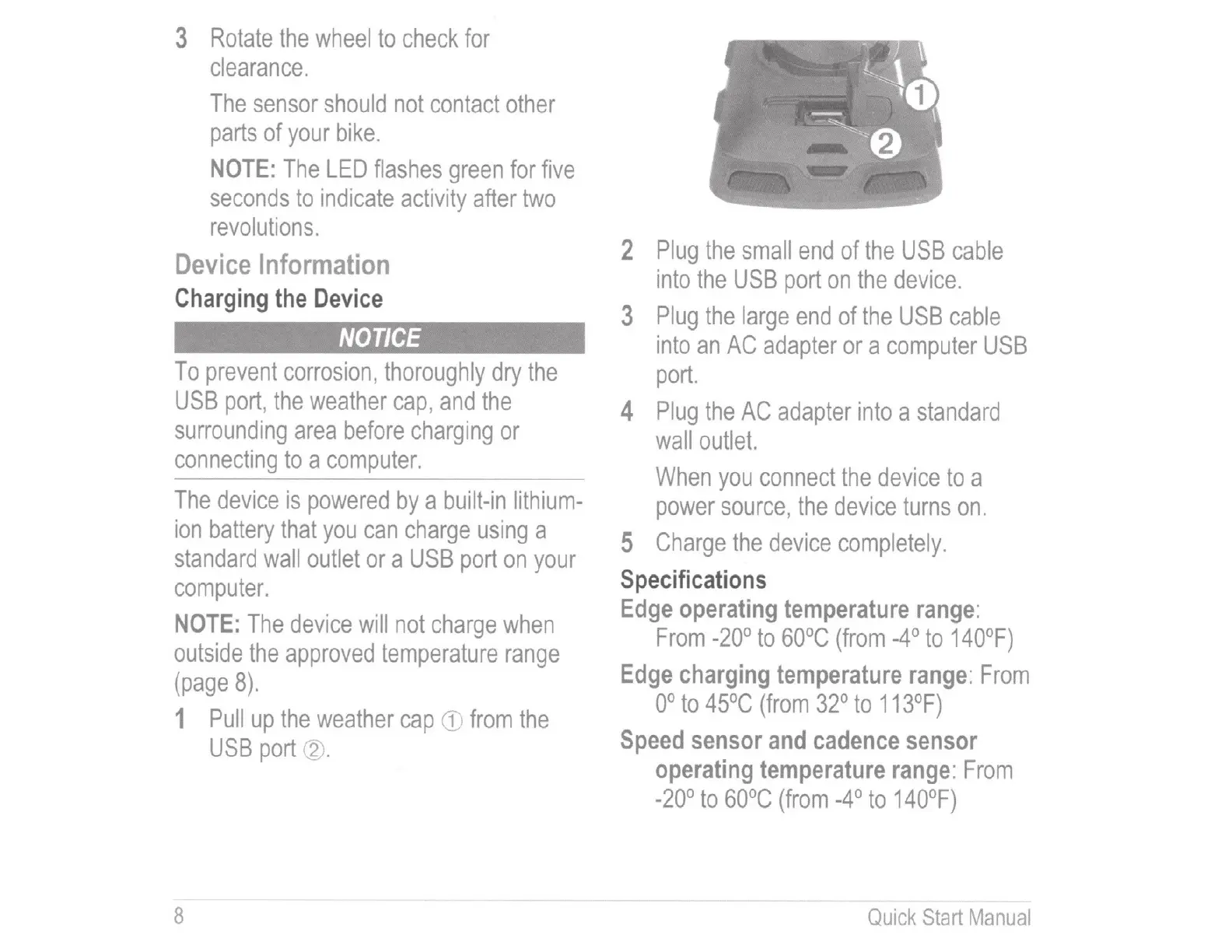
1
Pull
up
the
weather
cap
CD
from
the
USB
port
~
-
8
2
Plug
the
small
end
of
the
USB
cable
into
the
USB
port
on
the
device.
3
Plug
the
large
end
of
the
USB
cable
into
an
AC
adapter
or
a
computer
USB
port.
4
Plug
the
AC
adapter
into
a
standard
wall
outlet.
When
you
connect
the
device
to
a
power
source,
the
device
turns
on.
5
Charge
the
device
completely.
Specifications
Edge
operating
temperature
range:
From
-20°
to
60°C
(from
-4°
to
140°F)
Edge
charging
temperature
range:
From
oo
to
45°C
(from
32°
to
113°F)
Speed
sensor
and
cadence
sensor
operating
temperature
range:
From
-20°
to
60°C
(from
-4°
to
140°F)
Quick
Start
Manual

Table of Contents