EasyManua.ls Logo

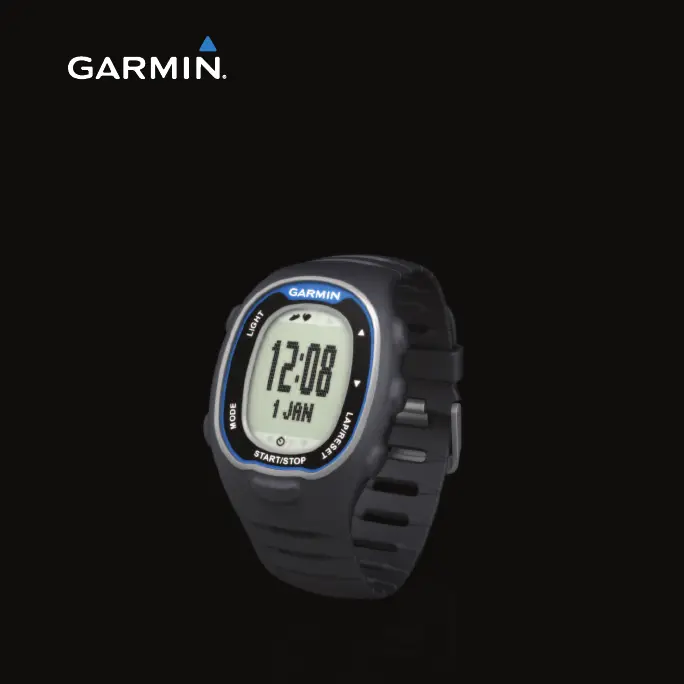
Garmin FR70 - User Manual

Garmin FR70
48 pages
Print Icon
To Next Page IconTo Next Page
Loading...
FR
®
70
owners manual
September 2011 190-01373-00 Rev. A Printed in Taiwan

Other manuals for Garmin FR70

Questions and Answers

  • J
    Jordan BergerAug 11, 2025
    How to restart Garmin FR70 Watch when buttons do not respond?
    • T
      Thomas MoralesAug 11, 2025
      If the buttons on your Garmin Watch are unresponsive, press and hold MODE and ENTER simultaneously to restart the software. Note that you will need to reset the time and your custom settings. If problems continue, remove and then replace the battery.
  • B
    brooke91Aug 18, 2025
    What to do if heart rate monitor or foot pod won't pair with Garmin Watch?
    • B
      Brandon ClarkAug 19, 2025
      If your heart rate monitor or foot pod won't pair with your Garmin Watch: * Stay 10 m away from other ANT sensors while pairing. * Bring the watch within 3 m of the heart rate monitor while pairing. * If the problem persists, replace the battery.
  • R
    Rebecca MirandaAug 26, 2025
    How to clear all user data on Garmin FR70?
    • B
      Brandi BrownAug 26, 2025
      To clear all user data on your Garmin Watch, press and hold MODE, LIGHT/ , and ? simultaneously. This action also restores the factory settings, and all workout data will be deleted.
  • C
    Charles SparksSep 2, 2025
    Why is my Garmin Watch heart rate data inaccurate?
    • K
      Kyle WoodSep 2, 2025
      If your Garmin Watch displays inaccurate or erratic heart rate data, ensure the heart rate monitor is snug. Warm up for 5–10 minutes. If issues persist: * Reapply moisture to the sensors using water, saliva, or electrode gel. * Clean the sensors to remove dirt and sweat. * Avoid synthetic fabrics that cause static; wear cotton or wet your shirt. * Try positioning the heart rate monitor on your back. * Be aware that strong electromagnetic fields and some 2.4 GHz wireless sensors can interfere with your heart rate monitor. Sources of interference may include very high-voltage power lines, electric motors, microwave ovens, 2.4 GHz cordless phones, and wireless LAN access points. After you move away from the source of interference, your heart rate data should return to normal.

Garmin FR70 Specifications

General IconGeneral
BrandGarmin
ModelFR70
CategoryWatch
LanguageEnglish

Related product manuals