4
INSTALLATION INSTRUCTIONS
GPSMAP 2006C/2010C & GPS 17
INSTALLATION INSTRUCTIONS
Surface Mount
Tools
• Drill and Drill Bit
• Screwdriver
• Pencil
• Mounting Hardware (not included)
NOTE: Mounting hardware (fasteners) not included. Mounting holes are 5/16"
(7.9 mm) in diameter.
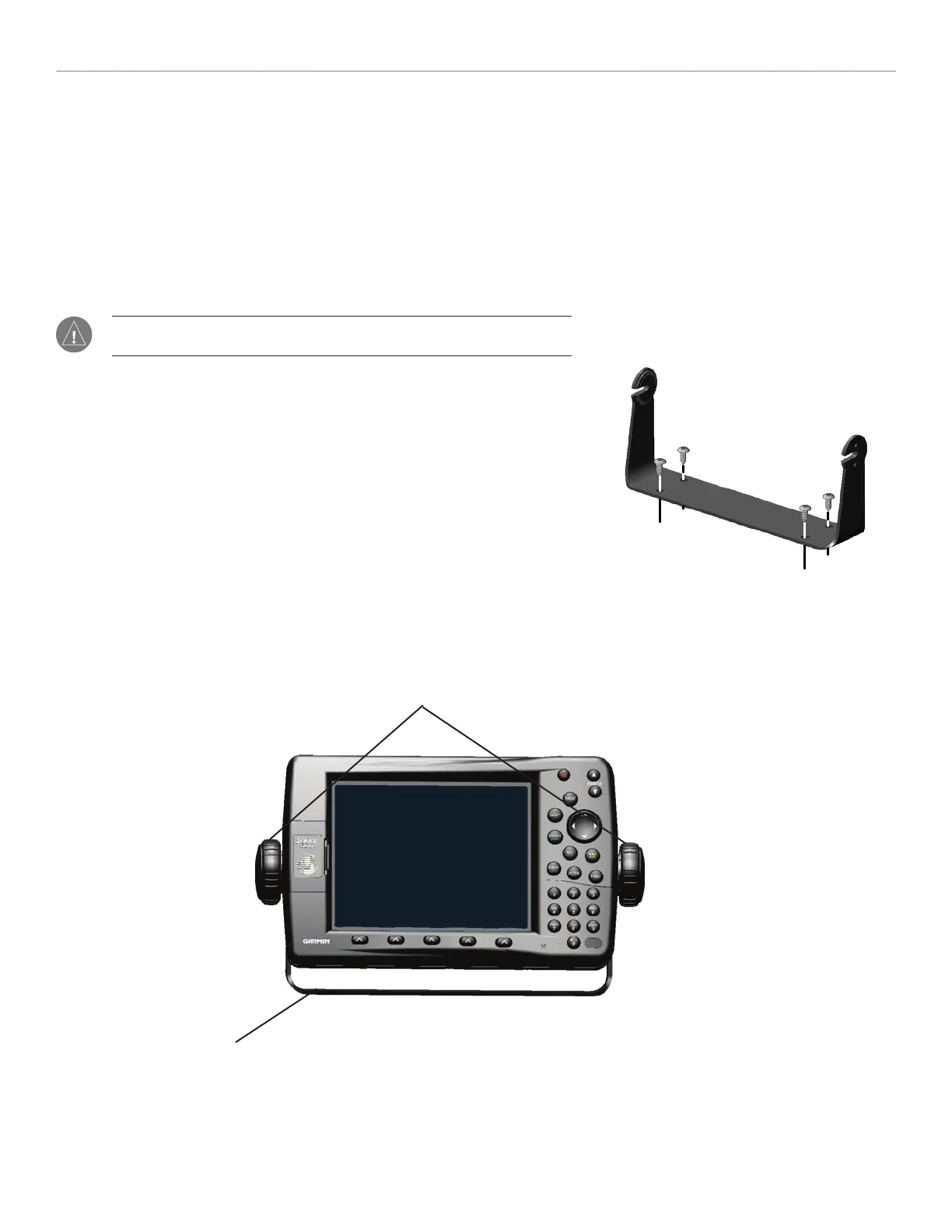
To install the Bail Mount and unit:
1. Using the bail mount as a template, mark the location of the four mounting holes.
Be sure to leave at least two inches of clearance behind the unit for the wiring.
2. Using an appropriate size drill bit, drill pilot holes for the fasteners.
3. Secure the bail mount to the surface with the fasteners.
4. Loosen the mounting knobs.
5. Slide the unit into the bail mount and tighten the mounting knobs.
Bail Mount
Bail mount
Mounting knobs












 To Next Page