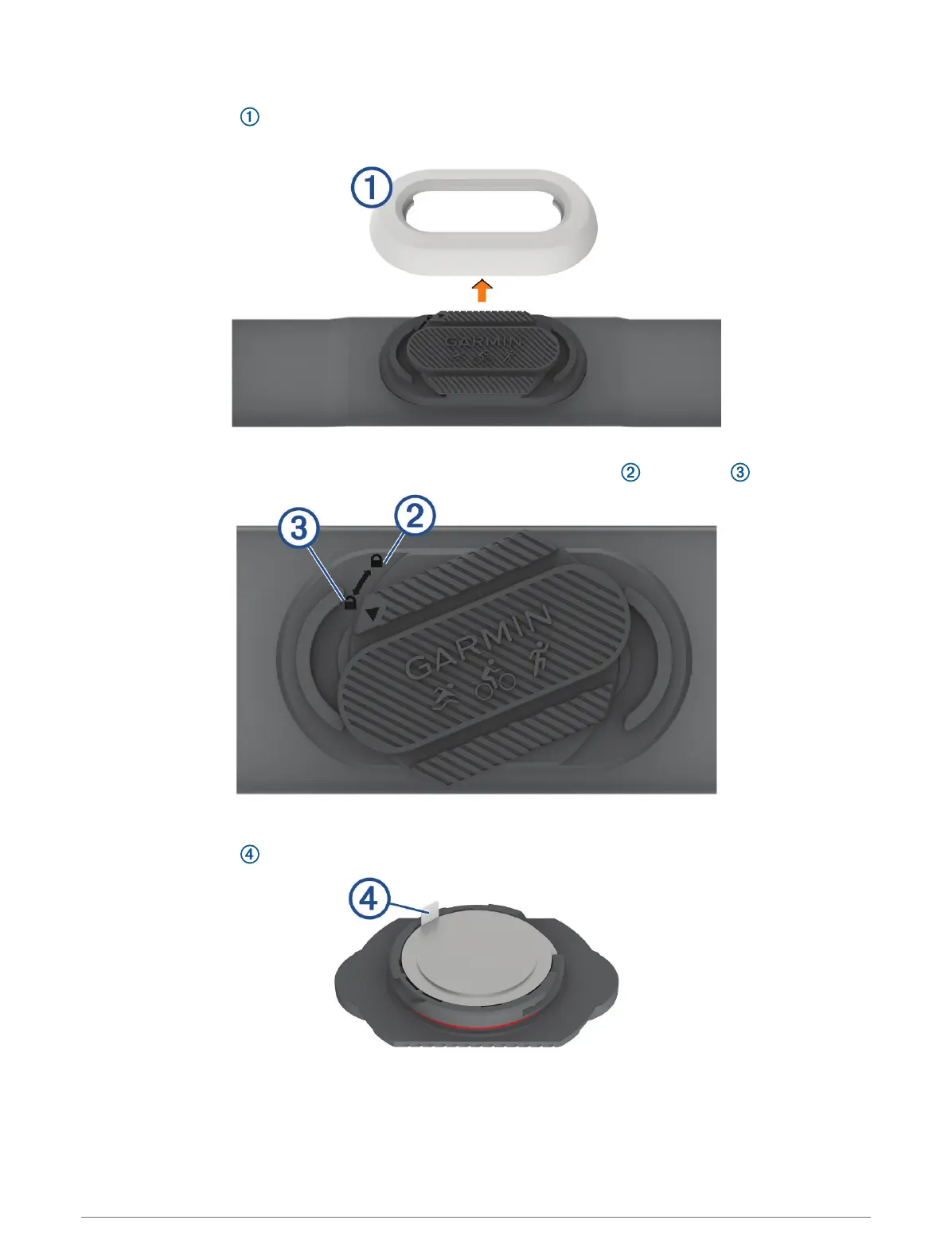
Replacing the Heart Rate Monitor Battery
1 Remove the sleeve from the heart rate monitor module.
2 Rotate the battery door counter-clockwise, moving the arrow from locked to unlocked .
3 Remove the battery door.
4 Pull the battery tab , and remove the battery from the battery door.
5 Wait 30 seconds.
6 Insert the new battery in the door with the negative side facing up.
6 Device Information












 To Next Page