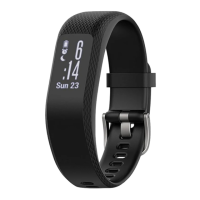
HRM-Dual
™
WARNING
See the Important Safety and Product Information guide in the
product box for product warnings and other important
information.
Putting On the Heart Rate Monitor
You should wear the heart rate monitor directly on your skin, just
below your sternum. It should be snug enough to stay in place
during your activity.
1
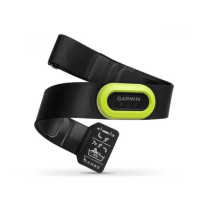
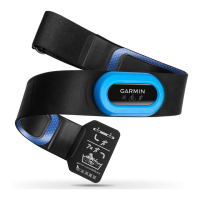
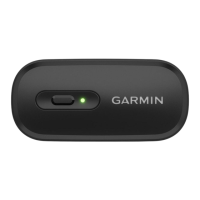
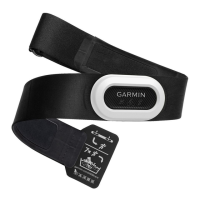
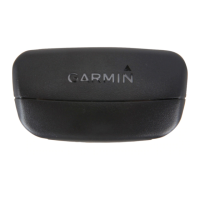
Snap the heart rate monitor module onto the strap.
The Garmin
®
logos (on the module and the strap) should be
right-side up.
2
Wet the electrodes and the contact patches on the back
of the strap to create a strong connection between your chest
and the transmitter.
3
Wear the heart rate monitor with the Garmin logos facing
right-side up.
The hook and loop connection should be on your right
side.
4
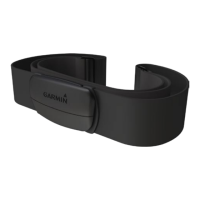
Wrap the strap around your chest, and connect the strap
hook to the loop.
NOTE: Make sure the care tag does not fold over.
After you put on the heart rate monitor, it is active and sending
data.
Pairing the Heart Rate Monitor with Your
ANT+
®
Device
Before you can pair the heart rate monitor with your device, you
must put on the heart rate monitor.
Pairing is the connecting of ANT+ wireless sensors, like your
heart rate monitor, with a Garmin ANT+ compatible device.
NOTE: The pairing instructions differ for each Garmin
compatible device. See your owner's manual.
• For most Garmin compatible devices, bring the device within
3 m of the heart rate monitor and use the device menu to pair
manually.
• For some Garmin compatible devices, bring the device within
1 cm of the heart rate monitor to pair automatically.
TIP: Stay 10 m away from other ANT+ sensors while pairing.
After you pair the first time, your Garmin compatible device
automatically recognizes the heart rate monitor each time it is
activated.
Pairing the Heart Rate Monitor with Your
Bluetooth
®
Device
You can pair the heart rate monitor to your smartphone, tablet,
smartwatch, or fitness equipment using Bluetooth technology.
1
Put on the heart rate monitor.
2
Bring the device within 3 m (10 ft.) of the heart rate monitor.
3
Open the Bluetooth settings on the device.
The heart rate monitor should appear in the list of available
devices.
4
Select the HRM-Dual heart rate monitor.
TIP: Stay 10 m (33 ft.) away from other wireless sensors
while pairing.
After you pair the first time, your device automatically recognizes
the heart rate monitor each time it is activated.
Tips for Erratic Heart Rate Data
If the heart rate data is erratic or does not appear, you can try
these tips.
• Reapply water to the electrodes and contact patches (if
applicable).
• Tighten the strap on your chest.
• Warm up for 5 to 10 minutes.
• Follow the care instructions (Caring for the Heart Rate
Monitor, page 1).
• Wear a cotton shirt or thoroughly wet both sides of the strap.
Synthetic fabrics that rub or flap against the heart rate
monitor can create static electricity that interferes with heart
rate signals.
• Move away from sources that can interfere with your heart
rate monitor.
Sources of interference may include strong electromagnetic
fields, some 2.4 GHz wireless sensors, high-voltage power
lines, electric motors, ovens, microwave ovens, 2.4 GHz
cordless phones, and wireless LAN access points.
Caring for the Heart Rate Monitor
NOTICE
You must unsnap and remove the module before washing the
strap.
A build up of sweat and salt on the strap can decrease the ability
of the heart rate monitor to report accurate data.
• Go to www.garmin.com/HRMcare for detailed washing
instructions.
• Rinse the strap after every use.
• Machine wash the strap after every seven uses.
• Do not put the strap in a dryer.
• When drying the strap, hang it up or lay it flat.
• To prolong the life of your heart rate monitor, unsnap the
module when not in use.
Linking to Fitness Equipment
You can connect your heart rate monitor to compatible fitness
equipment using ANT+ or Bluetooth technology so you can view
your heart rate on the equipment console.
TRA
REGISTERED No:
ER68283/18
DEALER No:
0015955/08
GUID-2005773D-487A-46BD-A238-D987C7A52B07 v5September 2020

 Need help?
 General
 Weight and Dimensions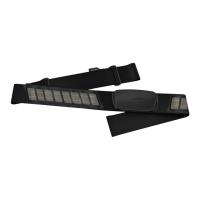

 To Next Page