EasyManua.ls Logo

Garmin HUD - Page 4

Garmin HUD
14 pages
Print Icon
To Next Page IconTo Next Page
To Previous Page IconTo Previous Page
Loading...
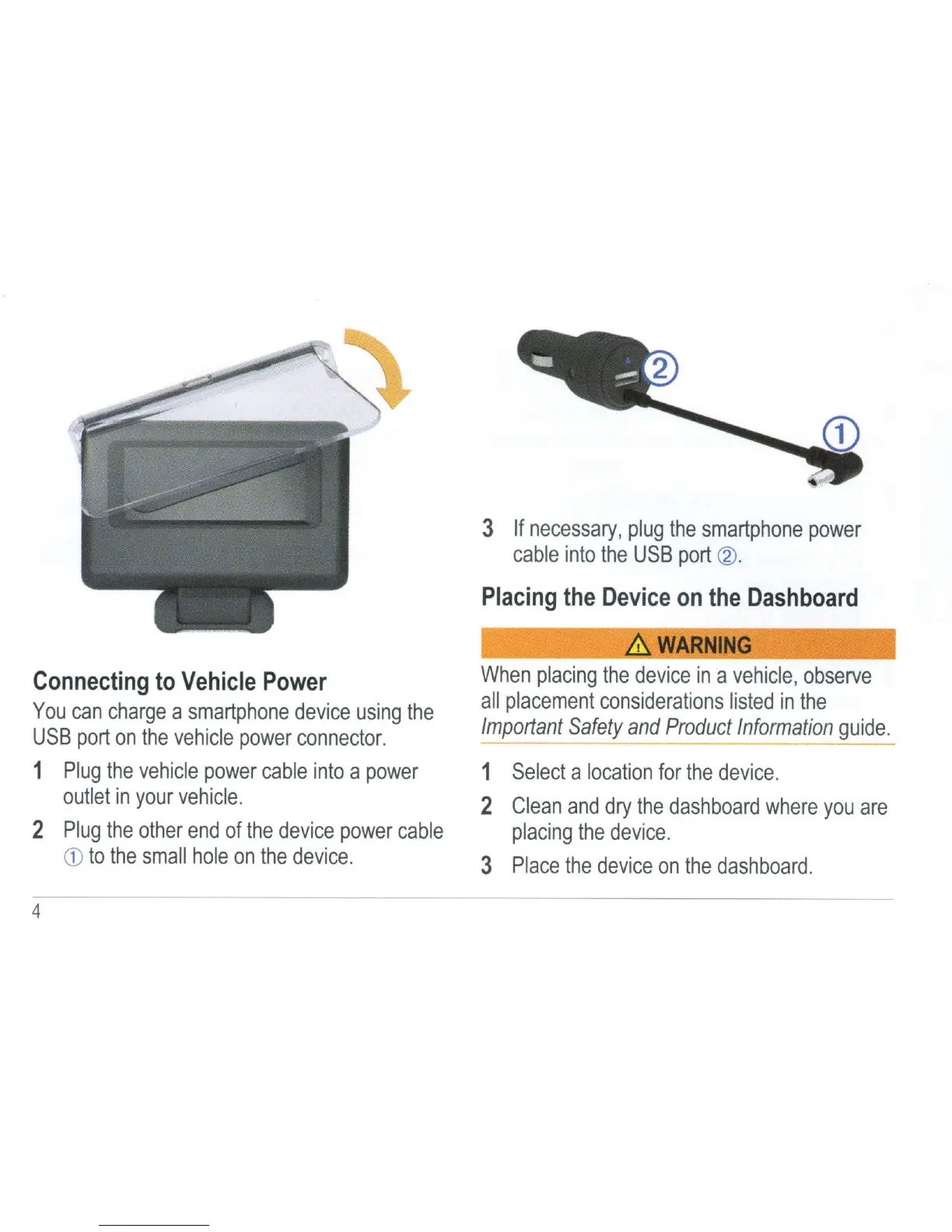
Connecting
to
Vehicle
Power
You
can
charge
a
smartphone
device
using
the
USB
port
on
the
vehicle
power
connector.
1
Plug
the
vehicle
power
cable
into
a
power
outlet
in
your
vehicle.
2
Plug
the
other
end
of
the
device
power
cable
CD
to
the
small
hole
on
the
device.
4
3
If
necessary,
plug
the
smartphone
power
cable
into
the
USB
port
~
-
Placing
the
Device
on
the
Dashboard
&.
WARNING
When
placing
the
device
in
a
vehicle,
observe
all
placement
considerations
listed
in
the
Important
Safety
and
Product
Information
guide.
1
Select
a
location
for
the
device.
2
Clean
and
dry
the
dashboard
where
you
are
placing
the
device.
3
Place
the
device
on
the
dashboard.

Other manuals for Garmin HUD

Related product manuals