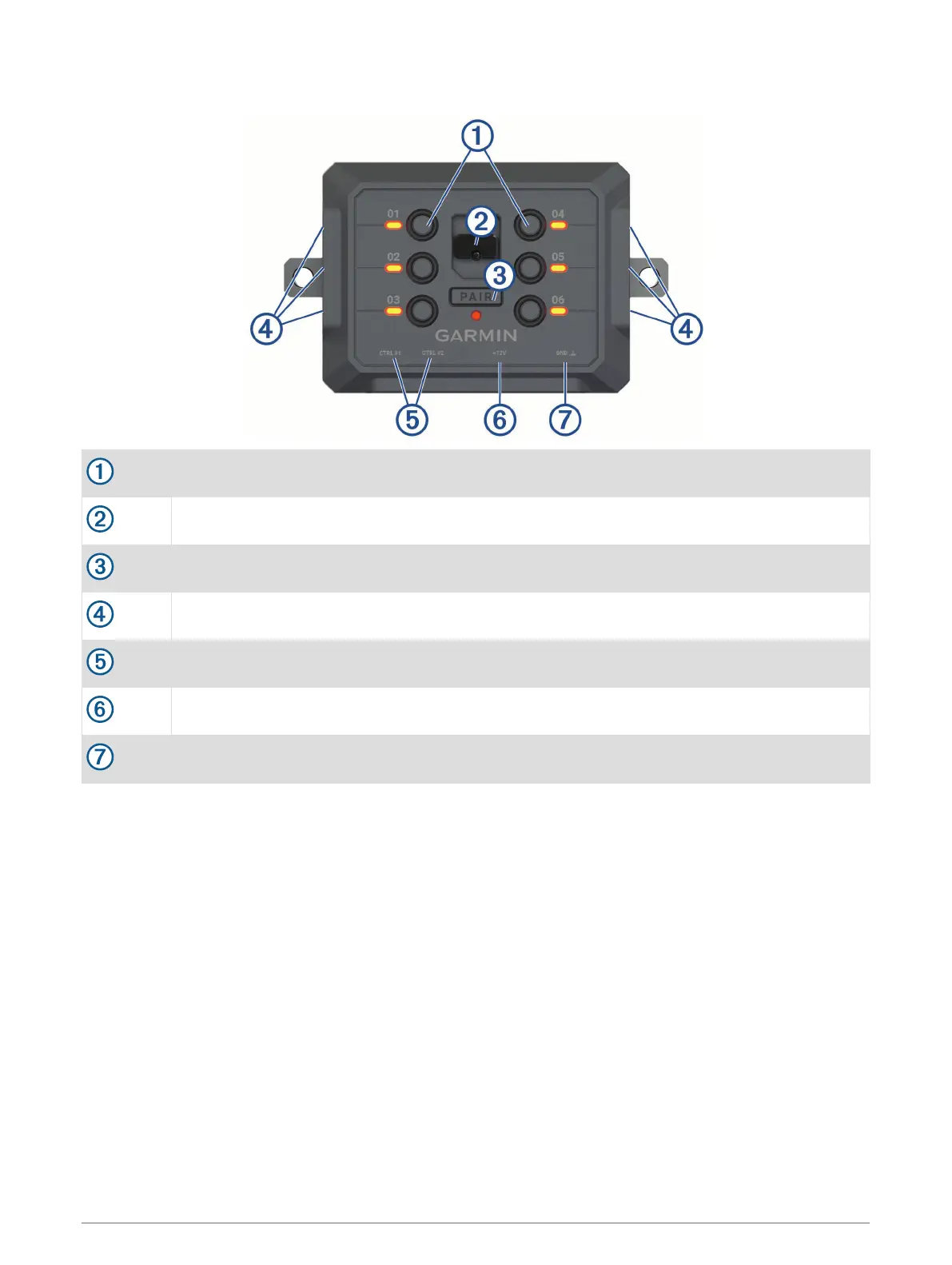
Device Overview
Accessory switches
Cover latch
Pairing button
Accessory terminals with #8-32 screws
Control terminals with #8-32 screws
+12V terminal
Device ground terminal (GND)
Installation
Mounting Considerations
• The device must be mounted close to the battery and within the range of the supplied power cable.
• The mounting surface must be strong enough to support the weight of the device.
• The location must allow room for the routing and connection of all cables.
2 Installation



 To Next Page