3
Remove one side of the protective film from the new
adhesive pad.
4
Position the adhesive pad over the disc.
TIP: The adhesive is extremely sticky. Do not touch the
adhesive to the disc until the adhesive pad is properly
aligned.
5
Press the adhesive pad firmly onto the disc, and maintain
pressure for 30 seconds.
6
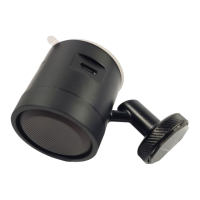
Place the metal disc into the device mount, and install it onto
your windshield (Installing the Adhesive Disc onto Your
Windshield, page 1).
Appendix 9




 To Next Page