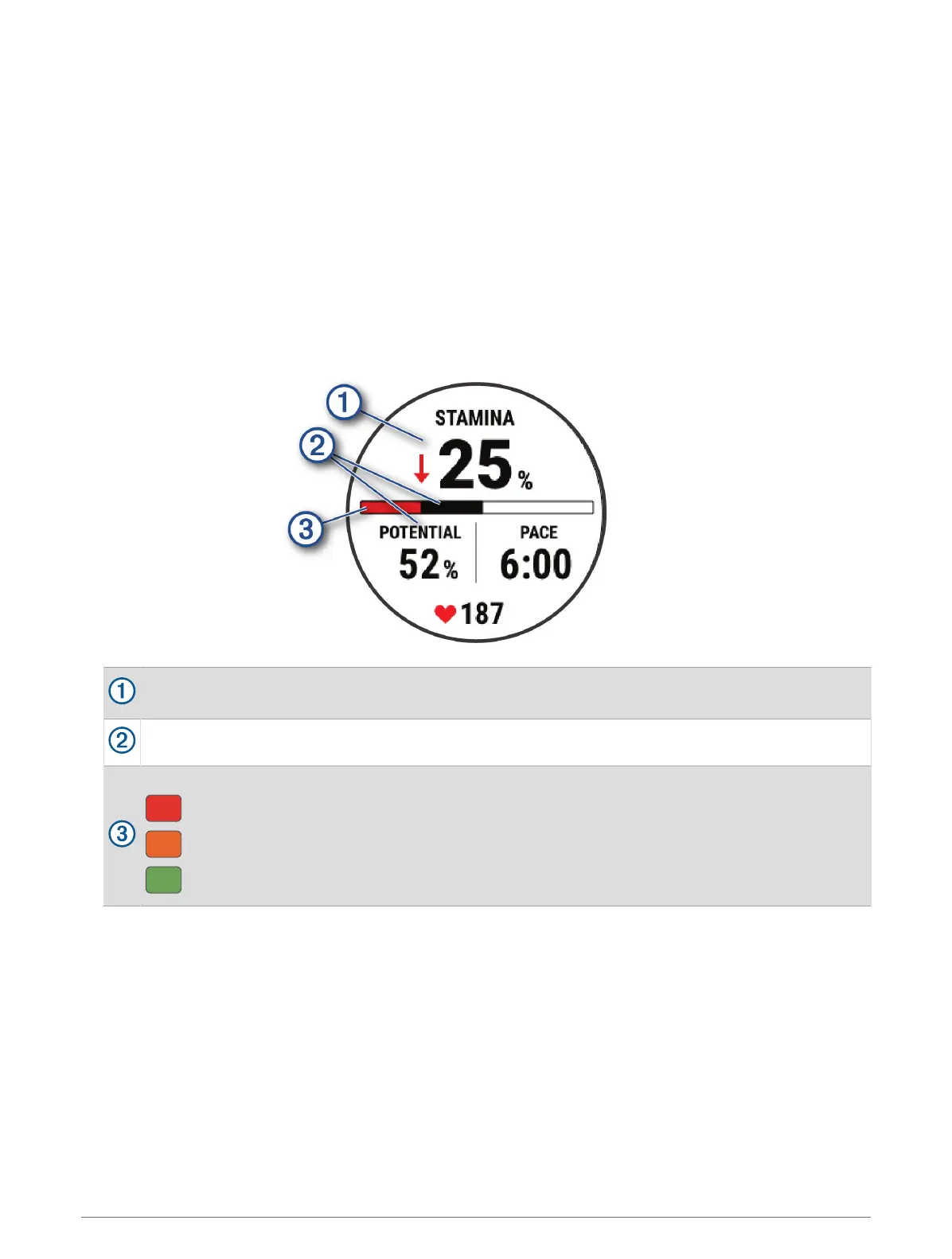
Viewing Your Real-Time Stamina
Your watch can provide real-time stamina estimates based on your heart rate data and VO2 max. estimate
(About VO2 Max. Estimates, page 62).
1 Hold MENU.
2 Select Activities & Apps.
3 Select a run or bike activity.
4 Select the activity settings.
5 Select Data Screens > Add New > Stamina.
6 Press UP or DOWN to change the location of the data screen (optional).
7 Press START to edit the primary stamina data field (optional).
8 Start your activity (Starting an Activity, page 13).
9 Press UP or DOWN to scroll to the data screen.
Primary stamina data field. Shows your current stamina percentage, distance remaining, or time
remaining.
Potential stamina.
Current stamina.
Red: Stamina is depleting.
Orange: Stamina is steady.
Green: Stamina is recharging.
Appearance 67






 To Next Page