Press the TEMP. button to display the maximum measured values of Wind Chill, temperature index
and dew point.
Press the RAIN button to display the maximum measured values of the hourly precipitation total,
daily precipitation total and monthly precipitation total.
Press the WIND/+ button to display the maximum measured values of wind speed and gusts.
Press and hold the PRESSURE/- button for 2 seconds to display the maximum measured values of
the absolute and relative barometric pressure.
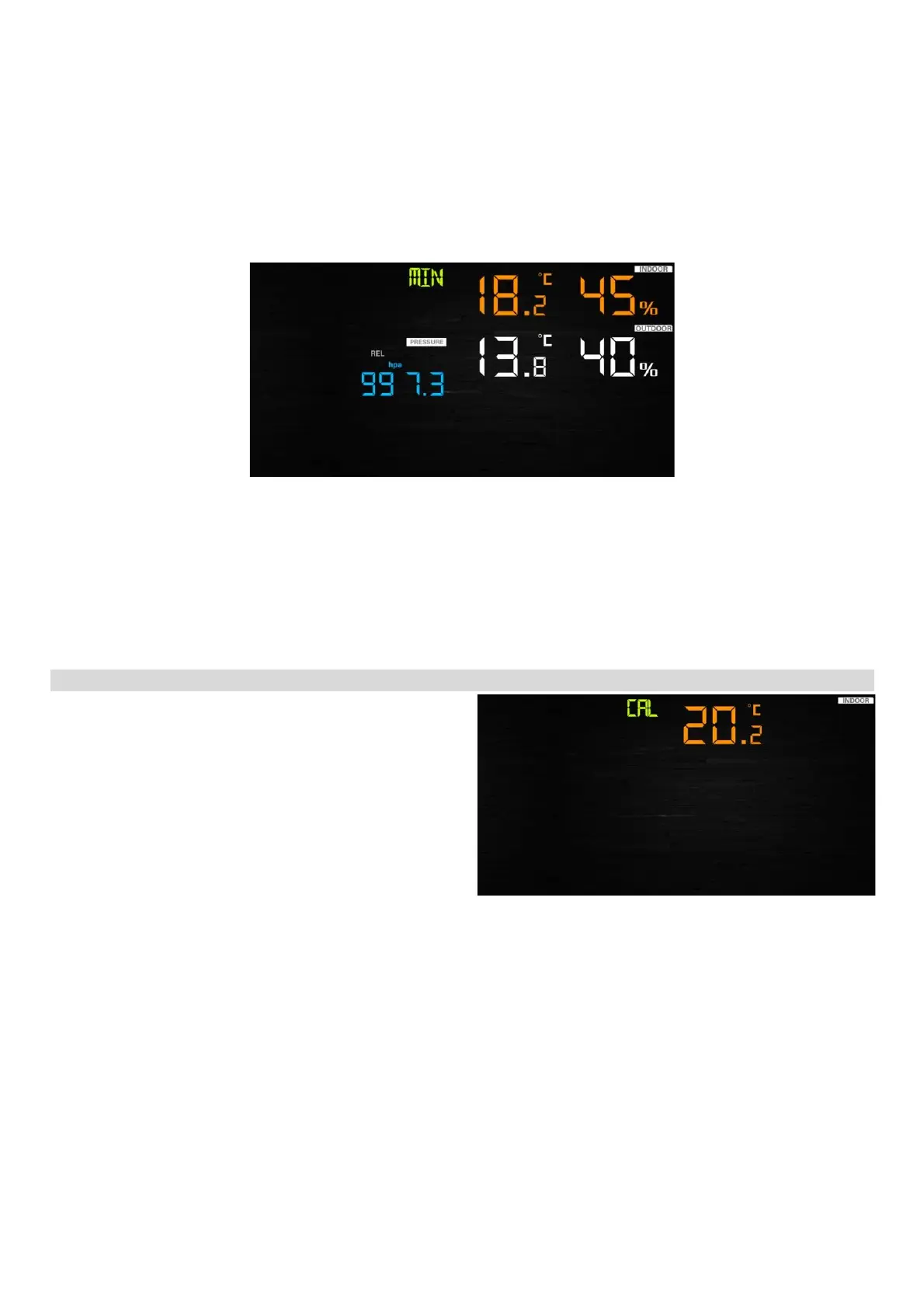
Press the MAX/MIN button again to display the minimum measured values.
Press the TEMP. button to display the minimum measured values of Wind Chill and dew point.
Press and hold the PRESSURE/- button for 2 seconds to display the minimum measured values of
the absolute and relative barometric pressure.
Note: Press and hold the MAX/MIN button for 2 seconds to erase the recording of all maximum
and minimum measured values. Press the MAX/MIN or LIGHT / SNOOZE button again to return to
the basic display.
Calibration mode
Press and hold the TEMP. and MAX/MIN button
simultaneously for 5 seconds to enter the
calibration mode.
Press the WIND/+ or PRESSURE/- button to change the set values.
Press the SET button to confirm and to move to the next setting.
Press the ALARM button to reset the set value.
Press the LIGHT / SNOOZE button at any time to exit the calibration mode.
Order of calibration of individual measured values:
1) Setting the deviation of the indoor temperature
2) Setting the deviation of the relative humidity (range +/- 9%)
3) Setting the deviation of the outdoor temperature
4) Setting the deviation of the outdoor relative humidity (range +/- 9%)
5) Setting the deviation of the absolute barometric pressure (range +/- 10hpa)
6) Setting the deviation of the wind direction (by 1°)
7) Setting the deviation of the wind speed (50% to 150%)
8) Setting the deviation of the precipitation, default setting 100% (50% to 150%)


 To Next Page
 Loading...