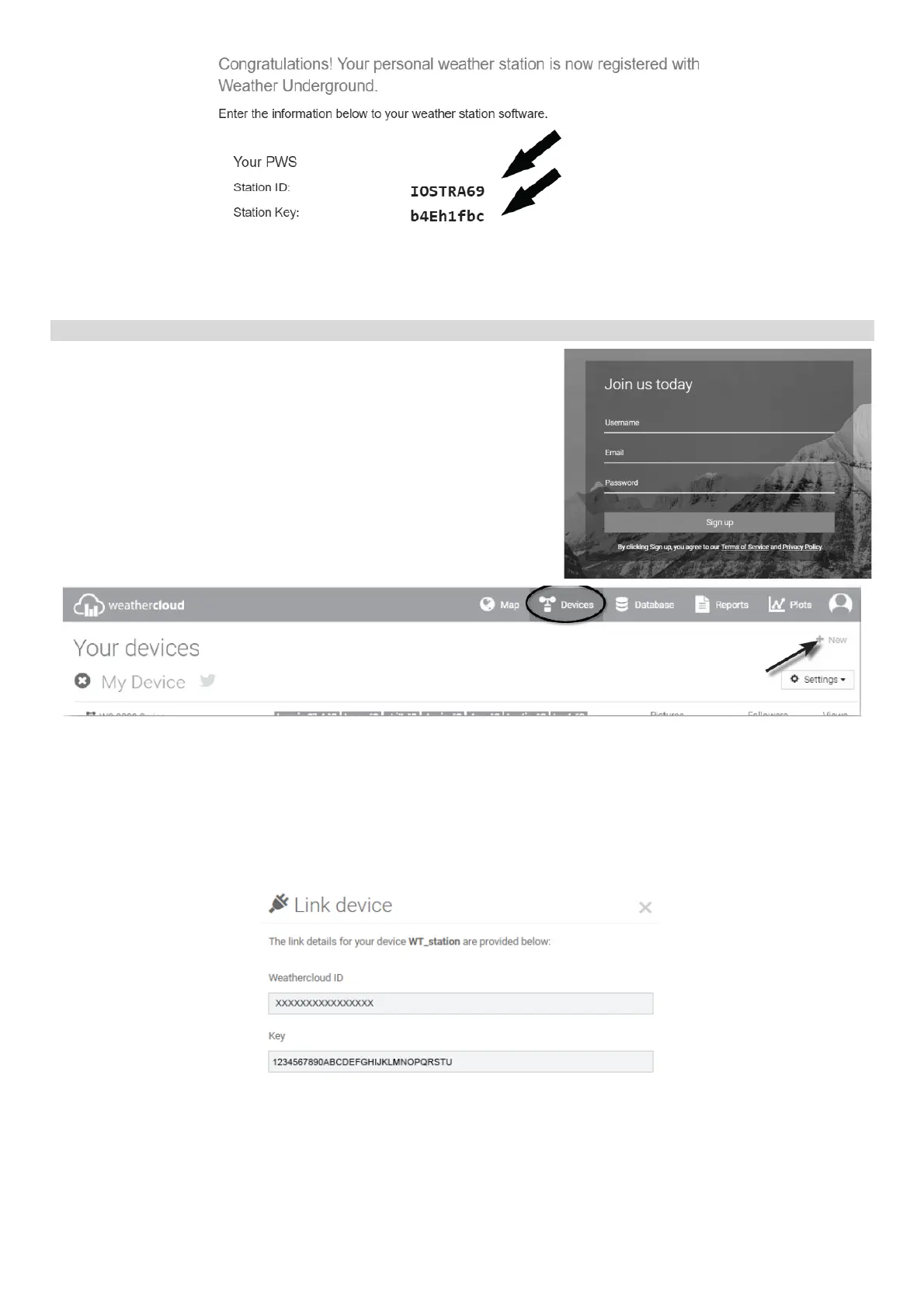
5) Note the assigned identification number “Your Station ID” of the weather station and the
password “Your Station Key” for entering into the app later.
Create the account on WeatherCloud.net web service
1) Enter the following web address https://weathercloud.net
into your web browser, then enter the required username,
your e-mail and password for login and click on Sign Up.
2) Sign in weathercloud and then you will go the "Devices"
page, click "+ New" or "Create device" to create new
device.
3) Enter all the information in “Create new device” page, for the “Model*” selection box select the
"940" under "GARNI" section. for the “Link type*” selection box select the "SETTINGS", Once
you have completed, click “Create”.
4) On the next page, click the "Options" button and then the "Link" button. Jot down your ID and
key for the further setup step.
Supported software for displaying and analyzing the measured values from the
WeatherCloud web service:
• Weather Display
• Cumulus


 To Next Page
 Loading...