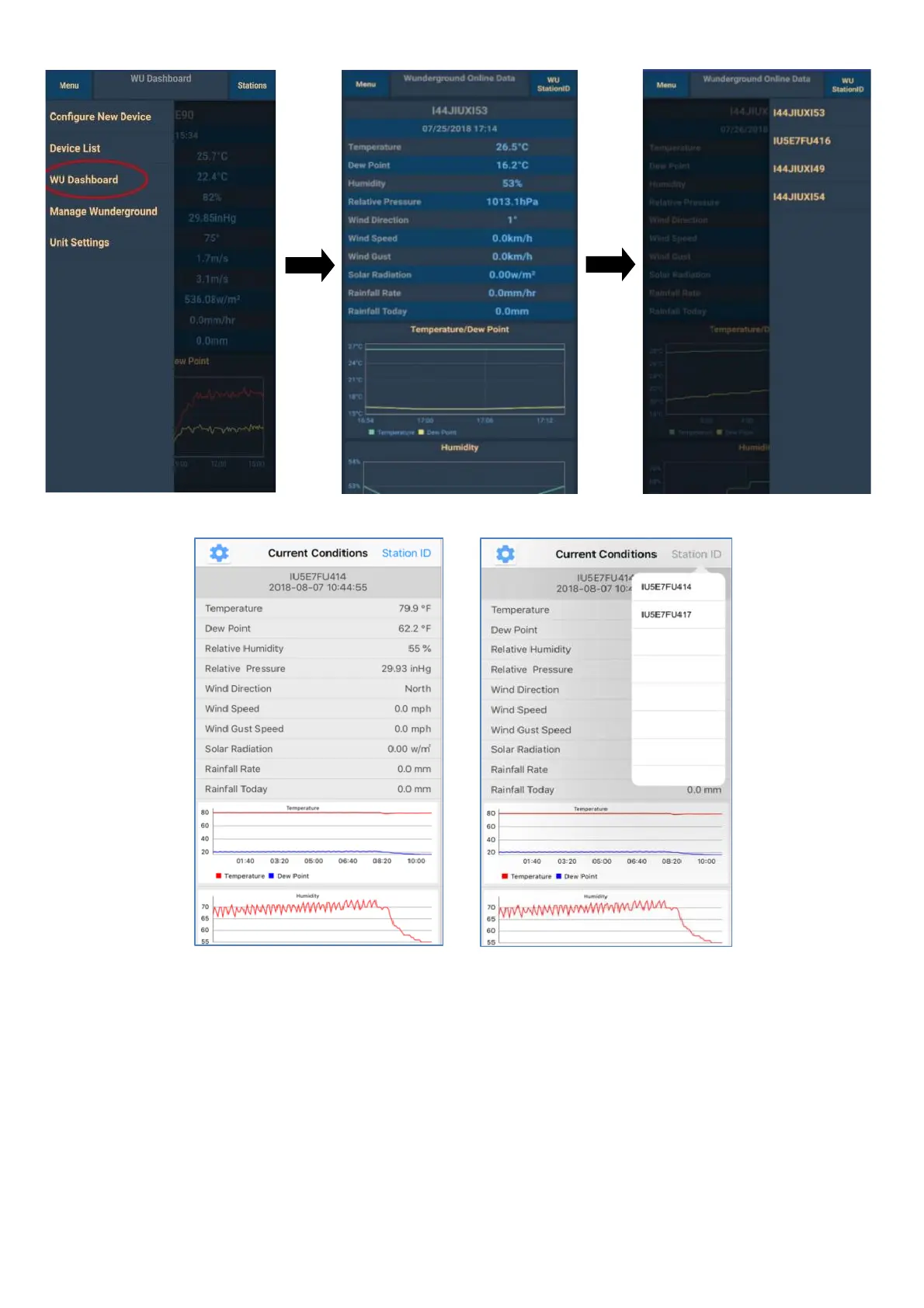
Android:
iOS:
Note:
1) The data is updated every 5 minutes.
2) This app can display the measured data and charts only for the weather stations connected to
the Weather Underground account. To display the measured values and charts from a weather
station connected to another server (Weather Cloud or WeatherObservationsWebsite),
download the respective app or view these values online on that server's website.
Removing or adding a device linked to the Weather Underground account
To delete a device from the app, click on Menu in the upper left corner, then on Manage
Wunderground and click on Delete net to that device and confirm the selection. The app will stop
displaying the measured values of the selected device, but this data will continue to be uploaded to
the Weather Underground server.


 To Next Page