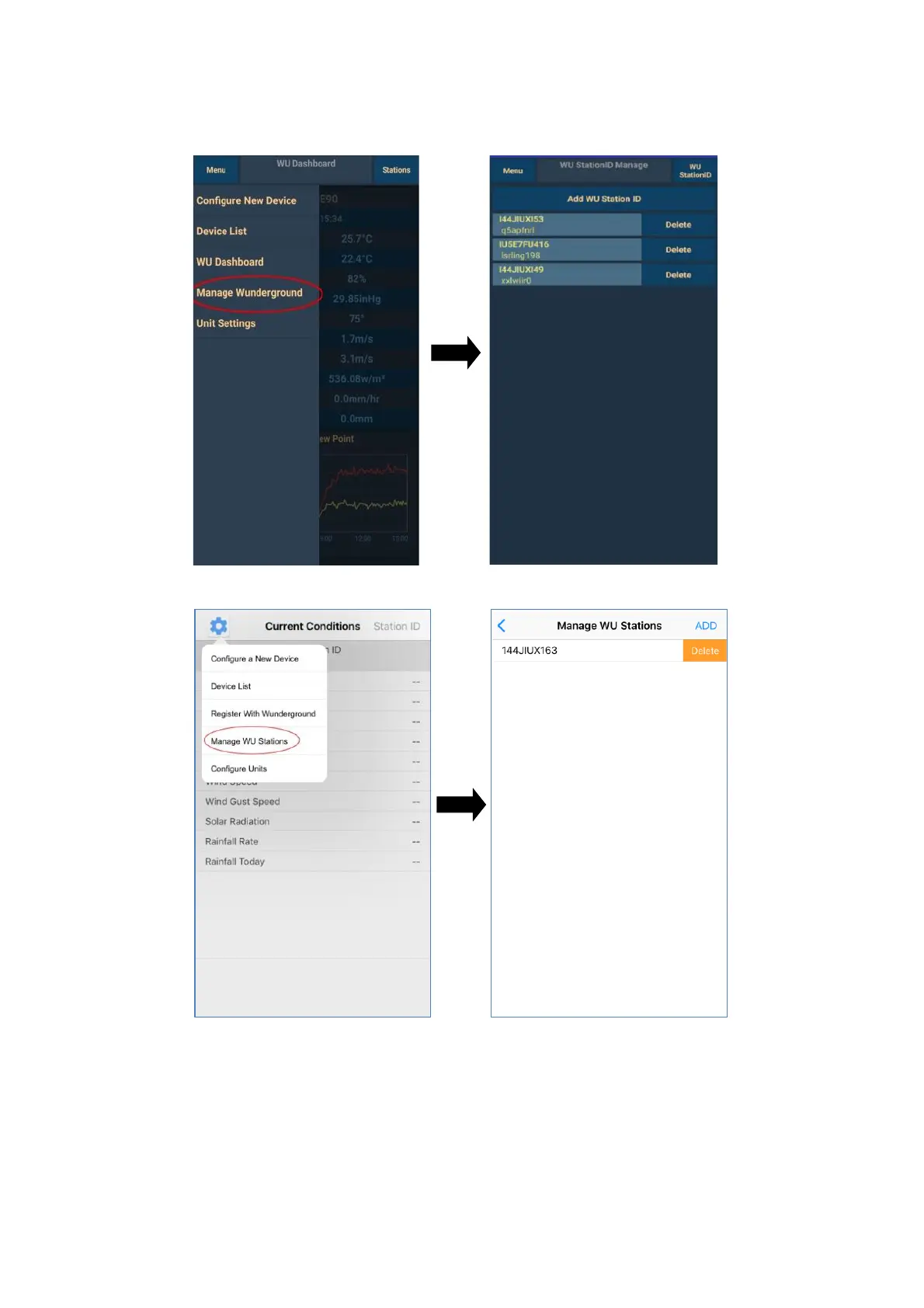
To add a registered device click on Menu in the upper left corner, then on Manage
Wunderground and on Add WU Station ID (or just ADD). Fill in the respective boxes.
Android:
iOS:
Unit settings
To set the measured values units click on Menu on the main screen and then on Unit Settings:
a) Temperature – temperature units
• °C (Celsius) – degrees centigrade
• °F (Fahrenheit) – degrees Fahrenheit
b) Pressure – barometric pressure units


 To Next Page