EasyManua.ls Logo

Garrett Master Hunter CX Plus - User Manual

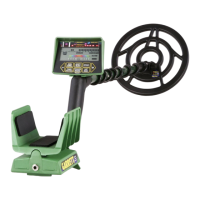
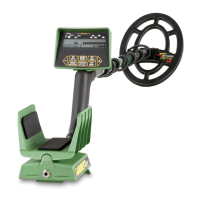
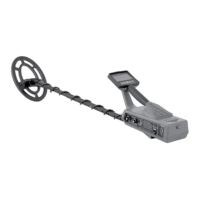
Garrett Master Hunter CX Plus
27 pages
Print Icon
To Next Page IconTo Next Page
Loading...
Owners
Manual
Master Hunter
CX Plus
®
$3
Question and Answer IconNeed help?

Do you have a question about the Garrett Master Hunter CX Plus and is the answer not in the manual?

Summary

PARTS

ASSEMBLY

Step 1: Spring Clip and Lower Stem

Attaching the spring clip to the lower stem for detector assembly.

Step 2: Lower Stem and Searchcoil

Connecting the lower stem to the searchcoil using washers and a bolt.

Step 3: Upper Stem and Control Housing

Inserting the upper stem into the control housing until buttons lock.

Step 4: Adjusting Stem Length

Connecting the lower stem to the upper stem for desired detector length.

FEATURES

TOUCHPADS

POWER Touchpad

How to use the POWER touchpad to turn the detector on or off.

ALL-METAL Touchpad

Function of the ALL-METAL touchpad for mode switching and Fast Track.

PINPOINT; DEPTH Touchpad

Activating pinpointing and measuring target depth after detection.

DISC Touchpad

Using the DISC touchpad to return to Discrimination Mode.

Sensitivity (+;-) Touchpads

Adjusting audio threshold and detection depth with +/- touchpads.

CONTROL FUNCTIONS - SIDE PANEL

FERROUS RANGE Control

Adjusting the Ferrous Range control to eliminate iron targets.

NON-FERROUS RANGE Control

Adjusting the Non-Ferrous Range control to eliminate targets like pulltabs.

OPERATING INSTRUCTIONS

Discriminate Mode Operation

How to operate the detector in the Discriminate mode for target selection.

LCD METER DISCRIMINATION

HEADPHONE JACK

BATTERIES

Battery Replacement

Step-by-step instructions for replacing the detector's batteries.

BENCH TESTING

Test 1: Initial Discrimination Settings

Testing with controls counter-clockwise for non-discriminating operation.

Test 2: Ferrous Control Adjustment

Adjusting the Ferrous control to reject nails and small junk items.

Test 3: Bottlecap Rejection

Testing bottlecap rejection and its effect on other junk items.

Test 4: Non-Ferrous Control Adjustment

Adjusting the Non-Ferrous control to reject pulltabs and nickels.

Test 5: Fine-Tuning Discrimination

Making slight adjustments for desired target acceptance/rejection.

Test 6: Experimentation

Experimenting with controls and recording results for field use.

TEST PLOT CONSTRUCTION

TARGET ACCEPTANCE

More on Target Audio

Explains target audio response, including erratic sounds and remedies.

All Metal Mode

SEARCHING

Searchcoil Height

Recommended operating height for the searchcoil for optimal detection.

Recovery

Electronic Pinpointing

Using the electronic pinpointing feature to locate targets precisely.

Coin Depth Measuring

Measuring the depth of coin-sized targets after pinpointing.

SEARCHCOILS

GOLD PROSPECTING

MAINTENANCE

SERVICE AND REPAIR

Preparing for Service

Steps to take and information to provide when returning the detector for service.

RECOMMENDED ACCESSORIES

RECOMMENDED READING

RAM BOOKS ORDER FORM

Mail-In Order Form

Form for ordering additional books related to metal detecting.

MIND YOUR MANNERS!

Warning!

Summary

PARTS

ASSEMBLY

Step 1: Spring Clip and Lower Stem

Attaching the spring clip to the lower stem for detector assembly.

Step 2: Lower Stem and Searchcoil

Connecting the lower stem to the searchcoil using washers and a bolt.

Step 3: Upper Stem and Control Housing

Inserting the upper stem into the control housing until buttons lock.

Step 4: Adjusting Stem Length

Connecting the lower stem to the upper stem for desired detector length.

FEATURES

TOUCHPADS

POWER Touchpad

How to use the POWER touchpad to turn the detector on or off.

ALL-METAL Touchpad

Function of the ALL-METAL touchpad for mode switching and Fast Track.

PINPOINT; DEPTH Touchpad

Activating pinpointing and measuring target depth after detection.

DISC Touchpad

Using the DISC touchpad to return to Discrimination Mode.

Sensitivity (+;-) Touchpads

Adjusting audio threshold and detection depth with +/- touchpads.

CONTROL FUNCTIONS - SIDE PANEL

FERROUS RANGE Control

Adjusting the Ferrous Range control to eliminate iron targets.

NON-FERROUS RANGE Control

Adjusting the Non-Ferrous Range control to eliminate targets like pulltabs.

OPERATING INSTRUCTIONS

Discriminate Mode Operation

How to operate the detector in the Discriminate mode for target selection.

LCD METER DISCRIMINATION

HEADPHONE JACK

BATTERIES

Battery Replacement

Step-by-step instructions for replacing the detector's batteries.

BENCH TESTING

Test 1: Initial Discrimination Settings

Testing with controls counter-clockwise for non-discriminating operation.

Test 2: Ferrous Control Adjustment

Adjusting the Ferrous control to reject nails and small junk items.

Test 3: Bottlecap Rejection

Testing bottlecap rejection and its effect on other junk items.

Test 4: Non-Ferrous Control Adjustment

Adjusting the Non-Ferrous control to reject pulltabs and nickels.

Test 5: Fine-Tuning Discrimination

Making slight adjustments for desired target acceptance/rejection.

Test 6: Experimentation

Experimenting with controls and recording results for field use.

TEST PLOT CONSTRUCTION

TARGET ACCEPTANCE

More on Target Audio

Explains target audio response, including erratic sounds and remedies.

All Metal Mode

SEARCHING

Searchcoil Height

Recommended operating height for the searchcoil for optimal detection.

Recovery

Electronic Pinpointing

Using the electronic pinpointing feature to locate targets precisely.

Coin Depth Measuring

Measuring the depth of coin-sized targets after pinpointing.

SEARCHCOILS

GOLD PROSPECTING

MAINTENANCE

SERVICE AND REPAIR

Preparing for Service

Steps to take and information to provide when returning the detector for service.

RECOMMENDED ACCESSORIES

RECOMMENDED READING

RAM BOOKS ORDER FORM

Mail-In Order Form

Form for ordering additional books related to metal detecting.

MIND YOUR MANNERS!

Warning!

Garrett Master Hunter CX Plus Specifications

General IconGeneral
DiscriminationYes
Sensitivity AdjustmentYes
PinpointYes
Power Supply4 x AA batteries
LengthAdjustable
TechnologyVLF
Search ModesAll-Metal, Discrimination
Audio OutputYes
WaterproofSearch coil waterproof
Intended UseCoin shooting, relic hunting
Search Coil Size8.5 inch

Related product manuals