
 Need help?
Do you have a question about the Garrett MT 5500 and is the answer not in the manual?
Overview of warning symbols and their meanings.
Details on the detector's display panel, including lights and LCD.
Explanation of the functions of each touchpad on the control panel.
Contains main circuit boards for detector operation.
Houses circuitry for the detector's power requirements.
Optional module providing battery power for extended operation.
Guidelines for choosing an optimal location for the detector.
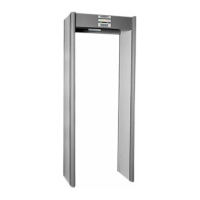
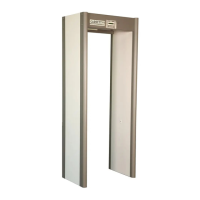
Steps and components required for assembling the walk-through metal detector.
Information displayed by the unit during normal operation and self-test.
Procedures and solutions for detected error codes during self-testing.
Adjusting the receiver balance for optimal performance.
Procedure to change the supervisor access code.
Procedure to change the installation access code.
Method to restore factory default access codes.
Selecting and adjusting detection programs.
Adjusting the sensitivity level for target detection.
Supervisor's role in calibrating the detector.
Guidelines for regularly testing the detector's calibration.
Details on the detector's electronic components and design.
Specifications regarding the detector's detection speed.
List and description of available optional features.
Information on the product's warranty period and coverage.
Routine checks and cleaning for the detector.
Steps for replacing internal modules of the detector.
A list of available part numbers for replacement.
Fundamental steps for operating the MT 5500 detector.
Understanding the information displayed on the unit's LCD panel.
Explanation of the different audio alarm types and their meanings.
Detailed functions of the control panel touchpads.
Procedures for responding to alarm conditions.
A template for logging operational data and settings.
Descriptions of various programs available for detector configuration.
Guidance on selecting programs based on application and traffic.
Instructions for operating multiple detectors in proximity.
Information on the optional battery backup module installation.
Steps for installing the stabilizer base for unit stability.
Specifications for wiring the detector to power sources.
 General
| Humidity | Up to 95%, non-condensing |
|---|---|
| Alarm Indication | Visual and Audio |
| Battery Type | Rechargeable (optional) |
| Audio Tones | Adjustable |
| Sensitivity Levels | Adjustable |
| Audio Frequency | Adjustable |






 To Next Page