EasyManua.ls Logo

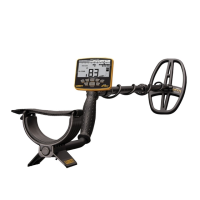
Garrett MULTI-FLEX ACE APEX - User Manual

Garrett MULTI-FLEX ACE APEX
26 pages
Print Icon
To Next Page IconTo Next Page
Loading...
User Manual
Elevate YOUR DETECTING to the next level
6” x 11” DD Coil
TM
TM

Questions and Answers

Garrett MULTI-FLEX ACE APEX Specifications

General IconGeneral
DisplayLCD
Battery Life15 hours
Target ID Segments0-99
Ground BalanceAutomatic and Manual
Pinpoint ModeYes
Sensitivity AdjustmentYes
Target IDYes
Iron DiscriminationYes
Warranty2 years
Operating Frequency5 kHz, 10 kHz, 15 kHz, 20 kHz
Search ModesJewelry, Coin
Water ResistanceWaterproof up to 10 feet (3 meters)
BatteryRechargeable Lithium Ion

Summary

Quick Start Steps

Power ON

Turn on the detector and its basic operation.

Select Mode

Choose a detection mode for searching.

Adjust settings

Modify detector settings like sensitivity and volume.

Ground Balance (if necessary)

Balance the detector to the ground conditions.

Begin scanning

Start sweeping the searchcoil over the ground.

Assembly

Extend shaft and insert washers

Adjusting the shaft length and securing it with washers.

Attach the searchcoil

Connecting the searchcoil to the lower stem assembly.

Attach the S-stem to lower shaft

Connecting the S-stem with the control housing.

Adjusting arm cuff

Modifying the arm cuff for user comfort and fit.

Battery Information

Basic Information

Details on battery type, life, scale, recharge time, and status.

Detecting with a Power Bank

Operating the detector using an external USB power pack.

Note on Battery Life

Tips for extending the lifespan of the internal battery.

Basic Controls

Power ON;OFF and MODE

Button functions for turning on/off and selecting modes.

Plus;Minus and NOTCH DISC

Buttons for adjusting settings and notch discrimination.

Ground Balance;HOLD

Button for ground balancing and holding settings.

Iron Audio

Button to activate audio feedback for iron targets.

MENU

Button to navigate through menu settings and options.

Pinpoint;OPERATE

Button for pinpointing and exiting menus.

Accept;Reject

Buttons to accept or reject targets in discrimination.

LCD;Display Elements

Target Identification Display

Displays target ID, legend, and coin icons for identification.

Discrimination and Mode Indicators

Shows discrimination pattern, active mode, and feature indicators.

Settings and Status Indicators

Displays battery status, backlight, menu access, and sensitivity.

Target ID Information

Digital Target ID

Provides a numerical value from 0-99 for target identification.

Target ID Legend

Explains the ID cursor's relation to target types and conductivity.

Z-Lynk Wireless Operation

Pairing

Steps to pair wireless headphones with the detector.

Use of optional wired headphones

Using standard wired headphones with the detector.

Menu Settings

Core Settings Adjustments

Adjusting sensitivity, overall volume, and iron volume levels.

Frequency and Channel Options

Selecting operating frequencies and channels for interference reduction.

Feature Controls

Managing LCD backlight and wireless headphone connectivity.

Multi-Flex Multi-Frequency Options

Multi-Frequency Operation

Explains MF and MS modes for target detection.

Single Frequency Operation

Discusses using individual frequencies (5-20 kHz) for specific targets.

Search Modes

ZERO Discrimination Mode

Detects all metal types without discrimination.

US COINS Mode

Designed for U.S. coins, excluding common trash items.

COINS Mode

For finding international coins of various sizes.

JEWELRY Mode

Optimized for jewelry, ignoring most iron trash.

Search Modes (continued)

RELICS Mode

Eliminates small iron, detects low conductivity targets.

CUSTOM Mode

Allows user-programmable settings that are retained.

Notch Discrimination

Example of Manual Modification to Notch Discrimination Pattern

Illustrates adjusting the discrimination pattern with buttons.

Auto Ground Balance

Ground Balance Procedure

Step-by-step guide for performing auto ground balance.

Typical Ground Balance Ranges

Explains ground balance values and corresponding soil types.

Iron Audio

Iron Audio ON;OFF

How to switch the Iron Audio feature on or off.

Illustrations regarding the use of the Iron Audio feature

Visual aids explaining audio tone changes with Iron Audio.

Detecting Techniques and Tips

Adjust Detector Shaft and Coil Angle

Proper adjustment of shaft length and coil angle.

Proper Coil Swinging

Techniques for swinging the searchcoil effectively.

Electrical Interference and Ground Noise

Dealing with EMI and ground mineralization.

Detecting Techniques and Tips (continued)

Iron Masking Tip

Using discrimination to avoid masking good targets by iron.

Isolating Adjacent Targets

Separating good targets from trash in trashy areas.

Pinpointing

Pinpoint Procedure

Step-by-step guide to accurately pinpoint targets.

Practice Pinpointing

Recommendation to practice pinpointing in a test plot.

Bench Tests

Conducting Bench Tests

Steps for performing tests on various metal objects.

Iron Audio bench test

Specific test for understanding Iron Audio benefits.

Test Plot Creation

Creating and marking test plots for soil testing.

General Advice

Metal Detecting Code of Ethics

Guidelines for responsible metal detecting practices.

Cautions

Precautions to observe while searching and caring for the detector.

Troubleshooting

No power

Solutions for the detector not turning on.

Erratic sounds or target ID cursor movement

Troubleshooting guide for unstable detector readings.

Intermittent Signals

Diagnosing and resolving intermittent signals.

Im not finding specific targets

Advice for when desired targets are not detected.

Target ID Cursor bounces

Addressing erratic bouncing of the Target ID cursor.

ACE Apex Warranty Info

Warranty Coverage

Details on the 24-month limited parts and labor warranty.

Regulatory Info

Compliance information regarding FCC and Industry Canada.

Wireless Transmitter Specifications

Technical details of the wireless transmitter.

Technical Specifications

Related product manuals