EasyManua.ls Logo

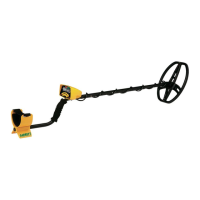
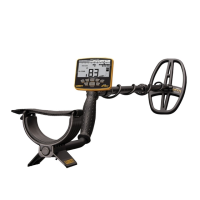
Garrett ACE 400i - User Manual

Garrett ACE 400i
15 pages
Print Icon
To Next Page IconTo Next Page
Loading...
© 2016 Garrett Electronics, Inc. PN 1534310.A.0216
1881 W. State Street
Garland, Texas 75042
USA
Tel: 1.972.494.6151
Email: sales@garrett.com
Fax: 1.972.494.1881
ACE 400i Owner’s Manual
Owner’s Manual
Locate deeply buried coins, relics,
and jewelry, even in challenging
iron-cluttered areas!
English / Spanish / French / German

Questions and Answers

Summary

ACE 400 i Control Panel Overview

Control Panel Components

Identifies and briefly describes the main controls and indicators on the detector's panel.

Quick Start Guide

Power On and Select Mode

Instructions for powering on the detector and choosing a detection mode.

Adjust Settings and Begin Scanning

Guidance on adjusting sensitivity/discrimination and starting the search.

Detector Assembly

Power On and Basic Controls

Power ON;OFF and Factory Reset

Details on how to turn the detector on/off and restore factory settings.

Battery Level and Frequency Adjust

Information on checking battery status and adjusting operating frequency.

Target Information

Target ID Legend and Cursor

Explanation of the Target ID Legend and Cursor for identifying metal types.

Lower Scale and Depth Indicator

Understanding the Lower Scale (discrimination) and Coin Depth Indicator.

Digital Target ID

Using the Digital Target ID for precise target identification.

Selecting Modes (Discrimination Patterns)

Preset Mode Descriptions

Overview of the different preset detection modes and their applications.

Audio Features

Tone ID and Iron Audio

How different tones indicate target types and the function of Iron Audio.

Headphone Jack Usage

Information on using headphones with the detector.

Sensitivity Adjustment

Notch Discrimination

Methods for Modifying Discrimination Patterns

Methods for adjusting the discrimination pattern to reject unwanted targets.

Iron Masking

Iron Audio Feature

Pinpointing Technique

Pinpoint Procedure Steps

Step-by-step guide on how to use the pinpoint function for accurate target location.

Bench Tests for Detector Familiarization

Conducting General Bench Tests

Instructions for performing bench tests to understand target responses.

Iron Audio Feature Demonstration Test

A specific test to demonstrate the effectiveness of the Iron Audio feature.

Hunting Tips for the ACE 400 i

Coil Swing and Ground Coverage

Tips on proper searchcoil swing and ground coverage for efficient searching.

Isolating Adjacent Targets

Strategies for separating signals from closely spaced targets.

Troubleshooting Guide

Common Symptoms and Solutions

Lists common operational problems and their recommended solutions.

Battery Replacement Procedure

Metal Detecting Code of Ethics

Safety Cautions

Caring for Your ACE 400 i Detector

ACE 400 i Warranty and Service

Warranty Service and Troubleshooting Checks

Guidance on common issues, dealer contact, and warranty service.

ACE 400 i Accessories

Summary

ACE 400 i Control Panel Overview

Control Panel Components

Identifies and briefly describes the main controls and indicators on the detector's panel.

Quick Start Guide

Power On and Select Mode

Instructions for powering on the detector and choosing a detection mode.

Adjust Settings and Begin Scanning

Guidance on adjusting sensitivity/discrimination and starting the search.

Detector Assembly

Power On and Basic Controls

Power ON;OFF and Factory Reset

Details on how to turn the detector on/off and restore factory settings.

Battery Level and Frequency Adjust

Information on checking battery status and adjusting operating frequency.

Target Information

Target ID Legend and Cursor

Explanation of the Target ID Legend and Cursor for identifying metal types.

Lower Scale and Depth Indicator

Understanding the Lower Scale (discrimination) and Coin Depth Indicator.

Digital Target ID

Using the Digital Target ID for precise target identification.

Selecting Modes (Discrimination Patterns)

Preset Mode Descriptions

Overview of the different preset detection modes and their applications.

Audio Features

Tone ID and Iron Audio

How different tones indicate target types and the function of Iron Audio.

Headphone Jack Usage

Information on using headphones with the detector.

Sensitivity Adjustment

Notch Discrimination

Methods for Modifying Discrimination Patterns

Methods for adjusting the discrimination pattern to reject unwanted targets.

Iron Masking

Iron Audio Feature

Pinpointing Technique

Pinpoint Procedure Steps

Step-by-step guide on how to use the pinpoint function for accurate target location.

Bench Tests for Detector Familiarization

Conducting General Bench Tests

Instructions for performing bench tests to understand target responses.

Iron Audio Feature Demonstration Test

A specific test to demonstrate the effectiveness of the Iron Audio feature.

Hunting Tips for the ACE 400 i

Coil Swing and Ground Coverage

Tips on proper searchcoil swing and ground coverage for efficient searching.

Isolating Adjacent Targets

Strategies for separating signals from closely spaced targets.

Troubleshooting Guide

Common Symptoms and Solutions

Lists common operational problems and their recommended solutions.

Battery Replacement Procedure

Metal Detecting Code of Ethics

Safety Cautions

Caring for Your ACE 400 i Detector

ACE 400 i Warranty and Service

Warranty Service and Troubleshooting Checks

Guidance on common issues, dealer contact, and warranty service.

ACE 400 i Accessories

Garrett ACE 400i Specifications

General IconGeneral
Type-
Control typeButtons
Frequency band10 kHz
Search depth (max)- m
Search coil diameter- mm
Suitable for materialsMetal
Search depth adjustmentYes
Battery typeAA
Number of batteries supported4
Weight and Dimensions IconWeight and Dimensions
Width1346.2 mm
Weight1320 g

Related product manuals