EasyManua.ls Logo

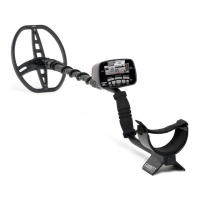
Garrett AT Max - User Manual

Garrett AT Max
27 pages
To Next Page IconTo Next Page
Loading...
AT Max
1
TABLE OF CONTENTS
AT Max User Controls ...............................................................................................2
AT Max Display Information .....................................................................................3
Quick Start Guide ....................................................................................................4
Components ............................................................................................................ 5
AT Max Contents ......................................................................................................6
Detector Assembly ..................................................................................................7
Power On/Basic Controls .........................................................................................9
Factory Reset, Frequency Adjust, Backlight ......................................................9
Target Information ................................................................................................10
Volume Adjust .......................................................................................................11
Selecting Modes (Discrimination Patterns) ...........................................................12
All Metal Mode vs Discrimination Modes ........................................................13
All Metal Mode Audio Characteristics ....................................................................14
Discrimination Mode Audio Characteristics ...........................................................15
Tone ID in Discrimination Modes ....................................................................16
Proportional Audio Characteristics ........................................................................17
Notch Discrimination.............................................................................................18
Sensitivity .............................................................................................................20
Audio Threshold Adjustment .................................................................................21
Ground Balance .....................................................................................................22
Iron Discrimination................................................................................................26
Iron Audio .............................................................................................................28
Z-Lynk Wireless Operation .....................................................................................32
Bench Tests ...........................................................................................................34
Hunting Tips .......................................................................................................... 37
Pinpointing ...........................................................................................................41
Underwater Operation ..........................................................................................45
Troubleshooting Guide ..........................................................................................46
Battery Replacement ............................................................................................47
Metal Detecting Code of Ethics .............................................................................. 48
Cautions ................................................................................................................49
Caring For Your Detector ........................................................................................49
AT Max Warranty / Service .....................................................................................50
AT Max Accessories ................................................................................................52


Questions and Answers

Garrett AT Max Specifications

General IconGeneral
Operating Frequency13.6 kHz
Iron AudioYes
Searchcoil8.5" x 11" DD PROformance
Audio OutputWireless and wired
Headphone JackYes
DiscriminationAdjustable
Pinpoint ModeYes
Volume ControlYes
Search ModesAll Metal, Custom, Zero
WaterproofUp to 10 feet (3 meters)
Ground BalanceAutomatic and Manual
Battery4 AA (included)
Weight3.03 lbs (1.4 kg)
Target ID0-99
Detection ModesAll Metal, Zero, Custom
Warranty2 years
Sensitivity AdjustmentYes
Battery LifeApprox. 20 hours
LengthAdjustable, 43" to 56" (1.09m - 1.42m)

Summary

AT Max User Controls

Notch Discrimination

Select pixels with Shift and +/- keys, then toggle with ELIM button.

Iron Discrimination

Adjust Iron Discrim level using direct press of (+) or (-) keys.

Sensitivity

Increase or decrease sensitivity level using direct press of (+) or (-) keys.

AT Max Display Information

Target ID Legend

Indicates various metal types.

Target ID Cursor

Indicates the probable identity of a target.

Quick Start Guide

1. Power ON.

Press ON/OFF for 1 sec to power on; starts in last used mode.

2. Select Mode.

Use Mode button to select a detection mode.

4. Begin scanning.

Scan coil 1 inch above ground at 3 ft/sec for detection.

Powering ON; Basic Controls

Power ON;OFF Button

Hold for 1 second to switch power ON or OFF.

Factory Reset

Restore factory settings by pressing and holding the power button for 5 seconds.

Frequency Adjust

Scroll through and select frequency settings using the FREQ button.

Target Information

Target ID Legend

Indicates probable target identity with Target ID Cursor.

Digital Target ID

Provides a 0-99 value for precise target identification.

Coin Depth Indicator

Indicates depth of coin-sized targets in 2-inch increments.

Selecting Modes (Discrimination Patterns)

ALL METAL Mode

Offers greatest depth/sensitivity with continuous audio response.

CUSTOM Mode

Programmable mode that retains user settings after power off.

COINS Mode

Finds most coins, eliminates trash like iron and foil.

ZERO Mode

Detects all metal types; all 12 discrimination pixels are active.

Tone ID in Discrimination Modes

Low-Tone

Ferrous targets (ID < 35) like nails, iron, and steel.

Mid-Tone

Non-ferrous targets (ID 35-75) with low/medium conductivity.

High-Tone

Non-ferrous targets (ID > 75) with medium/high conductivity.

Notch Discrimination (Discrim Modes Only)

Method 1: SHIFT + NOTCH DISC + ELIM

Move cursor to pixel, press ELIM to eliminate/activate.

Method 2: SHIFT + ELIM

Press SHIFT then ELIM on detected target to create a notch.

Ground Balance

MAN. GND BAL

Manual adjustment button (requires SHIFT).

GND BAL Button

Button for Automatic or Manual Ground Balance functions.

Iron Discrimination

IRON DISC Buttons

Use (+) or (-) buttons to adjust Iron Discrimination setting.

Iron Masking

Use minimal trash rejection to avoid masking good targets.

Iron Audio

IRON AUDIO Button

Toggle Iron Audio feature ON/OFF by pressing button.

Iron Audio Use in Discrimination Modes

Hear discriminated iron to avoid ghost signals and undesired digging.

Z-Lynk Wireless Operation

Pairing

Pair by holding device near AT Max and pressing Z-Lynk buttons.

Z-Lynk Wireless for Water Hunting

Wireless for shallow wading; not for fully submerged use.

Bench Tests

Discrimination bench test

Test iron discrimination levels using an iron nail across searchcoil.

Iron Audio bench test

Test iron sounds in ZERO and ALL METAL modes with Iron Audio.

Hunting Tips

Keep your searchcoil height

Maintain coil height at 1 inch above and parallel to the ground.

Walk slowly

Scan side-to-side at 2-5 ft/sec, advance half coil length per sweep.

Pinpointing

Accurate pinpointing

Enables fast recovery with the smallest possible hole.

Pinpoint button

Press and hold to find peak signal via loudest audio.

Troubleshooting Guide

No power

Check batteries and their orientation.

Erratic sounds or target ID cursor movement

Check coil, avoid interference, adjust freq/sensitivity.

Intermittent Signals

Deep/angled targets; use ZERO Mode or pinpoint.

Related product manuals